




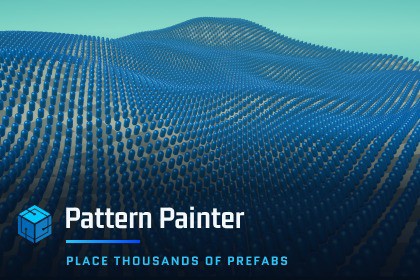
Drag a volume over your scene and fill it with thousands of prefabs - grids, lines, circles, checkers - on meshes and Terrain. Live preview every placement, then create real, editable instances.This is an in-editor productivity tool independent of render pipeline. However, to be able to have a semi-transparent material for the preview in the scene view, it includes a very simple shader that works in all pipelines.Place thousands of prefabs in secondsPattern Painter is a Unity Editor tool for repetitive object placement. Drag a Paint Volume over your scene, pick a pattern, and get thousands of real prefab instances exactly where you want them - tiles on a floor, crops in a field, cars in a parking lot, seats in a stadium, fences along a ridge, rivets on a hull.Every placement is a live preview until you commit it, and the whole run is undoable after you do.Choose where to paintDrag a box or cylinder Paint Volume anywhere in your scene and paint into it - no need to select a GameObject first. Every surface inside the volume receives placement points: several Meshes at once, a Terrain, or geometry you cannot re-parent. Terrain is a first-class surface and does not need a Collider.The volume only paints inside itself, so geometry above it doesn't block the pattern and geometry below it isn't caught.'Fill Misses at Volume Bottom' creates new floors, bridges and floating platforms without a temporary base Mesh. Surface hits still win; only misses use the volume's bottom face.The Paint Volume is not a scene object: it adds no component, never appears in the Hierarchy, and never dirties your scene.Start from a base patternRectangular gridsCheckerboardsStraight linesArcs and circlesRectangle, triangle, pentagon, hexagon, oval, star, arrow and zigzag linesConcentric circlesRadial spokes from a center pointThen shape it to your sceneUse multiple prefabs in a single patternOffset the pattern's centerRotate the entire patternFace every object toward the pattern's center, or toward its center line so two rows face each otherTurn every object by the same rotation offsetRandomize placement points to break up repetitionOffset individual placement pointsControl grid cell size and spacing along linesTurn any grid into a checkerboardChange the size of circular patterns and the spacing between ringsCut an empty hole in the middle of a circular patternAlign created objects to the Terrain or Mesh surface beneath themBuilt for large scenesLive preview handles up to 50,000 placement points, so you can drag a slider and watch a large pattern change in real time.250,000 GameObjects in about 7 seconds on our test machine, down from over 5 minutes.Spacing tighter than 0.5 units places every point you asked for - coins on a table, tiles, rivets.Changed your mind mid-run? Press the Space Bar to abort a long placement.Fits the way you workUndo and Redo the entire bulk creation, so you can keep tuning until the layout is right.'Number Created Instances' numbers each object so you can count a run from the Hierarchy.'Preview Color' tints the ghost preview and the placement point handles to suit your scene.Plain-language status messages in the tool window.Fully localized in five languagesThe tool UI and the online documentation are both available in English, Spanish, Chinese, Japanese and Korean.Questions people askWhich surfaces can it paint on? Meshes and Terrain, and several of them at once. Terrain is a first-class surface and needs no Collider. Placement points project straight down, so Pattern Painter places on ground, floors, platforms and roofs.Can I use my own prefabs? Yes - any prefab in your project, and several in the same pattern.What do I get when I commit a pattern? Ordinary GameObjects and prefab instances, parented where you asked, that you can edit, move or delete like anything else in your scene.Does anything run in my build? No. Pattern Painter is Editor-only - nothing from it ships in your game.Can I change my mind? Yes. Press the Space Bar to abort a long placement while it is running, and Undo reverses an entire committed run in one step.Fully localized online Documentation.Requires Unity 2022.3 or newer. Tested on Unity 2022.3, Unity 6.0, Unity 6.3 and Unity 6.6.Compatible with the Built-in Render Pipeline, URP and HDRP.Editor-only tool - nothing from Pattern Painter ships in your build.Built for 3D scenes.The tool shows plain-language status messages in a built-in text area.Long placement runs can be aborted by pressing the Space Bar.The package is imported as a DLL to keep your project clean after import. Feature requests are welcome - leave a review asking for one, or contact us through our website.The assets shown in the screenshots and video are for demonstration only and are not included in this package. They were purchased from various publishers; the demo scene in the package contains placeholder assets only.No AI-generated art, audio or models ship in this package. Pattern Painter is an Editor extension: it contains code only.AI-assisted coding tools were used during development to write, improve, debug, refactor and test parts of that code. All shipped code and functionality are personally reviewed, validated and approved by the developer, a software engineer with over 14 years of professional experience. AI-assisted code is never included in a release without human review and testing.

