




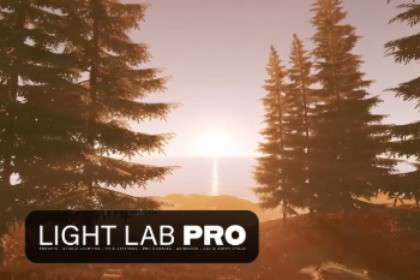
Light Lab PRO helps in managing and quickly setting up all lights and 1-click atmospheric looks in your scenes as well as adding Effects, Animations, Cookies, Volumetrics and Day/Night Cycle.Designed for URP. For Unity versions greater than 6.3, there will be an update as soon as LTS version releases.Documentation | Discord | --Roadmap-->>>>Read the documentation before using. <<<Day Night Cycle>Baked LightmapsThe tool is divided into the following tabs/sections:------------------------------------------------------------------------Studio Lighting:This Point of Interest (POI) based tool will simplify lighting composition and placement by giving you the option to easily create lighting setups used in film and photography.It includes controls for the following parameters and options:Per light edit (type, mode, color)Global intensityArrangement radius, offset and variationStudio Light naming (key, fill, rim, main)------------------------------------------------------------------------Presets:Change your scene look with a 1-click atmospheric preset. Choose your look from a curated list of presets that include HQ and Stylized setups.It includes Starter Presets with thumbnails and you can add your own.Additional per light presets.They include:Global Presets (a combination of FX &Settings, Volumetrics, PRO Cookies and Animation presets per light)FX & Settings PresetsVolumetrics PresetsPRO Cookies PresetsAnimation PresetsThe presets are a combination of effects and features of the tool with settings made by us. You can create and add your own as well.------------------------------------------------------------------------FX & Settings:Dive deep into scene customization with adjustable light groups, presets, and a variety of effects like sound reactor and strobe. The UI simplifies light selection and configuration, providing an intuitive pathway from concept to reality.It includes:EffectsGradualStrobeStep SequencerLens Flares (Directional Lights only)Completely modify your Directional Light (Sun Disk) with our shader based lens flare elements. It also includes a Texture element where you can add image files to use as lens flare elements.Add different elements to your directional light such as ring, glow, streaks, diskColor ChangerAutomatic color change with different patternsSound EffectsLight intensity affected by sound(good for organic sounds, one shots, ambient)Sound affected by light intensity(good for constant looping sounds)Material ChangerChange material color and emission of gameobjects affected by light color. You can also instantiate materials.Basic Settings------------------------------------------------------------------------Volumetrics:Raymarching:Directional Light contribution onlyControl: anisotropy, scattering and radius. It also features a god ray caster which emits light shafts directly from the clouds.Froxel based lighting and fog.Froxel Lighting and Fog:Global Fog that accepts directional light, point and spot light contributionLocal Fog RegionScreen Space Multiple Scattering: Makes far objects appear out of focus with the fog.Fog NoiseWind DirectionGust Effect------------------------------------------------------------------------PRO Cookies:Add texture to your lights by using PRO Cookies. These will help you add custom shapes to your lights.It includes:Texture CookiesMotion effect to animate the cookie textureAnimated CookiesThese are made in Shader Graph and are editableVideo CookiesProject a video from your lights------------------------------------------------------------------------Animation:Give life to your scenes using Animation effects. Create ambient movements with Rotation o Firefly animation, perfect for adding realism or fantastical elements to your environments.It includes:Rotation AnimationPatternsPer axis speedPer axis amountJitter amountFirefly MotionMotion AreaJitter amount------------------------------------------------------------------------Day & Night Cycle Tool:Simulate natural transitions with the Day and Night Cycle Tool. Customize directional light angles, intensities, and colors to mirror the passing of time, enhancing immersion and mood in your scenes. This tool also adds dynamic changes to skybox to simulate time of day. The user can set skybox and directional light changes during time of day, such as: sky color, cycle speed, sun/moon color, sun/moon size and moon phase.It includes:Directional Light and Sky + Celestial Night Sky + Stylized Clouds + HQ Clouds + Volumetric Clouds with Physically Based Sky:StarsStar ClustersNebulaGalaxiesCloud SettingsMoon ManagerMoon texturesMoon PhaseMoon SizeLightmap BlendingCalculate lightmaps in 4 times of day and it will blend them as the day night cycle passes, orTint one lightmap with the color you choose to simulate directional light coloring of the environment on the objectsCycle ManagerCycle Atmosphere: Choose the look your scene from a list of atmospheric presets that will change along the day night cycle.The cycle manager also updates the Global Volume along the day night cycle.------------------------------------------------------------------------PCVR Compatibility (VR Mode):With 1-Click, you can choose to use the VR Mode which changes Light Lab PRO's scripts and shaders to VR optimized versions.------------------------------------------------------------------------LUTs:Apply LUTs using the Color Lookup override on the Post Processing/Volume profile to change the overall look of your scenes. There are 122 LUTs to choose from.------------------------------------------------------------------------->Please, use our Discord server for most of the customer support. Bugs will be addressed in a timely matter depending on complexity.<-Designed for URP 3D, but can be partially used in other Render Pipelines and 2D.If attempting use in HDRP, Skybox in HDRP must be handled using the Editor settings since Light Lab PRO is not designed for HDRP.AI was used to review scripts' comments, writing documentation (which will get updated) and creating the Welcome/Getting Started window.

