




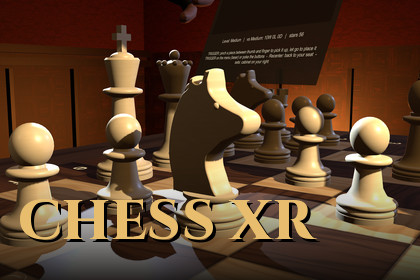
A complete VR chess game for Unity 6 URP and OpenXR: pinch-grab HD pieces, a built-in chess AI, Photon PUN 2 online play with private rooms and a lobby, in a Victorian library. For Quest and PC VR.Universal Render Pipeline (URP) 17.3 only. Requires Unity 6000.3 or newer (tested on 6000.3.25f1); not compatible with Built-in RP, HDRP, Unity 2022.3 or Unity 2023.Version 2.0 is a complete rebuild. This update replaces all of the previous content (v1.0) with a new project. Back up your project before updating; v1.0 scripts and scenes are not kept.Online play needs Photon PUN 2 – FREE (Exit Games), which is not included. Import it separately from the Asset Store. You also need a free Photon account and App ID. Photon's own terms apply, and Photon charges for usage above its free tier.Chess XR Game Template is a finished VR chess game you can open, play, reskin and ship. Players sit at a table in a candle-lit Victorian library and pick up detailed 3D pieces with a thumb-and-index pinch. They can play the built-in chess engine or another player online.The project is written to be read and extended. It has a pure C# chess engine with no Unity dependency, a network layer that works with any transport and checks every remote move, and a lightweight XR rig with no third-party interaction framework.GameplayPinch-to-grab pieces with the controller trigger or hand tracking. Legal moves are highlighted, a ghost previews the landing square, illegal drops glide back, and you get haptics.Full chess rules: castling, en passant, promotion (with a picker or auto-queen), check, checkmate, stalemate, the 50-move rule, threefold repetition and insufficient material.Built-in C# chess AI (PVS / alpha-beta search with a transposition table, quiescence search, null-move pruning and LMR) running on a background thread, with Easy, Medium and Hard levels.Undo, a hint arrow, a move list in SAN, chess clocks, resign, and an end screen.15 piece sets and 9 boards, including high-detail sculpted knights. An unlock system uses stars, streaks and challenges, and a showcase cabinet displays them.Seated comfort mode, recenter, adjustable table height, and a fade when you leave the seat area.World-space menus you use with a laser pointer or a finger poke.Multiplayer (with Photon PUN 2)Quick match, private rooms with 5-digit codes (optional 10+5 clock), and rematch.An "Online now" lobby to see who's online, send and accept or decline challenges, and set do-not-disturb.The opponent appears as a head-and-hands avatar.Each client checks every remote move (legality, turn and position hash) to prevent desyncs and cheating.Hooks for ranked Elo and leaderboards, which need your own backend (not included).HandsPlayer hands come in several styles (realistic light and dark, white, black, grid and more) and are calibrated for pinching.They're built from the Unity XR Hands "HandVisualizer" sample mesh, which the template imports from the XR Hands package automatically. The sample isn't redistributed.For developersAssembly definitions and namespaced code (VRChess.*). The online code only compiles when PUN 2 is present, which is detected automatically.A procedural scene builder regenerates the room, board, pieces and rig from code.To use another networking SDK (Netcode, Fusion, Mirror and others), implement one interface (IChessOnlineTransport).Ready-to-play demo scene plus a step-by-step guide in Documentation/README.md.LimitationsRanked Elo and leaderboards need your own backend. Without one, all online games are casual and the six online-rank unlocks stay locked.Tested with Touch-style controllers. Other controllers need their OpenXR interaction profile added.The demo room's lighting is baked, so re-bake if you change the room.Photon setup (online play)1. Import PUN 2 – FREE (Exit Games) from the Asset Store.2. The template adds the scripting define VRCHESS_PUN automatically and logs "Photon PUN 2 found, online play enabled". If it doesn't, use Tools > VR Chess Template > Refresh Photon Detection.3. Create a free account at dashboard.photonengine.com, then Create a New App with Photon SDK PUN and copy the App ID.4. In Unity, open Window > Photon Unity Networking > Highlight Server Settings and paste the ID into App Id PUN. A Fixed Region (for example eu) is recommended so all players meet in the same region.5. In the menu, open the Online tab and use Quick Match, Private Room, Join Code or Online now.Photon's free plan allows 20 concurrent users. Larger games need a paid Photon plan.Unity: 6000.3 or newer (tested on 6000.3.25f1). Not compatible with 2022.3 or Unity 2023.Render pipeline: Universal Render Pipeline 17.3 (URP only).XR: OpenXR Plugin 1.16+, XR Plug-in Management 4.6+, Input System 1.20+, XR Hands 1.9+ (optional hand tracking), uGUI 2.0.XR Interaction Toolkit: not required. v2.0 uses its own lightweight rig, grab, laser UI and poke code, unlike v1.0, which needed XRI.Platforms: Meta Quest 2/3/Pro standalone (Android, ARM64, IL2CPP, min API 32), and Windows PC VR (Rift, Quest Link / Air Link, other OpenXR headsets with Touch-style controllers).Content: about 75 C# scripts in 3 assembly definitions, 1 demo scene, procedural piece meshes in 7 styles, and PNG textures up to 2048². Audio is synthesised at runtime, so there are no audio files.Package size: about 46 MB (.unitypackage).Setup: Universal 3D project, then install OpenXR, XR Plug-in Management, Input System and XR Hands from the Unity Registry, then import. In XR Plug-in Management, tick OpenXR on Android and Windows and add the Oculus Touch Controller Profile (plus Meta Quest Support on Android). Open Scenes/VRChessMultiplayerDemo.unity and press Play.Keywords: vr chess, chess, multiplayer, template, photon, pun 2, openxr, quest, meta quest, oculus, xr, hand tracking, board game, chess ai, urp, online, unity 6Used Dalle to create some of the media images

