


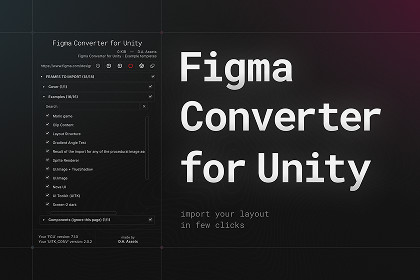
An asset that automatically converts the layout from Figma to Unity Canvas.Supports any version of Unity, starting from 2021.3.With this asset, you can transfer your layout from Figma to Unity in one click!ALL ASSETS FROM THE DEPENDENCIES TAB ARE OPTIONALFigma Converter for Unity:Preserves the hierarchy of the Figma project;Imports PNG, JPG and SVG files;Creates 9-Sliced sprites (manual via free Figma plugin or automatic detection);Creates prefabs;Downloads TTF fonts and creates TextMeshPro, UI Toolkit and UniText font assets;Auto-detects required Unicode subsets (Latin, CJK, Cyrillic, etc.) from project text;Supports import from an offline ZIP copy of a Figma project, allowing you to import a project on a Figma Free subscription an unlimited number of times without getting the “429 Too Many Requests” error.The tool for creating the ZIP copy is sold separately at this link.Generates a localization file;Generates scripts. Automatically serializes GameObjects into the generated scripts or into your own scripts;Doesn't create sprite duplicates;Auto-colorization of single-color sprites to white for color overlay;Creates scene backups;Automatically creates components:Image, RawImage, SpriteRenderer, SVGImage;UI.Text, TextMeshProUGUI, UniText;UI.Button;UI.InputField, TMP_InputField;HorizontalLayoutGroup;VerticalLayoutGroup;GridLayoutGroup;ScrollView;Toggle;Works with:Additional assets from the "Dependencies" tab;Unity UI Extensions asset;UI Toolkit (extension to support UITK sold separately);Cursor, Antigravity, Coplay and Codex via the built-in MCP Server, which can help you navigate the asset's documentation and answer frequently asked questions.Supports any OS;The asset UI and logs are localized into the following languages: English, Japanese, Korean, Chinese, Spanish, German, French, Indonesian, Hindi;Detailed manuals are available on the developer's website;Live technical support.I will consider any of your suggestions for integrating new functionality.Please, always update to the latest version of asset.The asset requires the Newtonsoft.Json package to function.Starting from version 7.0.0, the asset can use one of two options:The Newtonsoft.Json built into Unity;The "com.unity.nuget.newtonsoft-json" package.If your Unity version includes Newtonsoft.Json built in, you don’t need to do anything.If your Unity version does not include Newtonsoft.Json, you will see a message about it in the Unity Console after importing the asset. In that case, follow the instructions in the manual.

