








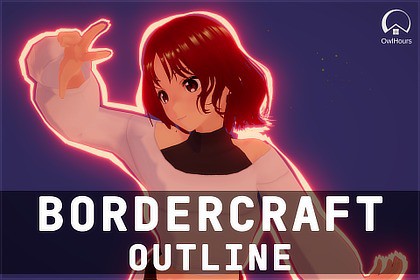
Bordercraft draws a selection outline around any GameObject in one line of code, and gets out of the way when you are not using it.WHEN NOTHING IS SELECTED, NOTHING RUNSA screen-space effect normally runs its passes every frame while its Renderer Feature is enabled. Bordercraft enqueues its passes only when something is actually outlined: no texture allocated, no pass added. With nothing selected, the Frame Debugger shows none of Bordercraft's passes in the frame at all.WHEN IT DOES RUN, IT ONLY SHADES WHAT IT HAS TOEvery pass after the silhouette is clipped to the on-screen box around the outlined object, so cost follows how much of the screen the object covers rather than your render resolution.THREE WAYS TO HANDLE WALLSAlways: the outline is seen through anything in front of it.Where Visible: it is occluded like any other object.Where Hidden: it appears ONLY on the part something else is covering, and disappears once the object is in the clear. Decided per pixel, so a half-covered object is outlined on the covered half only.TWO STYLESSoft: a blurred glow that reads over any background.Hard: a thin crisp line with no blur pass at all.MOTION ON TOP OF EITHER STYLEBumps travelling around the object, the whole outline breathing in and out together, or stepped stop-motion jitter. Wave speed can be changed while the game runs, so an outline can race like a heartbeat and settle back down smoothly.SEVERAL LOOKS AT ONCEFour channels, each with its own profile and its own idle gate, so enemies, loot and interactables can each have their own outline on screen together.ONE LINE, OR NONEOutliner.SetSelected(myGameObject, true);That is the whole integration: no component to add first, no scene setup, no project Layer or Tag configuration.Would rather not write code? Add an Outline Target component to the object and toggle it like any other component.Need the look at runtime? Outliner.GetProfile() returns the profile a channel is drawing with, ready to change.SETUPA wizard opens itself the first time you import, finds your URP Renderer assets, adds the feature to the ones you pick, and creates and assigns a default profile. Nothing to wire up by hand.DOCUMENTATIONFull setup guide, runtime API reference, known limitations, troubleshooting and changelog are available at https://owlhours.space/tools/bordercraft-selection-outline-urp/docs/If Bordercraft works out for you, a review helps more than you would think: it is how other developers find the package at all. If something does not work, write to us first and we will fix it.

