








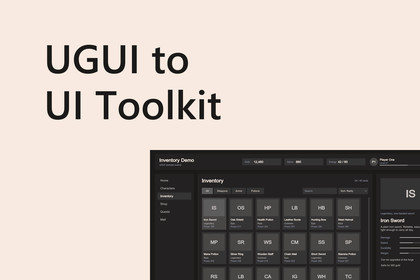
Moving a project from uGUI to UI Toolkit usually means rebuilding every screen by hand. That's a lot of work, and it's easy to lose the look you already had.UGUI to UI Toolkit does that part for you. Right-click a Canvas or a UI prefab, pick Convert to UI Toolkit, and you get UXML and USS files that look like your original screen. It checks every element against the original and tells you how close it got. On the included demo, all 238 elements land within 1 pixel.Your styling comes along with it. Sprites, sliced and tiled images, colours, fonts, text settings, hover and pressed states, all of it is carried over. It even keeps your own button, toggle and slider artwork instead of swapping in the default UI Toolkit look.It also handles the stuff that usually breaks when you switch:Buttons, toggles and sliders you wired up in the Inspector keep working. Those events move to a small UIEventBridge component on the new UIDocument, and you can still edit them there.Your scripts get updated. Text becomes Label, onClick becomes clicked, and so on. It writes a new copy next to your original script, so your old code is never touched.Repeated stuff becomes templates. If your screen has a grid of inventory slots or a list of rows, it spots them and saves one template file, kind of like a prefab. Each row keeps its own text, and if you change the template, every row follows.Hidden panels like popups and settings dialogs convert at their real size, even when they're switched off in the scene.Nothing is written until you're happy with it. The converter scans first and shows you what it found: your Inspector events, the scripts that use the UI, and every file it's going to create. The Preview tab shows the result next to the original, or on top of it with a slider, before anything is saved. After converting, the report lists every file it wrote and anything it couldn't match exactly. And if you swapped it into your scene, Undo puts the scene back.What you get out of it:Clean UXML and USS that open straight in UI BuilderShared USS classes instead of a pile of inline stylesTemplate files for repeated rowsA PanelSettings asset set up like your CanvasScalerAn optional binding class for your own codeIt's handy for:Moving an existing game's menus and HUD over to UI ToolkitConverting a whole folder of UI prefabs in one goLearning UI Toolkit by seeing your own screens as UXML and USSThere's a demo inventory screen included, built in uGUI, along with its converted version, so you can try it straight away and compare the two.Works with legacy Text and TextMeshPro. Needs Unity 6.3 or newer.

