








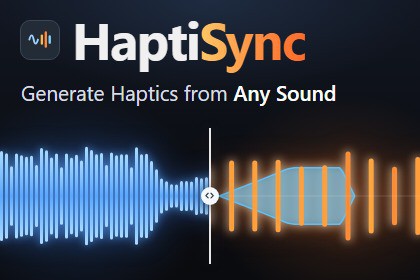
HaptiSync turns audio into vibration. Drop a music track or a sound effect into the window and it writes the haptic pattern for you: short hits on the beats, notes and attacks, and a smooth curve where the music swells or a sound fades. You feel it right away on a game controller or your Android phone while the clip plays, adjust it on a timeline, save it as an asset and play it in your game with one line of code, or with no code at all, locked to an AudioSource.How it works1. Open Tools > CoreBit > HaptiSync and drop in an audio clip.2. Pick the sound type and a preset. The pattern appears on the timeline at once.3. Press Play to feel it on a controller or a phone, or to hear it as a sound.4. Save the pattern. In your game, add a Haptic Music Source next to the AudioSource, or call HapticPlayer.Play(pattern).What you get• Three sound types: Music: beats & swells (taps on the rhythm plus swells where the music builds), Music: smooth (one continuous vibration that follows the loudness) and Sound effect (a hit on each attack and a rumble while the sound fades).• Five music presets (Soft, Strong, Rhythm, Minimal, Detailed). Save your own presets from the detailed settings; they also show up in Batch.• A haptic timeline: the waveform with its beat grid, the hits and the curve. Add, move, resize and delete hits, edit curve points, add rises, falls and swells. Every edit can be undone.• Feel it while you edit: PS5 DualSense (USB cable, and Bluetooth on Windows), Xbox and other gamepads through the Input System, or an Android phone over USB or Wi-Fi with the free HaptiSync Preview app you build from the window. No device at hand? Hear the vibration as a sound.• Batch: whole folders in one go. Auto mode treats clips up to 3 s as sound effects and longer ones as music. It can also fill a Haptic Library and export files.• Export to Apple Core Haptics (.ahap) and Meta Haptics Studio / Nice Vibrations (.haptic). Import .haptic files to compare them with yours or keep them as patterns.• Runtime player: Haptic Music Source follows its AudioSource (pause, seek, loop, pitch). One-shots play by asset or by name from a Haptic Library. Master on/off and intensity are ready for your settings menu.• Runtime generation: make patterns from audio while the game runs, for example for music the player brings.• Royalty-free samples made for this asset (a 24 s music loop and six sound effects), their patterns, a demo scene and a PDF manual.Customizable and genre-neutralEvery pattern is an editable asset, and every generator setting can be changed or saved as your own preset. HaptiSync fits any game where sound matters: rhythm and music games, action and shooters (guns, impacts, explosions), racing, casual and mobile games (UI taps, coins, rewards) and music visualizers. It analyses the audio itself (tempo, beats, notes, loudness, brightness). It runs offline in the editor, uses no AI service and sends nothing anywhere.Honest limits - please read before buying• Automatic patterns are a starting point. They follow what is in the audio, not what matters in your game, and busy mixes can give more hits than you want: pick a lighter preset (Minimal, Soft) or edit by hand.• Android: tested on one phone so far (Realme, Android 14). Phones differ a lot in how they render vibration strength, and some play every strength the same. For those, HaptiSync uses Pulses mode: short full-strength pulses whose length sets the strength. Auto picks it on phones known to need it. It works everywhere but feels a little rougher. Graded strength needs Android 8.0 or newer; older versions vibrate on/off.• iOS is experimental. A Core Haptics plugin is included and compiles, but it has not yet been tested on a real iPhone. There is no iPhone preview app; .ahap export works.• DualSense is driven through its standard rumble (two motors), not the PS5's audio-based haptics or the adaptive triggers. Bluetooth works on Windows only (macOS and Linux have not been tested; use a USB cable there). Steam can take the controller over: close it if the DualSense does not vibrate. Xbox and other gamepads use the Input System's motor rumble; trigger rumble is not used.• Game controllers need Unity's Input System package. Without it everything else works.• The phone preview app is not included as a ready-made file. You build it once from the window, which needs Unity's Android Build Support module.• Computers have no vibrator: on Windows, macOS and Linux only game controllers vibrate. WebGL has no vibration output (patterns, generation and export still work there).• Unity only gives audio data for clips set to Decompress On Load. The window switches this for you in one click; the audio file itself is not changed. Runtime generation needs the same setting.• Runtime generation takes about one second of CPU time for a 3-minute song; the async methods run it on a worker thread.• Your own presets are saved in the editor preferences on your computer, not in the project.• Consoles have not been tested. Tested on Windows with Unity 6000.0 and 6000.3, with and without the Input System.RequirementsUnity 6 (6000.0 or newer). Optional: the Input System package (for game controllers) and Android Build Support (for the phone preview app).TrademarksDualSense and PlayStation are trademarks of Sony Interactive Entertainment, Xbox of Microsoft, iPhone and Core Haptics of Apple Inc. Meta Haptics Studio is a product of Meta Platforms, Inc.; Nice Vibrations is a product of Lofelt / More Mountains. HaptiSync is not affiliated with or endorsed by any of them. It contains no third-party code.Support: corebitstudio@gmail.com

