




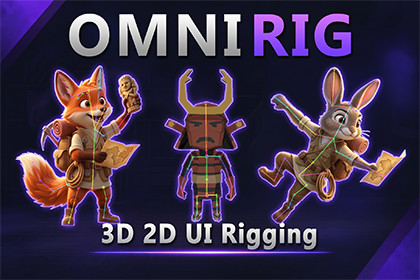
Rig 3D meshes, 2D sprites, and Canvas UI for micro-animations and secondary motion. Create bones, auto-weight meshes, paint weights, and animate with Unity Animator.Omni Rig is a Unity Editor rigging tool for creating micro-animations, secondary motion, and mesh deformations. Work with 3D meshes, 2D sprites, and Canvas UI elements in one streamlined workflow.One Tool, Three Rigging Workflows•3D Meshes: Convert MeshFilter/MeshRenderer objects into skinned meshes with bones while preserving materials and original source assets.•2D Sprites: Create deformable 2D rigs from SpriteRenderer data while preserving color, sorting layers, and flip states.•Canvas UI: Add bones to Image, RawImage, and Text components. Dynamic mesh tessellation enables bone-driven bending and deformation directly in Canvas space.Key FeaturesQuick Bone Placement: Create continuous bone chains or independent root bones in Scene View.Automatic Weighting: Generate skinning weights and refine them using Add, Subtract, and Smooth brush modes.Visual Weight Painting: Inspect bone influences with heatmaps and multi-influence overlays.Unity Animation Workflow: Animate regular Transform bones using Unity Animator, Timeline, or tweening scripts.Non-Destructive Workflow: Restore the original object state with One-Click Restore.Interactive Demo Scene: Explore 2D Sprite, 3D Mesh, and Canvas UI rigging examples.Built for Everyday Game AssetsBring motion and expressive deformation to UI icons, text, tails, tentacles, props, vegetation, flags, and other game elements. Omni Rig combines bone creation, skinning, weight painting, and mesh deformation in a practical Unity Editor workflow.Unity CompatibilityMinimum Unity Version: Unity 2022.3 LTSSupported Platforms: PC, Console, Mobile, and WebGLRender Pipeline CompatibilityBuilt-in Render PipelineUniversal Render Pipeline (URP)High Definition Render Pipeline (HDRP)Supported Components3D RiggingSource Components: MeshFilter and MeshRendererGenerates a SkinnedMeshRenderer-based rigPreserves original source assets and materials2D RiggingSource Component: SpriteRendererGenerates deformable 2D skinned meshesPreserves sprite color, sorting layers, and flip statesCanvas UI RiggingSupported Components: UnityEngine.UI.Image, RawImage, and TextIMeshModifier-based mesh deformationDynamic mesh tessellation for smooth, bone-driven deformationAutomatic tessellation density based on pixel size or manually configured grid divisionsSkinning & Weight PaintingBone Influence: Standard Unity BoneWeight, up to 4 bone influences per vertexPainting Operations: Add, Subtract, and SmoothBrush Controls: Adjustable radius and falloffFalloff Types: Smooth (Cosine), Linear, and SharpWeight Visualization: Multi-influence pie-chart overlays and single-bone heatmapsBone Placement & AnimationCreate continuous bone chains or independent root bonesPosition, rotate, and scale bones using Unity Transform toolsAnimate bones using Unity Animator Controllers, Timeline, or tweening scriptsAnimation preview safeguards when switching to bone placement or weight painting modesWorkflow & RestorationOne-Click Restore removes generated rig components and bones and restores the original object statePackage ContentsOmni Rig Core and Editor ToolsetCustom UI icons and Scene View HUDInteractive demo scene: OmniRig_Demo.unityDemo controller: OmniRigDemoController.csDocumentation: README.txtAI was used solely as an assistive tool during the publishing phase. This includes generating concept ideas for store visuals, video editing support, and structuring test scenarios during the QA process. All core C# architecture, custom editor extensions, and system logic are 100% hand-crafted by the developer to ensure maximum stability and performance.

