




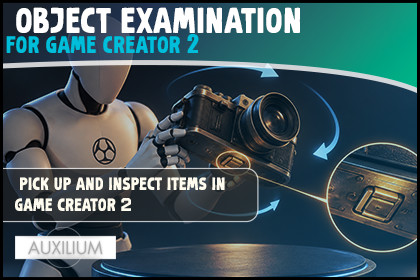
Let players pick up and inspect items in Game Creator 2! Rotate, zoom and click to find hidden clues. Perfect for mystery, horror and adventure. Core only, no code.WHAT IS IT 🔍Object Examination for Game Creator 2 adds the moment every mystery and horror game needs: the player picks up an object, turns it over in their hands up close, and clicks to find the clues hidden on it. A key held to the light, the engraving on a ring, the note scrawled on the back of a photo. It is native to Game Creator 2 and needs only the Core module.Drop one viewer in your scene, mark the props you want inspectable, and run a single instruction to open them. The viewer builds its own camera, lights and on screen UI, copies just the object's visuals (never its scripts), and tidies everything away when it closes.HOLD IT, TURN IT, FIND IT 🔄The object fills the screen on a clean stage. The player drags to rotate it from any angle, scrolls to zoom in on the details, and presses Escape or the X to put it down. Mouse and gamepad both work out of the box. Any object frames itself from its own size, so a tiny ring and a huge statue both appear perfectly centred.HIDDEN CLUES 🔎This is where it comes alive. Mark points on an object as clues, each with its own caption. A clue only shows its marker when its face is turned toward the camera, so the secret on the back stays secret until the player thinks to look there. Click a clue to find it, read its caption, and fire off whatever should happen next. The editor shows every clue as a marker right in the Scene view and warns you if one is missing an id or facing the wrong way, so a clue is never accidentally impossible to find.MAKE IT YOURS 🎨Set the background colour or drop in a full screen image. Tune the field of view, the opening angle, the zoom limits, and the marker colours for found and unfound clues. Add a key light and a fill light to make the object read well. Freeze the player while they inspect so nothing moves behind the overlay. It all lives on one component, with tooltips on every field.CONTROL IT WITH VISUAL SCRIPTING 🧠Open and close the viewer, reset found clues, check whether the viewer is open or a clue was found, and react the moment an object is opened, closed, or a specific clue is discovered. Wire inspections straight into your quests, dialogue and cutscenes. No code.IT REMEMBERS 💾Which clues the player has found is saved and loaded with the game, so a mid game save comes back exactly as they left it.GREAT FOR 🕵️Mystery and detective games, horror and survival horror, point and click and first person adventures, escape rooms, puzzle games, or any Game Creator 2 project where an object is worth a closer look.REQUIREMENTS ✅Requires the Game Creator 2 Core module. Works in URP, HDRP and Built in. Uses the new Input System that Game Creator 2 runs on. No asmdef, no external dependencies.SUPPORT 💬Fast and friendly support, and we genuinely like good ideas. Come say hi on the Auxilium Discord. If this saves you time, a quick review helps more than you would think.TECHNICAL DETAILSNative Game Creator 2 module. Requires only the Core module. Works in any render pipeline (URP, HDRP or Built in). Uses the new Input System that Game Creator 2 runs on, for mouse and gamepad. No external dependencies. No asmdef required.COMPONENTS 🔍- Examination Viewer: the inspection view. Copies an object's mesh visuals (never its scripts) onto a hidden stage, renders to a full screen overlay, and lets the player orbit, zoom and click. Builds and cleans up its own camera, lights and UI.- Examination Object: marks a prop as inspectable. Holds a Visual Root, Title, Description and a list of clues.CLUES 🔎- Hidden points on an object, each with an Id, a position, an Outward Normal, a click Radius and a Caption- A clue's marker only appears when its face is turned toward the camera- Visual Scene view editor draws every clue, with validation for missing or duplicate Ids, zero normals, and clues that face away at the opening angle, plus a one click Assign Missing Ids buttonVIEWER OPTIONS 🎨- Background colour or full screen image, with tint and preserve aspect- Field of view and opening angle- Zoom that frames any object from its own size, with min and max limits- Clue marker visibility, size, click radius and colours for found and unfound- Optional key light and fill light with colour, intensity and position- Suspend player control while examining, restored on closeVISUAL SCRIPTING 🧠 (Examination category)- Instructions: Examine Object, Close Examination, Reset Examination Clues- Conditions: Is Examining Object, Examination Clue Discovered- Events: On Examination Opened, On Examination Closed, On Examination Clue DiscoveredSAVE AND LOAD 💾- Each Examination Object saves which clues have been found, through Game Creator saves- Uses a Save Unique ID, exactly like Game Creator's Remember component

