






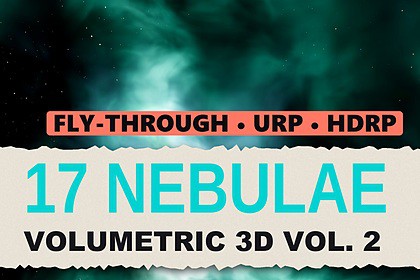
Volumetric Nebula Skyboxes 2 – 17 Fly-Through 3D Space Nebulae (URP & HDRP)
Matei Ioan Alexandru
$20.99
$29.99
30%OFF
(no ratings)
Jump AssetStore
17 truly volumetric, fly-through space nebulae - not a skybox. Every colour customisable, live. URP + HDRP in one package, 34 demo scenes, 4 quality presets, scale and rotated copies.Unity 2022.3 LTS or newer, URP or HDRP (version 14 or newer). Both pipelines are in one package; Built-in is not supported. Unity 6 + URP: enable Compatibility Mode (Render Graph off). Tested on Windows DX11.▶ Full 4K video showcase: https://youtu.be/aZi12tQWaqMFly INTO real 3D space nebulae – and give them any colour you want17 truly volumetric nebulae for Unity, rendered in 3D all around the camera: fly into, through and around glowing gas and dark dust. This is not a skybox image. A new, more realistic style: bright star-forming cores, dark dust pillars with lit rims, thin veils, thick dust lanes and dark voids with stars between them, in natural, muted astrophoto colours – and every colour is customisable, live.URP and HDRP in one package: 17 URP + 17 HDRP demo scenes, one Nebula Volume component, works in the Scene view while you edit.✦ WHAT'S INSIDE17 volumetric nebulae – each with its own shape and palette: a profile, five 3D textures and an 8K star and galaxy layer34 demo scenes – 17 for URP, 17 for HDRP, each with a fly camera at a chosen start viewNebula Volume component – profile, quality, size, copies, gas animation and colours, live in the editor and at runtimeNebula Fly Camera – the demo controls, ready to put on your own cameraURP renderer feature (one-click setup) and HDRP custom pass (already in the demo scenes, one menu click for your own scenes)Documentation – README with quick start, every setting, colours and performance tips; commented C# and shadersCinder Red · Steel Rust · Rose Teal · Olive Smoke · Ash Violet · Hydrogen Red · Violet HII · Oxygen Green · Crimson Rose · Emerald Gold · Purple Gold · Magenta Dust · Azure Reflection · Crimson Pure · Violet Blue · Emerald Teal · Magenta Blue✦ NEW: EVERY COLOUR IS CUSTOMISABLEGas palette – Gas Outer, Gas Mid and Gas Core (HDR colours), from the faint outer gas to the bright coresDust – Rim Color for the lit rims of pillars and dust lanes, Dust Glow inside the dustGrading – Saturation, Hue Shift, Emission Gain, Density ScaleSky – Star Cut, Star Gain, Sky Exposure and Sky Tint of the star layerFor every scene or just one – edit a profile's Look, or tick Override Look on one Nebula Volume; "Reset Look To Design" brings the original backLive and from code – changes show instantly in the Scene and Game view, and every value can be set from C#. Light and shapes are baked colour-neutral, so any palette keeps the full 3D look✦ FEATURESFly inside – the nebula surrounds the camera 360°, with gas and dust at every depthFour quality presets – Low, Medium (default), High, EpicScale x0.25 – x16 – the whole nebula grows, with the same look and the same cost at every sizeRotated copies – repeat a nebula around itself into one huge, seamless nebula while the close-up detail stays sharpSlow, natural gas animation – on by default, off for a perfectly still nebulaOwn deep-field star layer – or untick Draw Stars and use your own sky; the nebula is composited over whatever is behind it, and objects inside it are fogged naturallySelf-lit – no lights neededWorks next to Volumetric Nebula Skyboxes (pack 1) in the same project – own folder, namespace and menus✦ PERFORMANCE (native 3840×2160, RTX 3090, built player, DirectX 11, average GPU time of the whole frame over all 17 nebulae)Low: URP 4.5 ms (~220 FPS) · HDRP 5.8 ms (~170 FPS)Medium (default): URP 9.4 ms (~105 FPS) · HDRP 10.8 ms (~90 FPS)High: URP 17.5 ms (~55 FPS) · HDRP 19.1 ms (~50 FPS)Epic: URP 29.9 ms (~33 FPS) · HDRP 31.2 ms (~32 FPS)Only the nebula is traced at reduced resolution (30–50 % depending on the preset) and filtered over several frames – the rest of your frame stays at full resolution. The cost depends on the screen resolution and the preset, not on the nebula size or the colours.✦ DEMO CONTROLSWASD fly · E / Q up / down · mouse look · wheel flight speed1–4 quality · 5–8 size x1 / x2 / x4 / x8 · B cycle size · R copies · G gas animationC colour variation · X colours as designed · N / P next / previous nebula · Esc free the cursor✦ UNITY 2022.3+ · URP 14+ · HDRP 14+URP: Tools > Volumetric Nebulae 2 > Setup URP Renderer (adds the renderer feature and turns on the Depth Texture – one click, once per project), then open a demo scene and press Play.HDRP: the demo scenes work as they are. For your own scenes: Tools > Volumetric Nebulae 2 > Add HDRP Custom Pass To Scene.In your own scene: Add Component > Volumetric Nebulae 2 > Nebula Volume, assign one of the 17 profiles – done.Not supported: the Built-in Render Pipeline, VR / XR single-pass. Unity 6 with URP: enable Compatibility Mode (Render Graph disabled).✦ USE CASESSpace games and flight sims · sci-fi cinematics and trailers · menu and title backgrounds · space-station and planet backdropsNote: very close to dense dust the clouds become soft (the volume's resolution). The nebula is drawn before transparent objects. For the N / P keys add the demo scenes to Build Settings.17 volumetric nebulae; each: Nebula Profile, five 3D textures (364×180×96, RGBA half) and a far star layer (8192×4096 HDR, imported at 8192)34 demo scenes: 17 URP + 17 HDRPComponents: Nebula Volume, Nebula Fly Camera; URP renderer feature "Nebula URP Feature 2"; HDRP custom pass "Nebula HDRP Pass 2"; menus under Tools > Volumetric Nebulae 2Custom ray-marching shaders (Shader Model 5.0) with temporal filteringQuality presets Low / Medium / High / Epic: 30 / 35 / 47 / 50 % trace resolution, 56 / 84 / 84 / 84 samples per ray (+ extra near-camera samples on Medium / High / Epic)Scale x0.25 – x16, rotated copies 0 – 8, gas animation, live colour Look (per profile or per scene)Unity 2022.3 or newer; URP 14+ or HDRP 14+ (one package, each pipeline folder compiles only with its pipeline); Built-in RP not supportedTested on Windows, DirectX 11 (built players and editor)Documentation: Documentation/README.md; C# and shaders commented; namespace VolumetricNebulae2Package: 3.86 GB, 175 files in one root folder Assets/VolumetricNebulae2

