




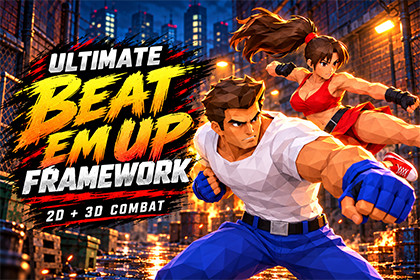
Build a beat ’em up with classic side-scrolling combat or free 3D movement.Ultimate Beat Em Up Framework provides the gameplay systems, editable data and sample scenes for developing a single-player arcade brawler in Unity 6 with Universal Render Pipeline.Start with four playable heroes, three enemy types and a boss. Explore separate campaigns and test arenas for side-scrolling and free movement, then adapt the included characters, equipment and encounters to your game.Configure your combatCreate punch and kick combos with up to 10 hits per sequence. Set damage, animation timing, hit windows and combo input windows for individual attacks. Add running strikes, aerial attacks, blocking, hit reactions and knockdowns.Directional rolls let characters evade through enemies with temporary invulnerability. Special and Ultimate moves support adjustable animation speed, movement during attacks, cooldowns and energy or health costs. Customize the Ultimate presentation with a character image and a brief gameplay freeze.Build your weapon systemThe sample arsenal includes six melee weapons and eight ranged weapons. Configure weapon-specific locomotion, attacks, damage and firing behavior through reusable profiles.Adjust melee damage volumes independently from the visible weapon. Configure firearm muzzle positions, automatic fire, airborne shooting and aiming support. Weapon grip tools provide separate resting and aiming adjustments, left-hand support, per-attack support rules and copy-and-paste settings.Choose your movement and camera styleUse side-scrolling movement for a traditional arcade layout or free movement for combat across a 3D arena. Configure each camera mode with perspective or orthographic projection, tracking, distance, pitch and obstacle handling.Connect combat to a complete game flowThe sample frontend includes mode selection, character selection and loading. Gameplay scenes demonstrate enemy encounters, arena boundaries, pickups, stage exits and a boss encounter.Health and energy bars, character portraits, enemy focus HUD, pause controls, character voices and weapon sounds are included.The framework uses C# components and ScriptableObject profiles. Replace the sample models, animations, sounds and interface assets while retaining the gameplay systems.Website: https://bigframeworks.comDiscord: https://discord.gg/h4DXVgjyWXGameplay and combatSingle-player gameplaySide-scrolling and free 3D movementWalking, running, jumping and blockingPunch and kick combos with up to 10 hits per sequenceRunning and aerial attacksConfigurable damage, animation end, hit windows and combo input windowsForward and backward evasionTemporary invulnerability and character pass-through during rollsConfigurable body collision and passage through downed charactersHealth, factions, friendly-fire rules, hit reactions and knockdownsSpecial and Ultimate movesEnergy, Health and Free resource modesAdjustable energy gain and ability costsUltimate activation at full energyIndependent cooldowns and damage multipliersAdjustable animation speedOptional movement during attacksCharacter-specific Ultimate imagesEditable cut-in UI and freeze durationWeaponsSix melee weapons: bat, iron pipe, sword, axe, war hammer and staffEight ranged weapons: pistol, rifle, sniper rifle, shotgun, SMG, machine gun, bazooka and magic staffWeapon-specific animation and combat profilesAdjustable melee hitbox position, dimensions and paddingAutomatic melee hitbox fittingHit detection along fast weapon swingsProjectile damage, ammunition, fire rate, spread and firing soundsAutomatic fire and airborne shootingAim and continuous-fire animation supportAdjustable weapon attachment and hand supportSeparate resting and aiming hand offsetsPer-attack left-hand IK rulesGrip settings copy, paste and Play Mode persistence toolsCharacters and enemiesFour playable hero prefabsThree enemy types and one boss prefabCharacter data, roster selection and spawningCharacter portraits and audio profilesEnemy attack coordination and positioningConfigurable attack ranges, cooldowns, blocking and reactionsCamera and interfaceSide Scroll and Free camera modesIndependent perspective or orthographic projection settingsCamera-relative movement, orbit and obstacle handlingPlayer health and energy HUDEnemy health and portrait HUDMode selection, character selection, loading and pause menusKeyboard, mouse and gamepad support through Unity Input SystemScenes and contentFour campaign stages in each movement modeDedicated 2D and 3D test arenasOriginal side-scrolling test arenaFour frontend scenesStandalone .anim clipsC# source code and English documentationProject configurationUnity 6000.3.23f1Universal Render Pipeline 17.4.0Input System 1.20.0Unity UI 2.0.0 and TextMesh ProPlatform and renderingWindows desktopUniversal Render PipelineBuilt-in Render Pipeline and HDRP require adaptationOther platforms may require input, rendering and platform-specific adjustmentsAI-assisted tools were used for code review, code improvements, English localization, and documentation preparation. The included source code and documentation were manually reviewed before publication.

