




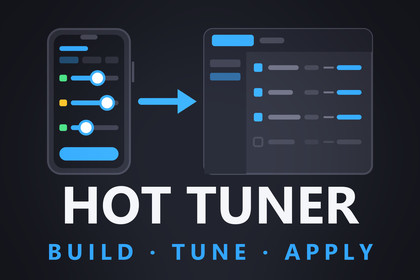
Tune your game on the device, then send the values back to Unity Editor. Review them as a diff and save them into your prefab, ScriptableObject or scene.Most runtime tweaking tools let you drag a slider and watch the game change. Then you stop playing and the value is gone, so you write it down, switch to the editor and type it into the Inspector by hand. Hot Tuner closes that loop.Mark any field or property with [Tunable] and it appears in the in-game panel automatically, with the right control for its type. There is no UI to create. Build to your phone, tablet, PC or WebGL, open the panel, tune with sliders and fields, and tap Apply. The values travel over your local network to the Unity Editor and appear in a diff view. Accept a change and it is written into your prefabs, ScriptableObjects and scene objects, and Ctrl+Z undoes it.Build > tune on the device > apply in the editor. That round trip is what Hot Tuner is for.Full documentation, including a quickstart, how the tiers work, network setup and the complete API: https://hottuner.qinteract.com/WHY YOU'LL USE IT EVERY DAY• Balance where the game actually runs. Feel your jump height with a thumb on a real phone, not a mouse on a desktop monitor.• Stop retyping values. The number you liked on the device is the number that ends up in your project.• Skip the rebuild between tweaks. Change a value, feel it, change it again, all in the same session.• Playtest with designers. Hand over a build, let them tune, and collect their values afterwards, even if no editor was connected.KEY FEATURES• No UI work: mark a field or property with [Tunable] and it shows up in the in-game panel automatically, grouped into tabs, with the right control for its type. Add Unity's [Range] and you get a slider.• Write-back to assets: accepted values are saved into your prefabs, ScriptableObjects and scene objects, with full Undo.• Diff review: applied values arrive grouped by object, and you accept or reject each row.• Conflict detection: if you changed an asset in the Inspector during the session, its row is flagged and waits for your explicit override.• Honest tiers: a Live, Recompute or Reload badge on every row tells you how the change takes effect.• Snapshots: save named tuning sets on the device, then load and compare them. They are stored as flat, git-diffable JSON.• Snapshot to asset: export a snapshot as new ScriptableObject variants you can ship.• Offline sessions: with no editor connected, Apply writes a session file you import into the editor later.• Manual registration: expose locals, third-party values and computed values with HotTuner.Register(...).• Clash-free UI: the panel is built entirely in code, with no prefabs, sprites or fonts that could conflict with your own UI.• Zero footprint: switch the tool off and it is stripped from your build completely, while your code still compiles.REQUIREMENTS• Unity 2021.3 LTS or newer, including Unity 6• Optional: the Input System package, for the built-in launcher (on-screen button, Ctrl/Cmd+` or both thumbsticks). Without it, open the panel from your own code with HotTuner.Show().• Optional: device and editor on the same local network for live write-back. Without it, offline session files carry the values over.PLATFORMS• Windows, macOS, Android, iOS and WebGL• Mono and IL2CPP. Reflection uses plain FieldInfo, PropertyInfo and MethodInfo only: no Reflection.Emit, no expression trees and no runtime code generation. Safe for AOT on iOS, and no link.xml is needed for Hot Tuner types.• WebGL cannot use UDP, so connect with the manual IP:port field instead of automatic discovery.SUPPORTED TYPESfloat, int, bool, enum, string, Vector2, Vector3 and Color. Any other [Tunable] member is skipped and listed in a single warning, so your console is not flooded.WRITE-BACK TARGETSPrefab and ScriptableObject assets are written through SerializedObject with Undo.RecordObject, so Ctrl+Z reverts cleanly and the Inspector updates immediately. Scene values are applied when their scene is open. Otherwise they stay pending, with the reason shown. Static and manually registered values appear as rows you copy to the clipboard. Hot Tuner never edits your .cs files.NETWORKINGDevice and editor talk over HTTP on a configurable port (default 47810). Discovery uses UDP broadcast on port 47811, and a manual IP:port field covers networks that block broadcast. All network work runs off the game thread, so it never stalls a frame. Several devices can connect at once, and each one gets its own session.ARCHITECTURE• Separate Runtime and Editor assemblies. The runtime assembly has no editor references.• Full C# source included. Nothing is precompiled or obfuscated.• No third-party dependencies: no Newtonsoft, no DLLs and no binary assets, not even a font.

