




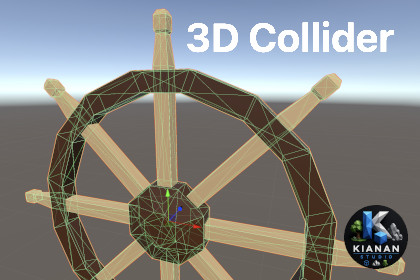
Generate surface-based Mesh Colliders automatically or manually create and edit optimized collider shapes directly in the Unity Scene view.3D Collider is render pipeline independent and works with Built-in Render Pipeline, URP, and HDRP. No additional render pipeline setup is required.KiananStudio 3D Collider is a Unity Editor tool for generating and manually editing Mesh Colliders for complex 3D models.Automatic generation detects visible surfaces of the source mesh and creates colliders that can preserve concave areas, tunnels, holes, openings, and other empty spaces important for gameplay.Non-Convex mode creates planar Mesh Colliders for static objects and supports complex, concave, and open meshes.Convex mode creates closed convex Mesh Colliders from detected surfaces, making the result suitable for non-kinematic Rigidbody objects and triggers. When the source mesh is already closed and convex, the tool can use a single Convex Mesh Collider.Version 1.1.0 introduces Collider Editor, allowing collider geometry to be created and adjusted manually directly in the Unity Scene view.Collider Editor supports Vertex, Edge, Face, and Collider selection modes, Shift multi-selection, face extrusion, independent collider sections, and collider deletion. Multiple convex Mesh Colliders can be combined into a compound collider for Rigidbody objects, allowing complex shapes to be approximated without relying on one large convex hull.The Inspector displays the number of created colliders, making it easier to compare and optimize collider setups.Generated collider meshes are stored persistently and remain available after script compilation, Play Mode, project reloads, and builds.The package includes full C# source code, demo scenes, sample models, prepared prefabs, and offline PDF documentation.KiananStudio 3D Collider has no external package dependencies and is render pipeline independent. It works with Built-in Render Pipeline, URP, and HDRP.Key features:• Automatic surface-based Mesh Collider generation.• Flat non-convex Mesh Colliders for static, concave, and open models.• Closed convex surface Mesh Colliders for Rigidbody objects and triggers.• Preservation of tunnels, holes, openings, and concave spaces using separate surface colliders.• Single Convex Mesh Collider generation when the source mesh is already closed, convex, and within Unity collider limits.• Collider Editor for manual collider creation and editing directly in the Scene view.• Vertex, Edge, Face, and Collider editing modes.• Shift multi-selection for vertices, edges, and faces.• Face extrusion for extending collider geometry.• Add Collider for creating independent collider sections.• Delete Collider for removing selected collider sections.• Compound convex Mesh Collider workflow for complex Rigidbody shapes.• Created Colliders counter in the Inspector.• Automatic convex handling for non-kinematic Rigidbody objects.• Adjustable Surface Thickness for generated convex colliders.• Automatic collider regeneration when generation settings are changed.• Positional vertex welding for meshes with UV seams, split normals, or separated face vertices.• Adjustable normal angle, plane distance, weld tolerance, minimum surface size, and maximum collider count.• Optional double-sided planar colliders and Scene view collider gizmos.• Persistent generated mesh storage with automatic cleanup.• Undo/Redo support for generation settings and Collider Editor operations.• Automatic migration from the legacy Assets/3dCollider folder to Assets/KiananStudio/3D Collider when updating from earlier versions.• Full C# source code, demo scenes, sample models, prepared prefabs, and offline PDF documentation.Requirements and compatibility:• Requires a MeshFilter with a valid triangle mesh on the same GameObject.• SkinnedMeshRenderer objects must be baked or converted to a MeshFilter before processing.• Tested with Unity 2022.3.62f3 and Unity 6000.3.11f1.• Tested on macOS and Windows.• Compatible with Built-in Render Pipeline, URP, and HDRP.• No external package dependencies.OpenAI ChatGPT was used to assist with drafting, reviewing, debugging, and refining portions of the C# source code and documentation. OpenAI image generation was used to assist with creating the package icon.All generated and AI-assisted materials were manually reviewed, edited, integrated, and tested by the publisher. The publisher designed the package functionality and workflow, corrected implementation issues, verified the final behavior in Unity on macOS and Windows, and prepared the final distributable package.

