





Keyline: Outline, Highlight, X-Ray, Fill · URP HDRP 2D 3D
4ssets
$17.49
$34.99
50%OFF
(no ratings)
Jump AssetStore
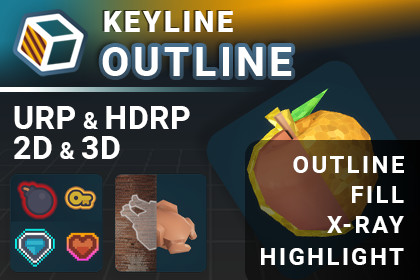
Outline any object without touching its material. One component, one profile, done. Meshes and sprites, URP and HDRP, fifteen styles, thirteen ready components, hulls that survive thin meshes.URP 17.x and HDRP 17.x in one package, picked by the shader's RenderPipeline tag. No Shader Graph dependency; your materials are untouched.Soft Edge and X-Ray Layer Filtering are optional passes, offered once on import, added only if you agree. Soft Edge needs URP Render Graph.Built-in Render Pipeline NOT supported.Unity 6000.3 or newer.Tested on Windows, Android (Vulkan, GLES3) and WebGL.ADD ONE COMPONENT. ASSIGN A PROFILE. THE OBJECT HAS AN OUTLINE.▶ TRY IT RIGHT NOW — LIVE WEBGL DEMOWHAT YOU GETRenderers — MeshRenderer, SkinnedMeshRenderer and SpriteRenderer. One profile format across all three.Pipelines — URP 17.x and HDRP 17.x in one package, chosen automatically. Built-in is NOT supported.Four passes per object — outer rim, X-Ray rim for when it is hidden, interior fill, X-Ray interior fill. Each carries its own complete profile, and a mesh adds two optional Cutout Overlays.Fifteen styles — Solid, Neon, Halo, Sketch, Pattern, Double, Electric, Rainbow, Gradient, Frost, Lava, Smoke, Crystal, Water, Fire. 84 pattern textures included.Three ways to measure width — world units, constant screen pixels, or whole texels of the sprite for pixel art.X-Ray that chooses what it shows through — a layer mask per outline, so one target reads through a wall and not through the floor.One silhouette from several objects — by group, by parent, or automatically the moment two outlines touch.An optional soft edge, with a glow that obeys the same depth rule the rim it came from does.A Project Settings page for the project-wide switches, with a line under every rendering pass saying whether it is actually working, not merely switched on.2D — outlines measured from a distance field, so they follow what is drawn; pixel-art fields on the texel grid; Sprite Atlas; a field per AnimationClip frame; sorting-order occluders, so X-Ray works with no depth buffer.Hard 3D cases — flat leaves and single-sided cards, thin prongs, cutout from material alpha, objects that pass through one another, skinned meshes with no per-frame re-bake.Thirteen ready components — hover, click selection, trigger and proximity highlight, damage flash, fill gauge, impact wave, scan wave, reveal, group highlight, blink, X-Ray when hidden, and an arbiter that stops them fighting.Eight blend modes per pass, a per-pass draw config, a cheaper Mobile Solid profile for mobile, and scripting access to all of the above.Never touches your material. No shader swap, no re-authoring. Remove the component and the object is exactly as it was.Fast — 400 outlined objects in 7 SRP batches, zero per-frame allocation.Included — a ten-chapter demo scene, a 17-section offline HTML manual with 39 illustrations, a quick start, a changelog, and full C# source.NEW IN 1.2.0Sprite Renderer is supported. Keyline Outline 2D gives a sprite the same profiles, styles and four passes as a mesh.Pixel art is a first-class case. Field Mode bakes the field on the texel grid — square corners, edges on texel boundaries — and a third Width Mode counts whole texels, so one texel of outline is one texel at every zoom.Five new styles: Lava, Smoke, Crystal, Water and Fire. Fifteen in total.Eight blend modes per pass.An optional Soft Edge pass, added and removed in one click, with Halo Occlusion and Glow Outside Only deciding where the glow is allowed to be.X-Ray see-through layers: each outline names the layers its X-Ray may show through, so two objects behind the same wall can differ.One answer to which outlines share a silhouette — group, parent and overlap resolved together, so belonging is transitive.Clip At Intersections, Ignore Object Stretch, Single Layer, and a Mobile Solid Style Profile as its own asset type.Showing and hiding an outline no longer rebuilds it, so a hover, a selection or an object returning to a pool costs nothing.A runtime API that sets an outline up in one build: Configure(), an edit scope, and one interface across both components.A Project Settings page, a Draw Config asset, and a rewritten inspector with a card per pass.Everything is in the changelog beside this.MESHES AND SPRITESA mesh outline is an inverted hull: the geometry is pushed outwards and the silhouette does the rest. A sprite has no hull to push, so its rim is measured against a distance field built from the artwork's alpha — baked once in the editor, one texture fetch per pixel at any width, smooth at any zoom. The outline follows what is drawn rather than the quad it is drawn on, so a hole in the middle of a sprite gets an outline and so does every notch along its edge. Two further components declare what counts as an occluder, which is how X-Ray works in a 2D scene with no depth of its own. Sprite Atlas: Full Rect, no rotation.PIXEL ARTA distance field exists to do the one thing pixel art must not: place an edge between texels and round the corners. So the field is built a second way. Field Mode measures distance on the grid — a diagonal costing one step (8-way) or two (4-way) — and the outline lands on texel boundaries with square corners, at a width counted in whole texels of the source. Two texels of outline stay two texels at any zoom and any Pixels Per Unit. The choice is baked into the file, because the rounding is in the numbers and not in how they are read; both fields can sit beside one sprite.X-RAY, AND WHAT IT IS ALLOWED TO SEE THROUGHThe X-Ray pass draws an object where something hides it. Which somethings count is now yours to say: each outline carries a layer mask, and an occluder on a listed layer lets the X-Ray appear behind it while an occluder on any other layer hides the object outright. The layer read is the occluder's, not the outlined object's, so two enemies behind the same wall can answer differently. Cost does not grow with the number of masks: only the layers your outlines disagree about need a channel of their own. In 2D it is a second axis — sorting layers still decide who is an occluder, GameObject layers decide which of those an outline may be seen through.ONE SILHOUETTE FROM SEVERAL OBJECTSThree ways in, resolved as one question rather than three tests that can disagree. A Merge Group names its members by hierarchy. Merge Child Outlines takes an object's children into its figure. Merge When Overlapping joins whatever an outline touches, when both sides are willing — counting the outline, not only the object, so two bodies a rim-width apart merge the moment their outlines meet. Belonging is transitive: if A is with B and B is with C, all three draw as one silhouette, with one stencil pair for the whole set.SOFT EDGES THAT KNOW WHERE THEY AREEdge Softness is a world-space halo, so the fade stays around the object as the camera moves instead of spreading in screen pixels. A blur has no depth of its own, which used to mean a Main glow painted the wall in front of its object and an X-Ray glow smeared past the edge of the wall it was seen through. Halo Occlusion fixes both from one rule, and Glow Outside Only decides separately whether the glow may wash across the object's own body. The pass is opt-in, added and removed in one click, and a project that never raises Edge Softness above 0 allocates nothing for it.THIRTEEN COMPONENTS YOU DO NOT HAVE TO WRITEHover. Click selection. Trigger and proximity highlighting. Damage flash with a direction. Fill gauge rendered on the model. Impact wave. Scan wave. Reveal. Group highlight. Blink. X-Ray when hidden. Plus an arbiter that stops them fighting over the same object.BUILT FOR HARD CASESMixed expand decides per face whether to follow the normal or stay in plane.Sheet Solidify gives a flat island enough thickness to hold a rim.Cutout from material alpha outlines the shape the texture defines, not the one the mesh has — foliage cards, decals, sprites on quads.Clip At Intersections removes the band of outline an intruding object leaves where it enters this one.Skinned meshes follow the animation without re-baking per frame.CUSTOMISABLEEvery look is a profile asset — an ordinary ScriptableObject you duplicate and edit, around a hundred fields, with the inspector hiding whatever the chosen style does not read. Fifteen profiles ship ready to use, one per style, plus a Mobile Solid one; Restore Bundled Style Profiles brings any of them back.Profiles are shared, so a hundred objects on one profile cost one object in memory. When a single object needs to differ, it forks its own copy on the first write and leaves the rest alone.WHICH GENRESStealth and immersive sims — X-Ray pass for targets behind cover, with a layer mask deciding what counts as cover.Strategy and RTS — merge groups, so a selected squad reads as one silhouette.Survival and crafting — hover and click selection on pickups.Action — directional damage flash, fill gauge on the model itself.2D platformers and top-down — sprite outlines, pixel-art outlines on the texel grid, and X-Ray for a character behind scenery.Stylised and toon — Sketch, Pattern, Rainbow, Crystal.Realistic — Solid and Neon, where a thin quiet rim is all that is wanted.UPGRADING FROM 1.0.0Scenes, prefabs and profiles keep working, and the schema migrates on first read. KeylineOccludedXRay was renamed to KeylineXRayWhenHidden; the old name still compiles, so existing code is not broken. Rim Samples is gone, replaced by the distance field. One thing changes how an existing project looks: a profile with Edge Softness above 0 now has its glow cut where its rim is cut. Set its Halo Occlusion to Ignore Depth for the old picture.INCLUDEDTen-chapter demo scene. A 17-section HTML manual with 39 illustrations, a quick start and a changelog, all inside the package and readable offline. No wiki, no video-only explanations.REQUIREMENTSUnity 6000.3 or newer. URP 17.x and HDRP 17.x.The Built-in Render Pipeline is NOT supported.Tested on Windows, Android and WebGL.Documentation and contact: https://unitycraft.org/4ssetsExample content by Kenney (kenney.nl), licensed CC0 1.0 Universal (public domain dedication); see Third-Party Notices.txt in the package.KEY FEATURESFour independent passes per object: outer rim, X-Ray rim for when the object is occluded, interior fill, and X-Ray interior fill. Each carries its own complete profile. A mesh adds two optional Cutout Overlay passes on top of those, addressable the same way.Fifteen outline styles: Solid, Neon, Halo, Sketch, Pattern, Double, Electric, Rainbow, Gradient, Frost, Lava, Smoke, Crystal, Water, Fire.Sprite Renderer support through Keyline Outline 2D: the same profiles, styles and four passes, with the rim measured from a signed distance field baked out of the artwork's alpha. Per-frame fields for an AnimationClip; Sprite Atlas supported for Full Rect packing without rotation; two components for declaring occluders so X-Ray works without a depth buffer.Field Mode: the sprite's distance field is baked either Euclidean with a sub-texel edge (Smooth) or on the texel grid with Chebyshev or Manhattan distance (Pixel Art, 8-way or 4-way). In a pixel field the edge lands on texel boundaries, Width counts whole texels, and the softness slider is re-read as Rim Falloff, which fades the outline a whole ring at a time.Sixteen bits of distance per texel, padded canvas, and a field measured on the sprite's own grid when the sprite is non-uniformly scaled, so a rim is the same thickness on both axes.X-Ray see-through layers: a layer mask per outline naming which occluders its X-Ray may show through, covering the X-Ray rim and the X-Ray fill. The layer read is the occluder's, so two objects behind the same wall can differ. Cost is independent of how many distinct masks a scene holds. Needs Keyline's occluder pass, which is off out of the box.Merging resolved in one pass: Merge Group, Merge Child Outlines and Merge When Overlapping add links to one graph rather than competing, so belonging is transitive and a set shares one stencil pair. Overlap accounts for the outline's own reach, not only the renderer bounds.Clip At Intersections: the rim is kept off the object's own silhouette where another object passes through it, at two stencil-only draws per source renderer.Eight blend modes per pass: Default, Alpha, Additive, Screen, Multiply, Subtract, Darken, Lighten.Single Layer: one paint per pixel per unit, where a hull would otherwise cover it twice.Optional Soft Edge pass — a URP Renderer Feature or an HDRP Custom Pass, installed and removed in one click. Halo Occlusion decides whether the blurred glow obeys its rim's own depth rule; Glow Outside Only decides whether it may wash across the object's own body.Ignore Object Stretch: styles built from a noise field or a flow axis keep their proportions under a non-uniform scale. Stored as an opt-out, so profiles authored earlier pick it up.Draw Config: queue, ZTest, ZWrite, Cull, depth bias and stencil Comp / Op / masks exposed as a ScriptableObject and a scene component.Two shader programs, chosen by the profile's type: Full for every style and feature, Mobile Solid for Solid only, at fewer branches and fewer keywords. Both run on mobile.Hard-mesh handling. Flat leaves, single-sided cards and thin prongs turn into blades under a naive normal-based hull. Mixed mode decides per face which rule applies; Sheet Solidify gives a flat island enough thickness to hold a rim.Cutout from material alpha: an outline around the shape the texture defines rather than the one the mesh has. Cutout Overlay (experimental) gives a volumetric model both at once.Skinned mesh support, following animation without re-baking per frame.Width in world units, in constant screen pixels, or in whole texels of the sprite — the last keeps a pixel-art outline the same thickness on every sprite and at every zoom.Instance override: shared profiles by default, a private copy the moment one object needs to differ.Project Settings ▸ Keyline for the project-wide switches, with a status line under each rendering pass reporting whether it is installed on every renderer the project actually uses.Full scripting API, documented section by section in the manual. One call configures every slot and style in a single build; an edit scope makes a burst of changes cost one rebuild; showing and hiding is a flag per renderer rather than a rebuild; and one interface drives a mesh outline or a sprite one from the same script.CONTENTSCustom shaders: 6 and 13 shared .hlsl includes. Two draw the outline — Keyline/Outline for every style and feature, Keyline/OutlineMobileSolid for Solid only. Four support the optional passes: the Soft Edge blur and its HDRP half, and the X-Ray occluder pass for 3D and for 2D. Each carries a SubShader per render pipeline; Unity picks by the RenderPipeline tag. No Shader Graph dependency.Components: 19 entries under Add Component ▸ Keyline — Keyline Outline 3D and Keyline Outline 2D, the two sprite occluders, Merge Group, Draw Config, and 13 under Recipes (twelve recipes plus the arbiter): Highlight, Pointer Highlight, Click Selection, Trigger Highlight, Proximity Highlight, Damage Flash, Fill Gauge, Impact Wave, Scan Wave, Reveal, Group Highlight, X-Ray When Hidden, Blink.Profile assets: 16 ScriptableObjects — one per style, plus one Mobile Solid profile. Tools ▸ Keyline ▸ Restore Bundled Style Profiles rebuilds any that are edited or deleted.Pattern textures: 84, PNG, 256 x 256, for the Pattern style.Demo textures: 12, PNG, 512 x 512. Demo sprites: 11 PNG.Demo models: 31 FBX.Demo: one scene, ten chapters, built entirely from script and safe to delete.Documentation: HTML manual (17 sections, 39 illustrations), a quick start and a changelog, all included in the package and readable offline.PERFORMANCEMeasured in the demo's Performance chapter: 400 outlined objects in URP draw in 7 SRP batches, the two largest holding 166 and 167 draw calls each.No per-frame allocation from the outline runtime. Everything the profiler attributes to the demo comes from its IMGUI panel, and that leaves with the demo.The sprite rim costs one texture fetch per pixel at any width, because the distance field is baked at edit time rather than sampled on a ring per frame.A Mobile Solid Style Profile alongside the ordinary one. Both run on Android; Mobile Solid is faster, and the gap widens with the number of outlined objects.Merging is cheaper than not merging: a set of any size wears one stencil pair, so a 126-pair budget starts counting squads instead of soldiers.Soft Edge is extra only when it is actually drawing: the pass is installed and at least one rim has Edge Softness above zero. Halo Occlusion adds one screen-sized two-channel target while any visible rim is on Match Rim.X-Ray layer filtering costs nothing until an outline narrows its mask, and its cost is set by how much the outlines in view disagree, not by how many masks exist.COMPATIBILITYUnity 6000.3 or newer.Universal Render Pipeline 17.x and High Definition Render Pipeline 17.x, both from the same package.Soft Edge needs URP's Render Graph — with Compatibility Mode on, rims draw hard-edged and the console says so once. It also switches itself off under single-pass stereo rendering, because its shaders address one eye; outlines still draw there, without the softness.Built-in Render Pipeline is not supported.Tested on Windows (URP and HDRP), Android (Vulkan and OpenGLES3) and WebGL.Demo/ is self-contained and safe to delete; nothing in Runtime/ references it.THIRD-PARTY CONTENTExample content in the Demo and Patterns folders — models, character, sprites, pattern and splat textures — is by Kenney (kenney.nl), licensed CC0 1.0 Universal (public domain dedication). Full licence text is included in the package as Third-Party Notices.txt.AI tool used: Anthropic Claude, an AI coding assistant.What it was used for: writing and editing the C# runtime and editor scripts, the HLSL shader code, the demo scene scripts, and the HTML documentation.What was not generated by AI: all art in the package. The 3D models, character, sprites, pattern textures and splat textures are by Kenney (kenney.nl), CC0 1.0 Universal, credited in Third-Party Notices.txt. No textures, models, animation or audio in this package were AI-generated.Human input and modifications: the architecture, the rendering approach, the public API and all design decisions were specified by the publisher. Generated code was reviewed, edited and tested in the Unity Editor and in Windows, Android and WebGL player builds before inclusion. Behaviour was verified against the ten chapters of the included demo scene.

