






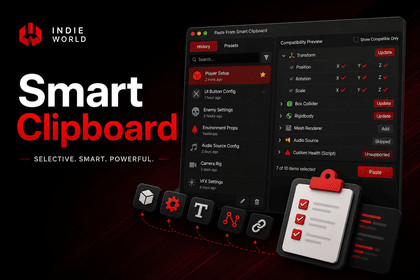
Selective component and property copy/paste for Unity with reusable presets, session history, compatibility preview, automatic component addition, and per-field control.Copy exactly what you need. Paste exactly where you want.Unity's built-in copy/paste works only at the component level. SmartClipboard gives you complete control by allowing you to copy individual components, properties, and even individual fields such as Position X, Rotation Y, or Color Alpha.Whether you're building UI, level design, gameplay systems, prefabs, or prototypes, SmartClipboard removes repetitive Inspector work and makes transferring values between GameObjects fast, accurate, and reusable.Why SmartClipboard?Instead of copying entire components, you can copy only the data you actually need.Need to copy only a Transform's position while keeping rotation and scale? Copy only one material property? Transfer selected values between different prefabs? SmartClipboard makes it possible in just a few clicks.Key FeaturesSelective Copy & Paste: Copy individual components, serialized properties, and nested sub-fields. Supports Vector2/3/4, Quaternion, Color, Rect, Bounds, and more.Automatic Component Matching: Updates matching components automatically.Adds missing components when required.Compatibility Preview: Preview every paste operation before applying it.Clearly indicates Update, Add, Skipped, and Unsupported items.Session History: Every copy remains available throughout your Unity session.Rename, search, and reuse previous clipboard entries.Reusable Presets: Save frequently used configurations as native Unity assets.Git-friendly, editable, shareable, and team-ready.Broad Serialization Support ArraysListsNested classes and structsAnimation CurvesGradientsObject References[SerializeReference]Hidden serialized fieldsMost Unity serialized data typesFuzzy Search: Quickly locate history entries and presets.Undo Support: Every paste integrates with Unity's Undo system.Context Menu Integration: Copy and paste directly from GameObjects and Components.Editor Only: Nothing is included in your final player build.Typical WorkflowsCopy only Position while keeping Rotation and Scale.Transfer selected UI settings between UI elements.Copy individual component properties.Reuse frequently used component configurations.Share standardized presets with your entire team.Quickly configure large numbers of GameObjects without repetitive Inspector edits.SmartClipboard works with Unity's serialization system, so if Unity can serialize it, SmartClipboard can generally copy and paste it.DocumentationUnity Version: 2021.3 LTS or newer (Unity 6 recommended)Platform: Editor OnlyPipeline: Built-in, URP, and HDRP compatibleRuntime Dependencies: NonePlayer Build Impact: NoneAssemblies Included: SmartClipboard.Runtime (serializable data only)SmartClipboard.Editor (Editor tools)Undo Support: YesMulti-Object Paste: YesAutomatic Component Addition: YesCompatibility Preview: YesSession History: YesReusable Presets: YesNative Unity .asset Presets: YesGit-Friendly: YesFuzzy Search: YesContext Menu Integration: YesSupports Serialized fieldsArrays & ListsNested serializable classes & structsObject ReferencesAnimation CurvesGradients[SerializeReference]Vector2/3/4Vector2Int/3IntQuaternionColor & Color32Rect & RectIntBounds & BoundsIntHash128 etc.Does not copy Static fieldsNon-serialized fieldsC# propertiesRuntime-only stateSupported OS: Windows, iOSSupported Platform: Android, iOSAI-assisted tools were used during the development process for tasks such as brainstorming, code review, documentation refinement, and workflow optimization. All code, assets, and package functionality were reviewed, validated, and verified before release.

