






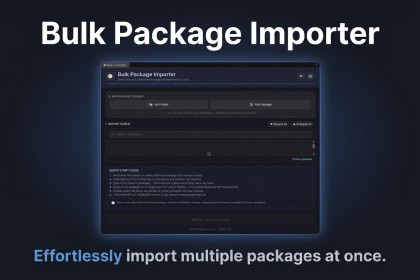
Queue, inspect, and selectively import multiple .unitypackage files in one batch - with a live tree preview and full Light/Dark theme support.Bulk Package ImporterStop clicking through endless import confirmation dialogs one package at a time. Bulk Package Importer lets you queue dozens of .unitypackage files, inspect their full contents, selectively exclude files or folders you don't need, and run the entire batch with a single click — all from a clean, native-feeling editor window built with Unity's UI Toolkit.KEY FEATURESFlexible Package Ingestion• Add Folder — recursively scan any directory for .unitypackage files• Add Package — browse and select individual or multiple files at once• Drag & Drop — drop files or folders directly onto the window from Explorer/FinderSelective Import & Tree Inspection• Unity-style tree view with native asset icons (.cs, .prefab, .mat, .wav, .anim, .controller, .unity, .shader, .dll, .aar, .jar, and more)• Checkbox selection — uncheck any file or subfolder to exclude it from the import• Folders-first alphabetical sorting, matching Unity's own Project window• Expand All / Collapse All for quick navigation• Automatic filtering of TAR PaxHeader metadata and macOS .DS_Store junk entriesQueue Search & Management• Live search to filter queued packages by name• Queue state, expanded folders, and checkbox selections persist across script recompiles and domain reloads• One-click removal of any queued packageDual Theme UI• Fully native support for both Unity Light and Dark editor themes• Glassmorphic panel styling with subtle borders and hover states• Fixed header/search/stats layout with an independently scrolling queue viewportSimple Workflow1. Open via Window → Bulk Package Importer2. Add packages by folder, file picker, or drag-and-drop3. Expand and review each package's contents, uncheck anything you don't want4. Click Import All Packages — a cancelable progress bar tracks the batch, and a summary reports the resultTECHNICAL DETAILS• Compatible with Unity 2020.1 LTS and newer, including Unity 6• Editor-only tool — no runtime dependencies, does not affect builds• Single-file architecture, no third-party packages requiredSUPPORTDocumentation: https://bulk-importer.vercel.app/#documentationEmail: muhammadjunaid0236@gmail.comThis asset is a Unity Editor utility for bulk-importing packages. AI coding assistants were used during development to help write and review portions of the code, with all functionality manually tested and verified. This asset does not include or rely on any AI/ML models and does not generate content at runtime.

