






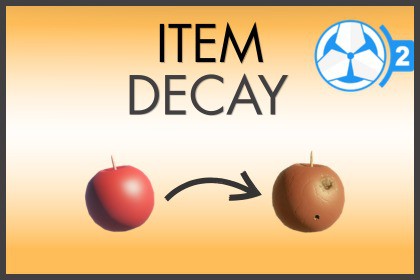
Simulate food spoilage and item decay in Game Creator 2! Features smart item stacking, custom storage multipliers (freezers/coolers), multi-stage decay chains, and visual UI.Bring realism and survival depth to your Game Creator 2 project with a fully customizable Item Decay and Spoilage system!Whether you are building a hardcore survival simulator, a farming RPG, or an immersive adventure game, this asset allows you to easily configure items that degrade, spoil, or transform over time.Designed to feel native to Game Creator 2, it handles all background calculations efficiently, allowing you to focus on creating engaging game mechanics.Key Features:Integration with Advanced Inventory, allows indepth tooltip info of Item's Decay, showing stacked Individual.Smart Stacking Integration: Traditional inventory systems often force you to choose between letting items stack or letting them decay individually. This asset offers the best of both worlds: items stack normally in the inventory UI, while the system independently manages the decay progress for each item in the background.Create simple transformations or complex multi-stage aging pipelines. Have a fresh ingredient degrade sequentially into stale, then spoiled waste, or simply disappear. Example: Raw Meat ➔ Stale Meat ➔ Spoiled Meat ➔ NoneThree Stack Aging StylesTailor how stacked items decay to match your game's genre:Stacked Individual: Every item in a stack decays on its own timer.Average Stack: The decay values of the stack are averaged, decaying the entire group together at a unified rate.Uniform Stack: Only the item at the bottom of the stack decays, spoiling one-by-one to reward players who use their resources quickly.Storage & Container ModifiersChange decay speeds dynamically depending on where items are stored. Keep food fresh inside a refrigerator, pause it entirely in a freezer, or accelerate spoilage.Polished visual UI PanelsIncludes ready-to-use, customizable UI scripts for your selection details. Players can see: Dynamic countdown timers.Color-shifting progress bars.Dynamic status labels and icons (e.g., "Frozen", "Cooling", "Decaying").Document: [Item Decay Documentation]Join Us at our: [Discord Server]Email: AuxiliumAsset@gmail.comSupport Email: AuxiliumAssetHelp@gmail.comBuilt explicitly as an extension for Game Creator 2 and Inventory 2.Full native integration with the Auxilium Advanced Inventory ecosystem.Deep integration with the GC2 Save & Load state persistence framework.Optimized structural architecture designed to handle thousands of ticking items seamlessly.Zero placeholders—production-ready workflows out of the box.

