






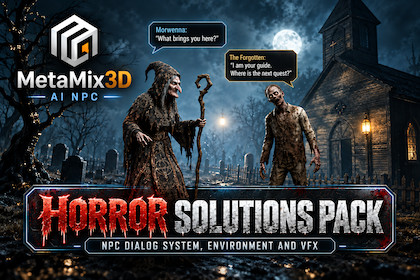
Horror Environment - NPC Dialogue System & Spooky VFX
MetaMix3D
$79.99
$129.99
38%OFF
(no ratings)
Jump AssetStore
AI-powered NPC dialogue system with horror environment, modular houses, spooky props, and VFX. JSON-driven, proximity-based, no coding required.Supports URP and Built-in. HDRP not supported. NPC dialogue, offline JSON Built and tested in Unity 6.3 LTS with URP. Glass Shader requires Opaque Texture enabled in URP. Light VFX work in both pipelines. TMP Essential Resources may need to be imported. Demo may use Unity Starter Assets. Unity 2021.3 LTS+.MetaMix3D AI NPC Dialogue System for Horror Environment & Spooky VFXBuild interactive NPCs that players can actually talk to, without building the dialogue system and environment from scratch.This package combines the MetaMix3D AI NPC Dialogue System + World Knowledge with a modular URP Horror Environment, giving you a ready-to-customize foundation for horror, mystery, survival, and story-driven games.Drag and drop NPC prefabs into your Unity scene, connect dialogue data, and start testing NPC conversations quickly.Check Documentation Setup Guides: Wiki TutorialCheck Video Tutorial in Details: Video TutorialWHAT THIS PACKAGE INCLUDESAI NPC Dialogue SystemWorld Knowledge SystemJSON-based offline dialogue supportPlug-and-play Unity setupNPC prefab workflowDialogue UI / chat componentExample dialogue filesSample NPC prefabsModular Horror EnvironmentDemo sceneDocumentationMAIN FEATURESPlug-and-play setupAdd an NPC prefab to your scene, assign dialogue data, and test conversations inside Unity.JSON-based offline dialogueUse local JSON files to define dialogue content and response flow for offline mode. No internet required.World knowledge supportNPCs can answer questions related to game locations, lore, and environment-specific knowledge.Horror environment includedModular horror assets including houses, walls, props, lighting, VFX, and skybox ready to use as a demo or as a starting point for your own project.Unity integrationSimple inspector workflow for assigning NPC dialogue, chat UI, and interaction settings.Flexible workflowSupports both: Offline local dialogue mode Extended AI-based workflow when connected to your external backendEXAMPLE USE CASESThis package is suitable for: RPG games Adventure games Story-driven games Open world projects Fantasy NPC systems Sci-fi NPC systems Dialogue-driven gameplayWHY USE THIS PACKAGE?Instead of manually building NPC conversation logic, chat UI, prefab setup, JSON dialogue loading, and game-side interaction handling, this package gives you a working starting point that can be customized for your project.It is made for developers who want faster implementation and a clearer workflow for interactive NPCs.PACKAGE CONTENTSNPC Dialogue System: 6+ NPC / system prefabs AINPCChat, DialogueManager, NPCInteractionTrigger, NPCChatUI components JSON dialogue loader World knowledge system Proximity-based interaction Inspector-based configuration Runtime dialogue interaction logic Offline mode (no internet required) Optional cloud AI integrationHorror Environment (Supporting Demo Content): 46 PBR textures (2K / 1K) 14 prefabs + 1 terrain mesh 3 LOD levels on selected assets UV mapped | PBR materials Modular houses, walls, floors, roofs, doors, windows Church assets, lamp posts, trees, fences Horror-themed skybox, emission VFX, terrain mesh URP + Built-in supportSample Content (Demo Only – Not for Resale): Example NPC prefabs Example JSON dialogue files Example world knowledge entries Demo scene Mixamo animations and rigs (demo only)(Optional) AI Cloud ModeThis package includes an offline dialogue system using JSON files that works entirely inside Unity without any internet connection.For developers who want more advanced AI-powered NPC conversations, the system can optionally connect to an external AI backend.Online AI features may require: API key configuration Internet connection Subscription or usage-based billing depending on the external service usedOffline mode works independently and does not require any external services.More information about the cloud service can be found here:Wiki/CloudImportant setup notes: After importing the package into a fresh project, TextMesh Pro Essential Resources may need to be imported from Window > TextMeshPro > Import TMP Essential Resources. The included demo scene may use Unity Starter Assets / starter kit style character content for demonstration purposes only. Sample Mixamo animations and rigs are included for demonstration purposes only. They are not part of the sellable core content. Users can download the original files for free from Mixamo's official website.Known Issue:Skybox materials use Built-in Procedural shader. They work correctly in URP but trigger an SRP compatibility warning in the Asset Store Validator. This does not affect functionality or performance. A URP-native skybox will be provided in a future update.Support:Email: info@metamix3d.comWebsite: www.metamix3d.comAI NPC DIALOGUE SYSTEM (Core Product)Complete dialogue system with JSON-driven NPC responsesProximity-based interaction – walk near NPC to start chatOffline mode – no internet requiredOptional cloud AI integration for advanced conversationsInspector-based configuration – no coding needed6+ NPC / system prefabs includedComponents: AINPCChat, DialogueManager, NPCInteractionTrigger, NPCChatUIWorld knowledge system for shared lore across NPCsRuntime dialogue interaction logicDrag-and-drop NPC prefab workflowURP + Built-in support | Unity 2021.3 LTS or newerDIALOGUE SYSTEM FEATURESJSON-based offline dialogueEditable dialogue filesScripted conversations, horror encounters, quest NPCsLore and environmental storytelling supportNPCs can share info about locations, characters, events, factions, historyNPC SETUPDrag-and-drop NPC prefabsInspector-based component configurationDialogue file assignmentChat UI assignmentNPC characteristics configurationInteraction settingsOptional API Key and NPC ID for cloud AI modeHORROR ENVIRONMENT (Supporting Demo Content)46 PBR textures | 2K / 1K resolutionPolygon range: 264 – 85,898 triangles14 prefabs + 1 terrain mesh3 LOD levels on selected assetsUV mapped | PBR materials | No riggingModular houses, walls, floors, roofs, doors, windowsChurch assets, lamp posts, trees, fencesHorror-themed skybox, emission VFX, terrain meshURP + Built-in support | Unity 2021.3 LTS or newerSAMPLE CONTENT (Demo Only – Not for Resale)Example NPC prefabs | JSON dialogue files | World knowledge entriesDemo scene | Sample configurationMixamo animations and rigs (demo only – not for resale)Unity Starter Assets character content (demo only – not for resale)COMPATIBILITYUnity 2021.3 LTS or newerURP and Built-in Render Pipeline supportedHDRP is not currently supportedDOCUMENTATION INCLUDEDQuick Start Guide | Installation & setupNPC configuration | Offline dialogue | World knowledgeCloud AI integration guide | Third-Party NoticesKNOWN ISSUESkybox uses Built-in Procedural shader. Works in URP but triggers SRP warning in Validator. Does not affect functionality. URP-native skybox planned for future update.TARGET USERSIndie developers, solo developers, prototype teams, technical designers, horror/RPG/adventure game developers, and anyone building interactive NPC systems with offline dialogue and optional AI-powered conversations.

