






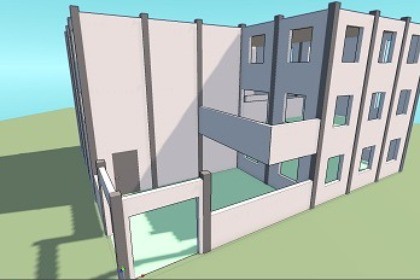
QuickBuilder is modular level design toolkit. Build structures and interiors instantly using grid-snapping, automated trims, and a built-in floor duplication system. Basic modules included!One-Click Placement: Build walls, floors, roofs and decoration instantly, directly from the Editor Window. Select your desired module and click once in the scene to snap it into place.Auto-Wall Finish: Automatically caps open geometry to create closed rooms.Material Channels: Change wall, roof, and accent colors independently in the inspector without creating new materials.Floor Copy: Duplicate an entire floor layout upward for multi-story buildings.Automated Trims: Generate baseboards and architectural edge trims along built walls.Layer Visibility Toggles: Hide exterior walls or roofs while working on interiors.Furniture Snapping: Place props with built-in alignment to grids and walls.Each building is driven by a single BuildingData MonoBehaviour that stores a configurable XZ grid (width, height, cell size). Wall placement is held in flat arrays per storey — horizontal and vertical edges indexed by grid coordinates — using WallType ScriptableObjects to define variants (solid wall, door, window, etc.). Floors, furniture references, and auto-detected room IDs are stored per-cell in matching arrays within each FloorLevel. The entire structure serializes natively with the scene — no external files or runtime databases required.The architecture is designed to be easily expandable: adding new structural variants (custom doors, arches, or unique wall types) simply by creating a new WallType ScriptableObject and assigning your prefab, requiring zero code modifications.

