






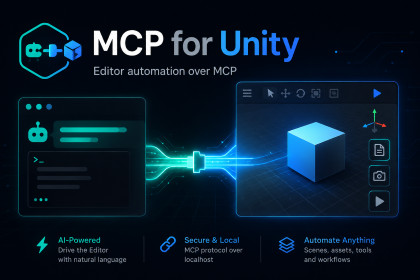
An Editor-only MCP server that lets a client like Claude Code read your project, edit scenes and components, control play mode, and capture screenshots, all from inside the Unity Editor.Editor-only tool with no shaders, materials, or rendering code, so it's independent of the render pipeline and behaves the same on Built-in, URP, HDRP, and custom SRPs. The screenshot tool just captures whatever your Game or Scene view already renders, so it follows your project's pipeline with no setup.MCP for Unity puts a small MCP server inside the Editor, so any MCP client on the same machine (I use the Claude Code CLI) can work with your project directly. Once it connects, the client can read and write project files, read the scene hierarchy, create and change GameObjects and their components, open and save scenes, edit a slice of project settings, control play mode, read the console, and capture screenshots of the Game, Scene or Editor views.It suits any project and any genre, because it doesn't touch your gameplay. It's Editor-only, with no runtime code or shaders, and it makes no changes to your scenes on its own, so it sits quietly alongside whatever you are building.It's also extensible. Each tool is a small C# class behind a single interface, and the server discovers new tools automatically on a domain reload, so you can add your own tool for anything specific to your project without touching the server. The full source is included.Key features:- Editor-only MCP server (HTTP + SSE), bound to localhost.- Twelve tools covering the common Editor jobs: - Read and write project files. - Inspect the scene hierarchy. - Create and modify GameObjects (reparent, reorder, duplicate, instantiate prefabs). - Read and set serialised component properties, including wiring object references to scene objects or assets. - Open scenes and save silently, with no modal dialog. - Create and manage assets (ScriptableObjects, prefabs). - Read project settings, and edit Player settings, tags, layers and the build scene list. - Control play mode (play, stop, pause, step) and refresh the AssetDatabase. - Read the Editor console. - Capture screenshots of the Game view, Scene view, the whole Editor window, or a named window.- Works with every render pipeline (Built-in, URP, HDRP and custom). No runtime footprint.- Extensible: add your own tool by implementing one interface, and it is discovered automatically.- Security-minded: localhost-only binding, no CORS, file access confined to the project, Host-header validation and a request-size cap. Menu execution and project-settings writes are off by default.- Unity 2019.4 and later. Full C# source included.I wrote this package with the help of Claude Code, Anthropic's command-line coding assistant. I designed the tool and decided what it should do and how it should be put together, and I used Claude Code to help write and refactor the C# across the MCP server and the Editor scripts. The documentation was drafted with the same assistance. Everything was reviewed and tested by me in the Unity Editor before release. The package contains code and text only, with no AI-generated art, audio, models or other media.

