






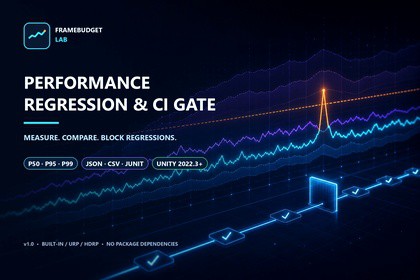
FrameBudget Lab - Performance Regression & CI Gate
JIALiiii
$24.99
$49.99
50%OFF
(no ratings)
Jump AssetStore
Capture trustworthy frame evidence, compare baselines, and stop performance regressions before they ship.Compatible with Built-in Render Pipeline, URP, and HDRP. GPU timing and individual rendering counters depend on the target platform and graphics API; unavailable counters are reported explicitly. No Asset Store package dependencies.FrameBudget Lab turns one-off profiling into repeatable performance evidence.Capture a controlled sampling window in the Editor or a Player build, inspect tail latency instead of relying on averages, compare the result with a trusted baseline, and produce a clear Pass, Warning, Fail, or Incomparable verdict. When a regression breaks your agreed budget, the same evidence can block an automated build through deterministic exit codes and JUnit XML.WHAT IT MEASURES• Frame, CPU, and GPU frame time• GC allocations per frame• System and Unity-used memory• Draw calls, SetPass calls, batches, and triangle count• Mean, P50, P95, P99, maximum, and over-budget spike rateTRUSTWORTHY COMPARISONS• Fixed warm-up and measured-frame windows• Allocation-conscious sampling into a preallocated buffer• Absolute limits and relative-to-baseline regression limits• Strict environment fingerprinting for Unity version, platform, CPU, graphics device/API, render pipeline, resolution, quality, VSync, and target frame rate• Explicit Incomparable results when test conditions do not match• Unavailable platform counters remain marked unavailable instead of silently becoming zeroEVIDENCE AND AUTOMATION• JSON reports for complete run evidence• CSV export for frame-level analysis• JUnit XML for CI systems• Batch-mode exit codes: 0 Pass, 2 budget failure, 3 invalid or incomparable input• Reports can be produced in Editor Play Mode or saved from Player buildsINCLUDED• English and Simplified Chinese editor interface• English and Simplified Chinese offline documentation• Ready-to-open demo scene and default performance profile• Built-in self-test command• No Asset Store package dependenciesGPU timing and individual rendering counters depend on the target platform and graphics API. For release decisions, profile on the target device; Editor Play Mode remains useful for iteration. FrameBudget Lab reports unavailable counters clearly and records the test environment so you can judge evidence correctly.FrameBudget Lab is a measurement, comparison, and regression-gating tool. It does not automatically rewrite or optimize project content.Features:• Allocation-conscious capture with configurable warm-up and sampling windows• Frame, CPU, GPU, GC allocation, memory, draw-call, SetPass, batch, and triangle metrics• Mean, P50, P95, P99, maximum, and over-budget spike-rate evidence• Strict environment fingerprints and explicit Incomparable verdicts• Absolute and relative regression budgets• JSON, frame-level CSV, JUnit XML, and deterministic CI exit codes• English and Simplified Chinese UI and offline documentation• Demo scene, default profile, and built-in self-testsCompatibility:• Unity 2022.3 or newer• Built-in Render Pipeline, URP, and HDRP• Editor and Player workflows• Windows, macOS, and Linux Editor; Player counter availability depends on target platform/API• No Asset Store package dependenciesDocumentation:Offline documentation is included at Assets/JIALiiii/FrameBudgetLab/Documentation/README_EN.md and README_CN.md.OpenAI Codex assisted with portions of the C# implementation, documentation, test generation, and marketing background artwork. The package was manually structured and reviewed, compiled in Unity 2022.3 and Tuanjie 2022.3, exercised by built-in self-tests, clean-import tested, and packaged without runtime AI services or external model dependencies.

