






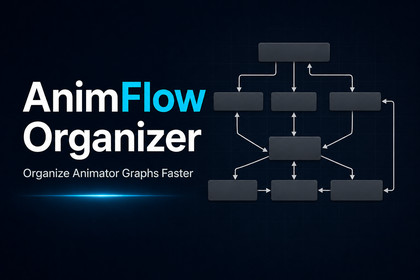
Clean and organize Unity Animator Controller graphs faster, without changing animation logic.AnimFlow Organizer is an Editor-only tool and does not render any runtime content.It is compatible with Built-in Render Pipeline, URP, HDRP, and Custom Render Pipeline because it only works with Animator Controller editor data and visual state positions.The tool does not require any Asset Store package dependencies.AnimFlow Organizer is a Unity Editor tool designed to help developers clean up and visually organize Animator Controller graphs.Large Animator Controllers can quickly become difficult to read, especially when a project contains many states, multiple layers, combat animations, movement states, damage states, interaction states, and transitions spread across the graph.AnimFlow Organizer focuses on improving Animator graph readability by arranging states into cleaner visual layouts while keeping your animation logic untouched.✅ What it helps with:Cleaning messy Animator Controller graphsImproving readability during developmentOrganizing large animation state machinesSeparating movement, combat, damage, death, interaction, and other state groupsSpeeding up animation workflow inside the Unity EditorKeeping Animator Controllers easier to maintain⚙️ How it works:The tool scans the selected Animator Controller, detects states, groups them by category, and applies a cleaner visual layout using different layout modes. It can organize a single selected layer or process all layers in the controller.🛡️ Safe visual-only workflow:AnimFlow Organizer only changes visual node positions inside the Animator Controller graph.It does not rename states, delete states, create or remove transitions, change conditions, modify Animator parameters, edit animation clips, or change runtime Animator behavior.AnimFlow Organizer is ideal for Unity developers who want a faster, cleaner, and more organized animation workflow without manually moving every Animator state by hand.✅ Key features:Unity Editor tool for Animator Controller organizationOrganize selected Animator Controller layerOrganize all Animator Controller layersSmartLayout, FlowLayout, LaneLayout, and GridLayout modesSmart state classificationState grouping for Movement, Air, Combat, Abilities, Damage, Death, Interaction, and OtherManual group override per detected stateCustom keyword support for project-specific naming stylesColored group previewQuick state selection from the tool windowReset layout settingsConfirmation dialogs before applying layout changesUnity Undo supportSafe visual-only operation🛡️ Safety:AnimFlow Organizer only modifies visual Animator state positions inside the Animator Controller graph.It does not modify:Animator transitionsTransition conditionsAnimator parametersAnimation clipsState namesState machinesRuntime animation behaviorGameplay logic⚙️ Recommended workflow:Select an Animator Controller.Open Tools > AnimFlow Organizer.Click Scan Controller.Review detected groups.Apply manual group overrides if needed.Choose a layout mode.Start with Organize Selected Layer.Use Organize All Layers when the controller is ready.Recommended first test settings:Layout Mode: SmartLayoutHorizontal Spacing: 340Vertical Spacing: 150Move Entry / Any State / Exit: Enabled📘 Documentation:https://ethera-studio.netlify.app/docs/animflow-organizer📩 Support:rciprime@yahoo.com

