






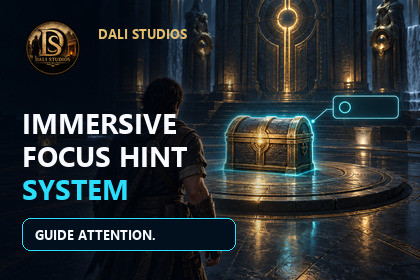
Create immersive contextual hints and interactions for horror, puzzle, investigation and exploration games. Includes a visual Studio, trigger zones, raycast focus and playable demos.This asset was mainly made and tested with URP.It includes a small demo scene with interaction examples, editor tools, prefabs and a localization ready hint system.Built-in and HDRP where not fully tested yet in this version.Limited-time offer: 50% off for one week only! Regular price: $13.99.Immersive Focus Hint System is a modular contextual interaction toolkit for horror, puzzle, investigation and exploration games.It helps you guide the player’s attention, display contextual prompts and connect interactive objects to your gameplay without rebuilding an interaction framework from scratch.Configure interactions from the dedicated Immersive Focus Hint Studio, then connect them to doors, chests, readable objects, collectibles, puzzles, NPCs or your own gameplay systems through UnityEvents.CORE WORKFLOW1. Add the system to your scene.2. Create or select an interaction.3. Configure its text, input mode, timing, audio and events.4. Preview and validate the interaction from the Studio window.5. Connect your own gameplay response through UnityEvents.INTERACTION DETECTIONInteractions can be discovered through trigger zones, camera raycasts or a combination of both. Optional look-direction checks, maximum focus distance and delayed focus release help provide stable and intentional detection.INTERACTION MODESCreate immediate press interactions, hold-to-complete actions or toggle interactions. Hold actions can display progress feedback, while cooldown and priority settings help prevent unwanted repetition or overlapping hints.IMMERSIVE FOCUS HINT STUDIOThe included Studio window provides a centralized workflow for:- Adding the complete hint system to a scene- Browsing and selecting interactions- Creating interaction presets- Editing hint content and behaviour- Configuring styles and accessibility- Auditing missing or incomplete references- Previewing interaction presentationCUSTOMIZATIONCustomize the system to match your project:- Hint text and action labels- Interaction keys and input modes- Trigger and focus distance- Hold duration and cooldown- Audio feedback- Icons and UI presentation- Visual styles- Text scale and background opacity- High-contrast presentation- Reduced-motion behaviour- UnityEvent responses- Localization through a custom providerINCLUDED EXAMPLESTwo demonstration scenes are included:- An atmospheric demonstration featuring doors, readable objects, environmental clues and chest interactions.- A playable character demonstration featuring movement, focus detection, hold interactions and animated object responses.The examples are designed to show how the system can be connected to a project and can be replaced with your own characters, environments and gameplay logic.DOCUMENTATIONIllustrated PDF documentation is included with installation instructions, component explanations, Studio workflow guidance and demonstration scene information.RENDER PIPELINEThe included demonstration visuals were created and tested primarily with the Universal Render Pipeline. The interaction scripts are modular and can be adapted to other rendering setups.FEATURES- Trigger-zone interaction detection- Camera raycast focus detection- Optional look-direction requirement- Configurable maximum focus distance- Stable delayed focus release- Press interaction mode- Hold-to-interact mode- Toggle interaction mode- Hold-progress feedback- Interaction cooldowns- Hint priority handling- Play-once hints- Timed and persistent display modes- Optional world-space prompts- Keyboard, gamepad and touch prompt formatting- Legacy Input Manager support- Unity Input System support- UnityEvent-based interaction responses- Custom proximity, interaction and exit audio- Visual style presets- Text scaling- High-contrast option- Reduced-motion option- Hold-to-press accessibility option- Localization provider integration- Centralized Studio editor window- Interaction presets- Scene interaction browser- Configuration auditing- Preview tools- Scene gizmos and editor tooltips- Two demonstration scenes- Model prefabs included- Lossless WAV audio- Illustrated PDF documentation- Third-Party Notices includedREQUIREMENTS- Unity 2022.3 LTS or newer- TextMesh Pro- Universal Render Pipeline recommended for the included demo visualsThe core scripts are modular and can be connected to custom controllers, interfaces, input solutions and gameplay systems.Some 3D elements used in the demo scene where AI-assisted using Meshy AI for visual presentation purposes only.All gameplay systems, scripts, editor tools, interactions and implementation where fully developed manually.

