






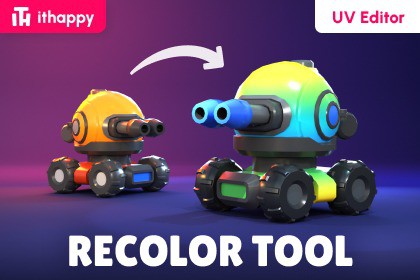
Fast and easy tool for recoloring models in Unity using UV editing and palette textures.Works on URP, HDRP, and Built-in. Separate files for versions 2022+ and 6000+.The tool is perfect forstylized projects,low poly assets,rapid prototyping.Main FeaturesFast model recoloringReal-time previewSupport for multiple materials and UV channelsAbility to hide and show individual model partsConvenient workflow for LODs and complex modelsAbility to assign Master Material to any assetsConvenient and sufficient toolset for working in UV spaceFast model savingWorks on URP, HDRP, and Built-inFree updates and technical support available in our Discord Community.Getting StartedBefore starting, we recommend watching the video tutorial or reading the tool documentation.After importing the tool into your project, open: Tools → ithappy → Recolor Tool (UV Editor)Click Test Assets to load our sample model and play with it. When you're ready, drag your own asset into the Asset field.Open the Asset Viewer to preview changes live.Select parts of the model and move them around in the UV space.Click Save when you're done. The asset is updated and re-saved for you.Interface OverviewTop PanelAsset — field for selecting or dragging the model you want to work with.Materials — selects the material you want to edit. If All is selected, changes are applied to all materials.UV — switches between available UV channels.Parts — selects the model part you want to work with.Visibility — temporarily hides selected model parts in the Preview window.Apply MM — assigns the master material and palette texture to the selected model.Useful for bringing assets with different materials and textures into a unified visual style.UV ToolsRect — rectangular UV selection tool.Lasso — flexible freeform UV selection tool.Color — changes the color of the selected UV Shell.Center — centers the UV workspace inside the window.Focus — moves the selected UV area to the center of the workspace.Copy — copies UV Shell coordinates.Paste — moves selected UV Shells to copied coordinates.Test Asset — loads the prepared test model for learning and testing the tool.Bottom PanelAsset Viewer — shows or hides the model Preview window.Save — saves the model and all applied changes.Support — opens the Discord support server.All Assets — opens the ithappy asset library.Explore Our Asset LibraryStay updated – new packs, tutorials and promotions:DISCORD | EMAIL | INSTAGRAM | YOUTUBE- Real-time UV recoloring- Multi-material workflow- UV channel support- LOD support- Visibility system- Master Material workflow- Built-in Preview window- One-click save system- URP / HDRP / Built-in support

