






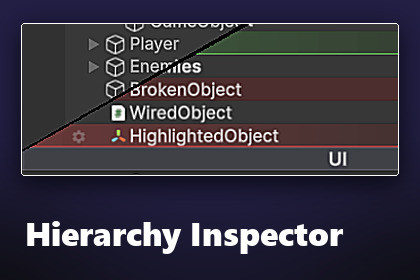
A polished hierarchy enhancer with custom row visuals, per-object color and icon overrides, virtualization folders, bookmarks, and a full theme system.Editor-only tool. Render-pipeline agnostic; works identically with Built-in, URP, and HDRP since it does not touch rendering at runtime.Hierarchy Inspector turns Unity's Hierarchy window into a fast, readable, and good-looking workspace. Style every row, organize complex scenes with virtualization folders, bookmark important objects, and theme it all to match how you work. Editor-only, render-pipeline agnostic, and zero runtime cost.WHY HIERARCHY INSPECTORUnity's default Hierarchy window is functional but plain. On large scenes it becomes hard to scan, hard to navigate, and hard to organize. Hierarchy Inspector adds the polish and tooling you'd expect from a modern editor without locking you into a workflow. Every feature can be turned off, retuned, or restyled.FEATURESPer-object gear popup- 8 color presets plus a custom color picker- Built-in icon library and custom project icons- Notes per object (visible in the popup)- One-click folder and bookmark toggles- Multi-select editing across many objects at onceVirtualization folders- Editor-only folders for grouping scene content- Stripped automatically at build time, zero runtime cost- Conflict detection warns when scripts get attached by mistakeBookmarks- Per-scene bookmark list- Navigate from a star button on each scene's header row- Survives scene reloads and domain reloadsStyle clipboard- Copy and paste color, icon, and folder state- Ctrl+Shift+C and Ctrl+Shift+VIndicators- Prefab tinting and override dot- Missing-script highlight- Auto-detected separators from ---Section--- namingRow visuals and animations- Alternating stripes, hover highlight, depth shadows- Tree connector lines, dim-on-disable- Custom focused and unfocused selection colors with optional glow- Hover slide, fade-in on create, rename flashTheme system- One ScriptableObject per theme; switch per-user via Edit > Preferences > Hierarchy Inspector- 4-tab theme inspector (Rows, Icons, Indicators, Customization) with conditional fields- Ships with four bundled themes: Default, HighContrast, Minimal, and Vibrant- Make your own theme in seconds; share it with your teamCOMPATIBILITY- Unity 6+ (6000.x). Developed and tested on Unity 6000.4.3f1.- Built-in Render Pipeline, URP, and HDRP (editor-only tool, render pipeline does not matter)- Windows, macOS, Linux editors- All build targets (no runtime code ships in your build)WHAT YOU GET- Full source (no DLLs)- 4 bundled themes- Welcome window with documentation links and a demo scene shortcut- In-editor docs button on the theme inspector- GitBook documentation covering every feature and every theme fieldSUPPORTDocumentation: https://overgast.github.io/spacewhale-docs/hierarchy-inspector/getting-started/Issues and feature requests: https://github.com/OverGast/Hierarchy-Inspector/issues (grab it free from the github repo!)Email: spacewhale.assets@gmail.com- Custom row rendering with stripes, hover, depth shadows, tree lines, glow, dim-on-disable- Per-object gear popup: colors, icons, notes, folder and bookmark toggles, multi-select- Virtualization folders stripped automatically at build time- Per-scene bookmarks navigated from a star button on each scene header- Style clipboard (Ctrl+Shift+C / Ctrl+Shift+V) for color, icon, and folder state- Indicators: prefab tinting, override dot, missing script, missing reference, separators- ScriptableObject themes with 4 bundled presets and a 4-tab theme inspector- Editor-only, render-pipeline agnostic, full C# source includedOn the code side, it helped clean up parts of the editor tooling (the custom theme inspector layout, the welcome window, general polish on existing systems). On the writing side, it helped draft the docs and the in-package README.

