





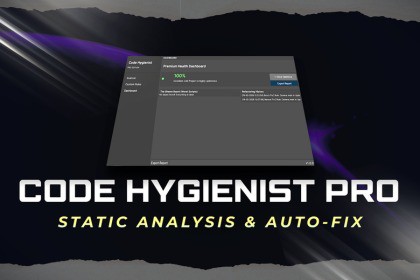
Code Hygienist Pro - Static Analysis & Auto-Fix
Decnet Games
$20.99
$29.99
30%OFF
(no ratings)
Jump AssetStore
Is your Unity project suffering from silent performance killers? Are hidden heap allocations and inefficient method calls dragging down your frame rates? Meet Code Hygienist Pro—Your Solution!Code Hygienist Pro – Professional Code Optimization for UnityModern Unity projects accumulate technical debt quickly. Small inefficiencies when repeated across scripts—can significantly impact performance and maintainability.Code Hygienist Pro is a static analysis and auto-refactoring engine designed to identify and resolve these issues early, directly inside the Unity Editor.It enforces best practices, improves code quality, and automates repetitive optimization tasks—making it suitable for both solo developers and production teams.Code Hygienist Pro acts as your automated lead programmer, scanning your entire codebase in seconds to pinpoint critical bottlenecks like Camera.main in Update loops, wasteful string allocations, expensive LINQ queries, and empty Unity magic methods. But it doesn’t just find problems—it fixes them. With our revolutionary 1-Click Auto-Fix system, you can instantly refactor entire scripts safely and accurately, saving hours of manual cleanup and preventing architectural debt.Featuring a premium Health Dashboard, an intuitive Visual Rule Builder for custom team constraints, and seamless CI/CD integration for automated pipeline checks, Code Hygienist Pro ensures your code remains clean, scalable, and highly optimized. Export detailed HTML reports, track your optimization history, and ship your games faster with absolute confidence.Stop hunting for bad code—let Code Hygienist Pro clean it up for you.🔥 Core Features✨ 1-Click Auto-RefactoringAutomatically rewrite inefficient code patterns into optimized alternatives.Example:gameObject.tag == "Enemy"→ gameObject.CompareTag("Enemy")Reduces manual effort and ensures consistent best practices across the project.📊 Project Health DashboardReal-time code quality overviewTrack optimization progressMaintain a clean, scalable codebaseMonitor refactoring history🕵️ Built-in Performance RulesDetect common Unity performance issues:Camera.main usage inside Update loopsGarbage-generating string operationsLINQ allocations in performance-critical pathsEmpty Unity methods (Update, Start, etc.)Allocation-heavy physics calls (RaycastAll, etc.)Designed specifically for real-world Unity bottlenecks.⚙️ Custom Rule Builder (No Code Required)Create your own coding standards using a visual, regex-based system.Enforce team conventionsDefine project-specific rulesNo parser implementation needed🌐 HTML ReportingGenerate structured, shareable reports:Clear issue breakdownTeam-friendly formatUseful for clients, leads, or reviews🤖 CI/CD IntegrationRun automated code checks in your pipeline:JenkinsGitHub ActionsGitLab CIMaintain code quality without manual reviews.🎮 Demo SandboxQuickly test functionality using a pre-configured demo environment with intentionally unoptimized code.💼 Why Choose Code Hygienist Pro?Saves Time: Stop manually reviewing PRs for basic Unity performance mistakes.Educates Teams: Helps junior developers learn Unity best practices by showing them why their code was flagged.Zero Overhead: Runs entirely in the Editor. Leaves zero footprint in your final build.Extremely Fast: Optimized Regex engine scans thousands of lines of code in milliseconds.✅ Final CTAMaintain performance, reduce technical debt, and automate optimization.Code Hygienist Pro gives you full control over your codebase—before problems reach production.JOIN DISCORD | DOCUMENTATION | OTHER ASSETSKey Features:1-Click Auto-FixStatic AnalysisPerformance DashboardVisual Rule BuilderCustom Regex EngineCI/CD IntegrationCommand Line InterfaceHTML ExportTeam ReportsSeamless Onboarding1-Click Demo SandboxUpdate Loop OptimizationEmpty Event DetectionString Allocation WarningsLINQ DetectionPhysics Overload ChecksCompareTag EnforcerCamera.main DetectionFindObjectOfType WarningsDark Theme NativeZero Build OverheadHeadless Mode SupportProject Health ScoringRefactoring HistoryExtensible C# APISupported OS: Windows, macOS, Linux (Unity Editor).Supported Unity Versions: 2020.3 LTS and higher.Link to documentation: Click Here!

