






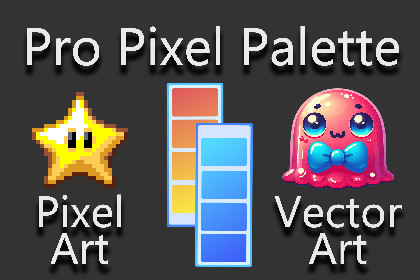
Pro Pixel Palette is a Unity tool for creating advanced color palettes, editing, and switching within Unity. It supports groups, presets, runtime editing, exports, baking, and a powerful VFX shader.Supported Unity Versions: ✅ Unity 2021 | ✅ Unity 2022 | ✅ Unity 6.xPro Pixel Palette is a professional Unity Editor tool designed to simplify sprite color palette creation, modification, and runtime palette swapping while giving developers precise control over the colors used in their 2D sprites.Create reusable palettes directly from your existing sprites by simply dragging individual sprites or entire folders into the Pro Pixel Palette window. The tool can automatically extract the colors used across your sprites and store them inside a dedicated PPPalette Asset.Organize colors into logical groups such as Hair, Skin, Clothes, Armor, or Accessories, then modify entire groups at once or fine-tune individual colors. You can also sample colors directly from a sprite preview area, making it easy to identify exactly which palette colors belong to a specific part of your character or artwork.Save different color combinations as reusable Palette Presets, switch between them through the PPPaletteSwapper component, or control palette presets and color groups dynamically at runtime.Key Features:----------------------------------------------Pixel & Vector art style supported: Select “exact” color extraction mode for pixel art or “quantized” mode for vector art.Drag & Drop Workflow: Add individual sprites or complete sprite folders directly into the palette editor.Automatic Color Extraction: Extract colors used by your sprites and automatically add them to a reusable PPPalette Asset.Selective Color Importing: Add colors from individual sprites instead of importing every color at once.Missing Color Detection: Quickly identify newly added sprites containing colors that are not yet included in the current palette.Interactive Pixel Color Sampling: Click directly on pixels in the sprite preview to locate and highlight their corresponding palette colors.Color Group Organisation: Organize colors into custom groups such as hair, skin, clothing, armor, accessories, and more.Bulk Group Color Editing: Modify multiple related colors simultaneously using the palette group's adjustment controls.Individual Color Editing: Fine-tune any individual palette color using Unity's color picker.Glowing Color Palette: Add a glow effect to any specific color or a group of colors.Exclude Colors From Palette Processing: Exclude color groups that do not require modification to reduce unnecessary shader computations and improve performance.Unlimited Palette Presets: Save multiple color variations inside a single PPPalette Asset and quickly switch between them.Editor Palette Swapping: Apply saved palette presets directly to sprites through the PPPaletteSwapper component.Runtime Palette Swapping: Change palette presets dynamically while your game is running using the included runtime controller.Runtime Group Modification: Modify individual palette groups dynamically at runtime for more advanced customization systems.Zoomable Sprite Preview: Inspect sprites closely and accurately sample individual pixel colors directly from the preview window.Folder Structure Preservation: Process complete sprite folders while maintaining the structure of the original source folders when exporting.Built-In & URP Support: Includes dedicated shaders for both Unity's Built-in Render Pipeline and Universal Render Pipeline.2D & 3D Lighting Options: Select lighting modes directly through the included Pro Pixel Shader properties.Pro Pixel Shader: Includes a custom organized shader interface with multiple shader effects, unique VFX options, and effect-combination possibilities.Reusable PPPalette Assets: Store palettes, color groups, and presets inside reusable assets that can be assigned across your project.Download Android build demo (APK) 🧩 Unity Editor CompatibilityTested and supported on:✅ Unity 2021✅ Unity 2022✅ Unity 6🎨 Supported renderer pipelines✅ Built-in✅ URP💡 Lighting Support✅ 2D lighting✅ 3D lighting📱 Supported Platforms✅ Android✅ iOS✅ Windows✅ macOS✅ All Platforms

