






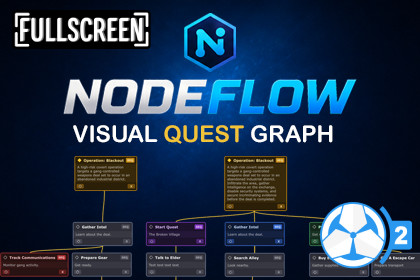
NodeFlow Quest | Game Creator 2
Fullscreen Studios
$20.99
$29.99
30%OFF
(no ratings)
Jump AssetStore
Visual node-based quest graph editor for Game Creator 2 Quest 2 with minimap navigation, search tools, layouts, and improved quest organization.NodeFlow Quest - Visual Quest Graph Editor for Quest 2NodeFlow Quest adds a visual node graph editor for creating and organizing quests inside Quest 2.The default Quest 2's editor works well for smaller quests, but as quests become more connected and complex, it can become difficult to visualize the overall structure and flow. You often end up spending more time navigating and mentally mapping the quest than actually building it.NodeFlow solves that by turning quests into a graph-based workflow where objectives, subtasks, and branches are easier to organize, navigate, and understand at a glance.Designed to feel familiar to anyone who has used node-based editors before, NodeFlow focuses on usability, organization, and workflow speed while still remaining highly customizable and lightweight.🎉 Launch Offer - 30% OFF for the next 2 weeks!Grab NodeFlow Quest at a discounted price before the offer ends.What’s New in 1.1.0Sticky Notes - Add draggable sticky notes anywhere in the graph with customizable titles and descriptions for planning, comments, and organization.Node Flow Preview - Selecting a node now shows dotted preview lines that visualize the next execution flow between connected nodes and hierarchies, making quest flow easier to follow without cluttering the graph.Graph-Based Quest WorkflowCreate and manage quests visually using connected nodes instead of nested list structures.Visual parent/subtask relationshipsEasier overview of quest flow and structureBetter readability for branching questsOrganize quests visually instead of mentally mapping list hierarchiesSearch FieldSearch through all node titles and descriptions inside the currently opened graph.When a match is found:The graph automatically focuses on the matching nodeMatching text inside the node is highlightedMatching nodes are highlighted inside the minimapIf multiple matches exist, you can cycle through all results directly from the toolbar.Useful when navigating larger or more connected quest structures.MinimapThe minimap provides an overview of the entire graph and updates automatically as nodes are added and connected.View the full quest structure at a glanceQuickly navigate through the graphSelected nodes highlighted in blueSearch matches highlighted in yellowClicking inside the minimap instantly moves the graph view to that location.Layout & Organization ToolsNodeFlow includes tools to help keep graphs readable and organized.Automatic LayoutsArrange nodes automatically in different directions:Top DownLeftRightLayout operations can be applied to single or multiple selected nodes.Snapping GuidelinesWhile moving nodes, alignment guides automatically appear to help organize nodes neatly.Node ThemesAssign different color themes to nodes to visually separate different types of objectives or quest sections.Graph NavigationNavigate through graphs using familiar controls.Navigation ControlsMiddle Mouse drag to panAlt + Left Mouse drag to panMouse wheel zoomHome button to reset graph positionNode SelectionSingle selectionMulti-selectionBox selectionCtrl multi-selectCtrl + A select allNode EditingAdd SubtaskDelete nodeContext menu actionsLink and unlink nodes to and from parentSeamless IntegrationNodeFlow works directly with Quest 2 from Game Creator 2.No core file modificationsNo patching requiredOpens Quest Scriptable Objects directlyIntegrated into the Unity editor workflowOpen graphs by:Double-clicking a Quest assetWindow > NodeFlow > Quests GraphExample Content IncludedExample content can be installed directly through the Game Creator Install window.The examples demonstrate:Graph organizationQuest structures📦 What’s Included✔ Full Source Code✔ Quick Start Guide✔ Examples🔗 Links📖 Documentation📚 Setup Guide💬 Discord (New)📅 RoadmapNodeFlow is an independent integration for Game Creator 2. It is not affiliated with or endorsed by Catsoft Studios.Visual node-based graph editor for Quest 2 in Game Creator 2Create and organize quests using connected task nodesMinimap with graph overview and quick navigationSearch field with node highlighting and graph focusAutomatic node layout tools (Top Down, Left, Right)Node color schemes for visual organizationMulti-node selection and box selection supportAlignment/snapping guidelines while moving nodesContext menu tools for node managementOpen quests directly by double-clicking Quest assetsToolbar tools for navigation and graph managementExample content includedDocumentation and setup guide includedNo core file modifications requiredWorks alongside the default Quest 2 editor workflowRequirements:Game Creator 2Quest 2 for Game Creator 2Unity 6

