






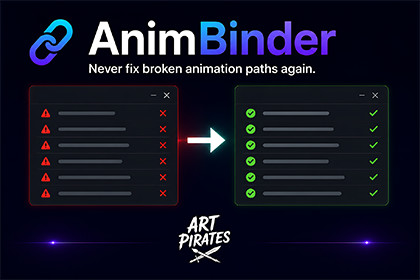
Automatically updates animation clip paths when GameObjects are renamed or moved in the hierarchy. No more manual path fixing.AnimBinder is an Editor-only tool. It does not add or change any runtime rendering, shaders, or pipeline assets. It works the same in Built-in RP, URP, and HDRP - there is no SRP-specific setup.PP# Asset Store Listing - Copy/Paste Reference## Package NamePackage NameAnimBinderShort DescriptionAutomatically updates editable Unity animation clip paths when GameObjects are renamed or moved in the hierarchy. No more manual path fixing.Full DescriptionAnimBinder — Never Fix Broken Animation Paths AgainEvery Unity developer knows the pain: you rename or move a GameObject in the hierarchy, and suddenly your animation clips show yellow Missing! warnings.Instead of digging through clips manually and fixing broken binding paths one by one, AnimBinder keeps editable animation clip paths in sync automatically.Simply add the AnimBinder Root component to your hierarchy root. AnimBinder watches for rename and reparent changes under that root and updates affected animation clip binding paths, so the same animation data continues targeting the correct objects.Key FeaturesAutomatic path repair - Rename or move GameObjects under an AnimBinder Root and affected editable animation clip paths update automaticallyPath-only patching - AnimBinder updates binding paths while preserving keyframes, curves, timing, and animated valuesZero configuration - Add one component and start workingSupports Animator (Mecanim), legacy Animation, and Particle System componentsFlexible placement - AnimBinder Root can be placed on the Animation/Animator object or on an ancestor above itForce Repair - One-click repair flow for already-broken or out-of-sync animation pathsConfigurable - Optional settings for debounce timing, log verbosity, and auto-repair toggleEditor window - Visual overview of tracked roots and discovered clipsEditor-only - Zero runtime/build overheadHow It WorksAdd the AnimBinder Root component to your root GameObjectRename or reparent a child object under that rootAnimBinder updates affected animation clip binding paths automaticallyYour existing animation data continues driving the intended objects through the updated pathsImportant Safety NoteAnimBinder repairs animation bindings by updating the clip paths that point to renamed or moved GameObjects.You can rename or reparent GameObjects under an AnimBinder Root, and AnimBinder updates the affected animation references so they continue pointing to the intended objects.The animation data itself is preserved. Your keyframes, curves, timing, and animated values are not recalculated or rewritten - they continue to drive the intended objects through the updated paths.AnimBinder only patches animation clip binding paths. It does not rewrite your animation curves, change animated values, or add runtime behavior.AnimBinder does not currently include a built-in undo system. Before using Force Repair or applying repairs across many clips, we recommend using source control or making a backup of your project/animation clips.Compatibility NotesAnimBinder is designed for editable Unity animation clips.Imported or read-only animation clips, such as clips embedded inside FBX/model assets, may need to be extracted, duplicated, or made editable before AnimBinder can patch their binding paths.For best results, keep the animated objects and relevant Animation/Animator components under the same tracked AnimBinder Root.Requirements.Unity 2021.3 LTS or laterTested through Unity 6Windows, macOS, or Linux editorWorks with both 2D and 3D projectsRender pipeline independent: Built-in, URP, HDRPWhat’s IncludedFull source codeAnimBinder Root componentEditor window with visual managementOptional configuration assetUser guide documentation---## Checklist Before Submission- [ ] Test on Unity 2021.3 LTS- [ ] Test on Unity 6- [ ] Test on Windows (if possible)- [ ] Test on macOS- [ ] Verify all .cs files compile without errors- [ ] Verify animations still play correctly after path updates- [ ] Prepare 3-5 screenshots- [ ] Record demo video- [ ] Fill in [YOUR_EMAIL] in documentation- [ ] Fill in support contact info- [ ] Review Asset Store publisher guidelines: https://assetstore.unity.com/publishingKey FeaturesAutomatic path repair when GameObjects are renamed or reparentedSupports Animator (Mecanim), legacy Animation, and Particle System componentsPath-only patching - updates animation binding paths while preserving keyframes, curves, timing, and animated valuesFlexible placement - AnimBinder Root can be placed on the Animation/Animator object or on an ancestor above itForce Repair one-click repair flow for already-broken or out-of-sync animation pathsConfigurable settings for debounce timing, log verbosity, and auto-repair toggleEditor window for a visual overview of tracked roots and discovered clipsZero build overhead - editor-only tool with no runtime performance impactRequirements:- Unity 2021.3 LTS or later (tested through Unity 6)- Windows, macOS, and Linux- Works with both 2D and 3D projects- All render pipelines (Built-in, URP, HDRP)- No dependenciesAI was used to assist with code development, code optimization, and documentation writing. All code was reviewed, tested, and validated manually in Unity by the developer.

