






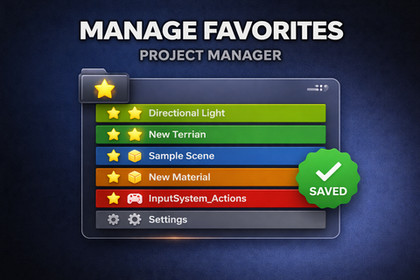
A lightweight Unity Editor tool for organizing frequently used project assets in one place.Project Favorites Window is a simple editor extension that helps you keep important project assets close at hand.Instead of constantly navigating through large folder structures, you can pin frequently used assets into a dedicated Favorites window and access them in seconds. The tool supports drag-and-drop from the Project window and works with folders, scripts, prefabs, materials, and other asset types.Each favorite can be visually highlighted with its own custom color, making it easier to separate categories such as gameplay scripts, UI assets, art folders, or important prefabs. The window also includes a search field, so you can quickly filter favorites by asset name, path, or type.The tool is designed for everyday production use and focuses on speed, clarity, and convenience inside the Unity Editor. Favorites are saved between editor sessions, so your list remains available after restarting Unity.Main featuresCustom Favorites window inside the Unity EditorDrag-and-drop support from the Project windowWorks with folders and regular assetsSearch by asset name, asset path, or asset typeQuick actions for Select, Open, Remove, Move Up, and Move DownPer-item custom color highlightingSaved state between Unity sessionsMissing asset handling for moved or deleted filesLightweight workflow with no runtime dependencyEditor-only Unity toolImplemented as a custom EditorWindowStores favorite entries by asset GUIDSupports persistent saved state in the project settingsSupports custom per-item color dataFolder opening uses Project Browser integrationAsset rows include:icon asset name asset path selection and open actions ordering controls remove action optional color highlightSearch filtering covers:asset name asset path asset typeHandles missing or deleted assets safelyNo runtime componentsNo scene setup requiredNo external packages required

