






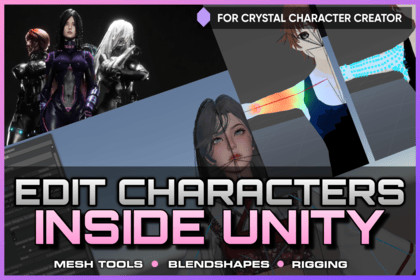
Rigging, Mesh Editing, Blendshape Creation for Crystal Character Creator
Arawn
$29.50
$59.00
50%OFF
(no ratings)
Jump AssetStore
Adds rigging, bone weight painting, mesh cutting/splitting/merging, and blendshape creation/editing directly inside Unity's & Crystal Character Creator's workflow.Requires Crystal Character Creator Version 1.2.0 or higherRequires Unity Version 6 LTS or higherBring character and equipment editing directly into Unity.This Crystal Character Creator Add-on extends Crystal Character Creator with an in-editor toolset for rigging, weight painting, mesh cutting, mesh splitting, mesh merging, and blendshape creation.Many character workflows still require switching between Unity and external DCC tools just to fix weights, adapt outfits, separate mesh parts, clean up equipment, or create shape variations. This add-on moves much of that work into the Unity workflow you already use for fitting, managing, and testing characters.Work directly in the Scene view. Inspect meshes, adjust rigging, paint weights, cut geometry, prepare modular clothing pieces, and create blendshapes without leaving Unity.===| 💬 DISCORD | 📖 DOCUMENTATION | 🎥 VIDEO TUTORIALS |===Rigging and Weight PaintingEdit and correct skinned meshes directly inside Unity.Use the rigging and weight painting tools to inspect existing skin weights, transfer body weights to equipment, replace equipment bones with a matching character bone subset, create and edit bones, and paint weights in the Scene view with live visual overlays.This is useful for adapting outfits, fixing deformation issues, preparing equipment for characters, and reducing the need to export assets back and forth between Unity and external tools.Mesh Cutting, Splitting, and MergingPrepare and modify mesh regions inside Unity.The mesh editing tools allow you to select, cut, split, delete, and organize parts of a mesh. This supports common modding, kitbashing, and outfit-preparation workflows where equipment needs to be cleaned up, separated, adapted, or turned into modular clothing pieces.Use it to remove unwanted mesh sections, split clothing into parts, separate accessories, prepare equipment variants, or clean up meshes before fitting them to a character.Blendshape Creation and EditingCreate new character and equipment variations from sculpted mesh changes.The blendshape tools allow you to turn edited mesh states into real blendshapes, edit existing blendshapes, rename them, and build new shape variations for character customization, body morphs, facial expressions, corrective shapes, or equipment fitting.This makes it easier to support character variation directly inside the Unity-based character pipeline.Built for Unity Character WorkflowsThe add-on integrates with the Equipment Fit Sculptor and expands Crystal Character Creator into a more complete authoring environment for Unity-based character and equipment pipelines.Instead of constantly switching tools, exporting meshes, importing changes, and checking results again in Unity, you can keep more of the character creation process inside one familiar editor.Less context switching. Less external tool dependency. More direct control inside Unity.Key FeaturesOptional add-on modules for Crystal Character CreatorIntegrated directly into the Equipment Fit Sculptor workflowBone rigging and bone editing inside UnityScene view bone visualizationUnity handle support for moving, rotating, and scaling bonesBone weight painting with live heat-map overlaySelected-bone and dominant-weight overlay modesSymmetry support for weight paintingImport existing mesh weights into editable mesh assetsTransfer body weights to selected equipment meshesTransfer body weights to all loaded equipmentAuto-rig equipment to a character bone subsetReplace equipment bones with matching character body bonesCreate new bones and insert bones into existing chainsRemove bones from skinned meshes with weight remappingMesh cutting, face deletion, splitting, and mesh region editingMesh selection painting with symmetry supportCreate editable cutting mesh assetsBlendshape creation from sculpted mesh editsEdit and rename existing blendshapesCreate editable blendshape mesh assetsWorks with character body meshes and equipment meshesSupports cross-rig equipment correction workflowsPrefab-aware generated mesh asset workflowDesigned for Addressables-friendly equipment pipelinesDelivered as optional editor modules / separate DLL-friendly add-onsCompatibilityRequires Unity Editor Version 6 LTS or higherRequires Crystal Character Creator Version 1.2.0 or higherWorks with SkinnedMeshRenderer based characters and equipmentIntended for editor-time authoring, not runtime mesh editingUse CasesRigging clothing to a characterFixing bad or missing equipment weightsPreparing cross-rig outfitsCreating modular clothing piecesCutting or splitting equipment meshesCreating body and equipment blendshapesKitbashing and modding character assets inside Unity

