






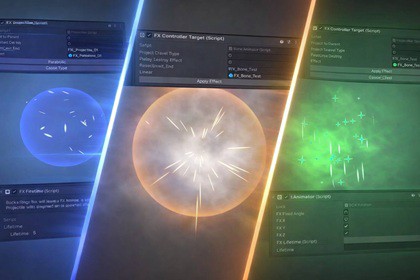
FXToolkit is a modular Unity FX framework for creating projectiles, particle effects, and animated visuals using reusable components, built-in pooling, and flexible targeting.FXToolkit is a powerful modular visual effects framework that helps Unity developers create complex effects quickly and cleanly.Instead of writing custom scripts for every spell, projectile, or particle effect, FXToolkit lets you build effects by combining reusable components. Effects can spawn on characters, travel between targets, attach to bones, trigger animations, scale dynamically, and respond to gameplay events.The system is designed to keep FX logic organized and scalable, making it ideal for games with large numbers of abilities, spells, and visual interactions.FXToolkit includes a built-in pooling system to ensure high performance even when spawning many effects at runtime. Its modular architecture allows you to assemble behaviours like projectiles, impact effects, buffs, and environmental visuals without creating large or difficult-to-maintain scripts.With FXToolkit you can easily create:• spell and ability effects• projectiles and impact visuals• character buffs and debuffs• animated particle systems• environment and gameplay FXBy separating FX behaviour into modular tools, FXToolkit allows developers to prototype faster, reuse effects efficiently, and maintain clean code throughout a project.The system is lightweight, flexible, and designed to integrate naturally with Unity’s particle systems, transforms, and animation workflows.FXToolkit includes a modular runtime architecture designed for flexibility and performance.Core components include:FXControllerManages the lifecycle of an effect, including spawning, initialization, delays, and destruction.FXToolModular behaviour components that extend the functionality of FXController.FXTargetableDetermines where effects spawn or how they move between objects.ParticleEffectManagerCentral manager responsible for spawning FX and coordinating lifecycle events.PoolManagerHandles object pooling to minimize runtime allocations and improve performance.Supported FX features include:• object pooling for efficient runtime spawning• modular FX behaviour through component-based tools• projectile effects with multiple path types• target-based FX spawning (sender, target, or between objects)• bone-based effect attachment• dynamic particle scaling• animation triggering through Animator integration• configurable effect lifetime control• event-driven FX behaviourSupported projectile paths:• linear• parabolic• curve-based trajectoriesFXToolkit is designed to work with Unity’s built-in Particle System and standard Unity components.The framework is lightweight and extensible, allowing developers to create custom FX tools and behaviours when needed.

