






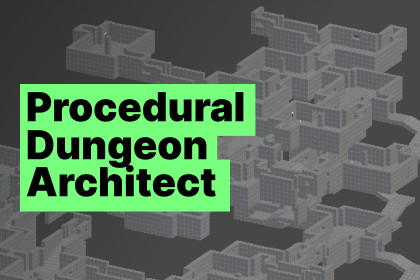
Procedural Dungeon Architect is a runtime dungeon generation system for Unity.
It generate interconnected rooms using door-based placement, while enforcing advanced constraintsTo use the demo scene, you will have to import the free Cinemachine asset version 2.10.5 (not higher).And I built the scene in URP so for HDRP and Built-in version, you will have to update the few materials of the scene.Procedural Dungeon Architect is a runtime dungeon generation system for Unity.It allows you to dynamically generate interconnected rooms using door-based placement, while enforcing advanced constraints such as:Room count limitsDistance constraints from reference objectsNeighbor compatibility rulesControlled object spawning per room and per spawn pointRuntime NavMesh generation (fully compatible with builds)The asset is designed to be:Deterministic enough to control gameplay structureFlexible enough to support roguelikes, dungeons, modular levelsSafe for runtime usage (timeouts, safeguards, no editor-only APIs)It works entirely at runtime and does not require baked geometry or precomputed NavMeshes.1. DungeonGenerator SetupAdd DungeonGenerator to an empty GameObject in your scene.Main parameters:Min Rooms / Max Rooms Target range for total room count.Max Generation Time Safety limit (in seconds) to prevent infinite loops. The generator will abort and log a warning if exceeded.Max Candidate Tries Per Door Limits how many attempts are made per door before it is closed.Max Rescan Passes Secondary passes to try reaching the target room count.Room prefab List List of the rooms that will be procedurally placed.2. Room PrefabsEach room prefab must:Contain at least one Closded Door child object with the name tag “Door”.Optionally contain ObjectSpawner child objects with the name tag “ObjectSpawner”.Have a RoomConfig script componentHave one or more box colliders (Not marked as Trigger) to define the volume occupied by the room. Those colliders will be used by the script during generation to avoid overlapping and then be deleted. However, you must leave the closed doors outside of those box colliders to allow rooms to be linked. (Allows Physics.ComputePenetration to detect invalid placements)3. RoomConfigRoomConfig defines the behavior of a room prefab.Key options:Room Placement RulesAllowed Neighbors Restrict which room prefabs can be attached to this room. It should help to keep a coherent room organization and a believable dungeon.Max Instances This set the number of times this room will appear in the dungeon.Distance ConstraintsUse Distance ConstraintReference ObjectMin Distance / Max DistanceAllow to set a distance min and max for the spawning of a room in a level. It asks for a reference object where you have to feed a prefab object. It can be useful for special rooms such as:Boss roomsTreasure roomsExit roomsDistance is measured from the room pivot to the reference object pivot. So, you can force distances between the start and the end of the dungeon for example.4. Doors – Critical SetupDoors are central to correct generation.Door RequirementsMust be tagged DoorMust be a child of the room prefabMust be a closed door that the generator will try to open.Pivot must be perfectly centeredForward direction must point outward⚠️ ImportantRoom alignment is computed using door forward vectors. If the pivot is offset or rotated incorrectly:Rooms will misalignDoors will not connect correctly5. Object Spawning System (RoomSpawnPoint)Each spawn location uses the RoomSpawnPoint component.This allows:Per-spawn-point object selectionWeighted probabilitiesFull control over what can spawn whereWorkflowAdd a child object to the room prefabTag it ObjectSpawnerAdd RoomSpawnPoint componentDefine spawnable objects and weightsThis replaces global spawn lists and enables for example:Furniture-only spawns in cornersEnemies only in combat zonesProps only near walls, etc.6. NavMesh Generation (Runtime & Build-Safe)The generator can rebuild a NavMesh at runtime, including in builds.Features:Uses Physics Colliders (not meshes)Works with procedurally spawned cubes and geometryNo Read/Write mesh requirementKey options:NavMesh Bounds Size (Create a square area with world (0;0;0) at its center where the NavMesh will be initialized)Layer Mask selectionRuntime Gizmo visualizationA debug NavMesh mesh can be displayed during play mode.I used AI to assist with code generation through an iterative process. This helped me develop readable, modular, and easy-to-maintain scripts. AI was also used to research best practices for asset folder structure and to help draft the user manual. Throughout development, I experimented with many approaches and retained only the most effective and practical solutions, refining them with manual improvements.

