






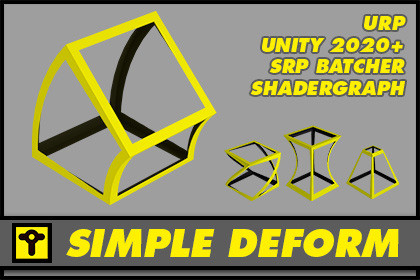
Simple Deformations and Affine Transforms packed in SubGraphs to apply the transformation you want using your own ShaderGraph shader setup.
Deform your objects the way you need!Main package are ShaderGraph SubGraphs and you will find a ***_Examples_RenderPipeline.unitypackage to uncompress examples.Universal Render Pipeline: 2022 LTS and beyondFuture:High Definition Render Pipeline example package compatibleMultiple Deformation SubGraphs to add to your own ShaderGraph setups. You can play with them like in any 3D or 2D package happens, limits are yours. You will find:RotateTaperTwistSkewSquash & StretchBendAnd an extra Scale & Offset subgraph really useful on a daily basis. All of them prepared for one axis to three axis. You will find some examples to demostrate some ways to setup them and the results you can achieve.All you can find here is really straight forward, without any tricky setup and it's prepared to support your project without creating any new layer in your configurations. They are only SubGraphs you can apply the way you want.You will be able to animate via shader instead of using a SkinnedMesh and take profit to the SRP batching for Meshes. You will find a Blender example with a simple script to show you a possible pipeline between packages.Scale and Offset subgraphRotation subgraphs (X, Y, Z, XYZ axis)Taper subgraphs (X, Y, Z axis)Twist subgraphs (X, Y, Z, XYZ axis)Skew subgraphs (X, Y, Z axis)Squash & Stretch subgraphs (X, Y, Z axis)Bend subgraphs (X; Y, Z, XYZ axis)Blend and FBX file as example pipeline to port 3D package animation using deforms to UnitySimple C# Script to communicate animation to shader2 Scenes with examples setups and different use cases: 3D assets, 3D animation.Two PDF-documents containing relevant information to support your first steps, understand how to apply subgraphs and which ones are available.Examples_URP.unitypackage where you will have examples created using URP

