





Distance Based Pixalator - 3D Scenes to Pixels
Gece Studio
$9.99
$19.99
50%OFF
(no ratings)
Jump AssetStore
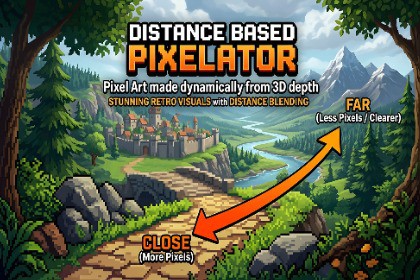
Distance-Based Pixelator (URP)A dynamic pixelation system based on distance. It pixelates objects in the scene at different resolution levels depending on their distance from the camera. Designed specifically for perspective cameras, it provides separate resolution control for each distance range. This way, you can pixelate all your 3D scenes.✨ FeaturesDistance-Based PixelationEach pixel is rendered at a different level of pixelation based on its distance from the camera. You have full control over which resolution is applied at specific distances.Perspective Camera SupportNot dependent on orthographic projection. Works seamlessly with perspective cameras to deliver a natural, depth-aware pixelation effect in 3D scenes. Orthographic mode is also supported.Customizable Distance MappingYou can manually adjust threshold values for each distance range in the scene.Level-Based Resolution ControlDefine a unique pixel size for each distance level. This allows closer objects to appear sharper while distant objects appear at lower resolution.No Shader RequiredWorks with your existing materials without requiring any shader modifications.Easy installationYou can set it up in just a few seconds and start using it right away.🧩 Supported VersionsUnity 6.xUnity 2022+ (not tested with 2021, but likely compatible)Included:2x Shader (Perpective & Orthographic)2x MaterialDemo SceneDocumentationNotesTranparant Shaders: Transparent materials are not written to the depth buffer, so they are rendered last. Because of the rendering order, objects using transparent shaders (such as water shaders) may become invisible. Therefore, avoid using transparent shaders. However, you can use alpha clipping instead.Anti-Aliasing: Using additional anti-aliasing is not recommended, as it can distort the pixel structure and negatively affect visual quality.Thin Objects: Very small details such as wires, grass, or thin fences may disappear or render incorrectly during pixelation. You may need to thicken or scale such models.Subpixel Limitation (Perspective Camera): Due to perspective projection, perfectly stable (grid-locked) pixel alignment is not possible. Objects at different depths move at different speeds, which can cause slight shifts.

