






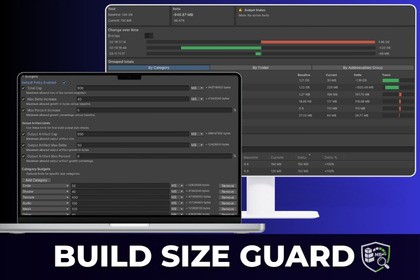
Build Size Guard: Track Changes and Enforce Limits
Kevin Bjorvand
$27.99
$39.99
30%OFF
(no ratings)
Jump AssetStore
Build Size Guard tracks your Unity build size, shows exactly what made it grow, and can stop builds when they get too big.Stop build size regressions before they ship. Build Size Guard automatically records build size snapshots, compares two builds, shows exactly what changed, and can enforce size limits (budgets) locally and in CI.✅ What you getAutomatic build snapshots saved per build target (so you can track history over time).Compare any two builds and see the exact delta: total size change + where it came from.Top contributors list (what grew the most, what shrank, what is new).Grouping views so you can understand changes fast (by folder/path and by category).Budgets and enforcement to fail fast when size grows beyond your rules.CI friendly outputs so teams can gate regressions in pipelines.🔍 Find the cause in minutesWhen a build grows, the question is never “did it grow?”, it’s “what specifically changed?”Build Size Guard highlights:Largest increases (new or expanded assets)Largest decreases (useful for validating optimizations)New entries (assets that suddenly started contributing)Changed distribution across categories (useful for texture/audio bloat)Target-specific differences (Android vs iOS vs Windows can diverge)💸 Budgets (size limits)Set budgets that match how real projects work:Total build size budget per targetOptional rules like max allowed regression per snapshot comparisonOptional category budgets (for example: textures, audio, meshes, shaders, managed code, native/plugins) depending on what Unity can report for your targetWhen a budget is violated, you can make it loud:Editor feedback for local buildsCI failure for automated checks (non-zero exit style workflow)🧰 Typical workflowBuild normally.Build Size Guard records a snapshot automatically.Release baseline vs currentOpen the tool and Compare:Latest vs previousIdentify the top culprits, then fix the real cause.Add budgets to prevent the same regression from returning.🤖 Designed for teams and CIWorks for solo devs who want quick answers.Works for teams who need enforcement and history.Generates shareable reports so regressions are easy to review in PRs and build logs.🧩 Implementation notesEditor-only tooling (no runtime footprint).Uses Unity’s build reporting data to track size and changes.Best results when you keep a stable baseline snapshot for each target and compare against it.🏠 Homepage📂 Documentation💬SupportSupported PlatformsWindows standaloneAndroidExtensible to additional platformsiOSSnapshot SystemJSON based snapshot formatStores total size and asset level breakdownDesigned for version control and CI artifact storageSupports multi platform separationDiff EngineCompares two snapshots deterministicallyCalculates absolute and percentage deltasRanks top N increases and decreasesIdentifies new and removed itemsGrouping by path and asset typeExtensible grouping strategyBudget SystemPer platform total size budgetsOptional per category budgetsConfigurable thresholdsClear violation outputNon zero exit code for CI failureCI IntegrationBatchmode compatible entry pointCommand line arguments for snapshot comparisonJSON result outputOptional Markdown summaryExit code based on rule evaluationEditor IntegrationDedicated EditorWindowSnapshot list with timestamps and platform indicatorsBaseline and Current selectionDelta summary cardsSortable diff tableExport summary buttonDependenciesUnity 2021 LTS or newer recommendedNo external services requiredNo cloud dependencyPackage ContentsEditor UISnapshot systemDiff engineBudget configuration systemCI command line runnerExample configurationAI was used during development to assist with architectural planning, UI prototyping, and drafting documentation, while all implementation logic and validation were designed, reviewed, and verified manually.

