






Procedural Font Bakery – Static & Animated Font Assets
HaoYunLai1129
$29.90
(no ratings)
Jump AssetStore
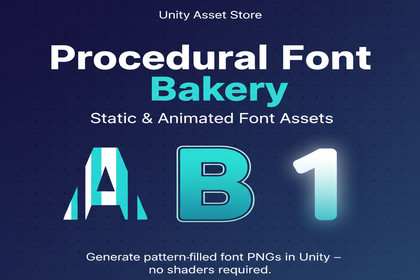
Procedural Font Bakery: generate static and animated font/glyph PNGs from your fonts. Two editor wizards (Basic + Advanced effects), no shaders or post-processing. SkiaSharp included.• Compatible with Built-in and URP. No render pipeline setup required; the tool generates PNG assets.• SkiaSharp is included in this package (see ThirdPartyNotices.txt). No extra Asset Store packages or external installs needed.• Supported Unity version: 2022.3 or higher. Use one font folder (e.g. Input_Fonts) and the Tools → GlyphAurea Labs menus to generate assets.Procedural Font Bakery lets you generate pattern-filled and effect-rich font assets as PNGs for Unity. Use the Basic or Advanced editor (Tools → GlyphAurea Labs) to pick a font, set patterns and effects, and export one image per character—static or as animated PNG sequences.• Basic: font selection, patterns (Solid, Diagonal, Grid, Dots, etc.), frame shapes (29 options), character set, one-click export.• Advanced: effect presets (Glow, Neon, Tron, Shadow, Outline, Border Animation), drop shadow, glow, outline, PNG sequence export.• Output: PNG files per character (e.g. 0041_A.png); for animation, a sequence of frames per character. Use in UI Image, sprite-based text, or animation.• SkiaSharp is bundled in the package (see ThirdPartyNotices.txt). Unity 2022.3 or higher. Works with Built-in and URP. No Shader Graph, VFX Graph, or Post Processing required.• Output type: PNG (raster/pixel-based). Static (one PNG per character) or animated (PNG sequence per character).• Animated: Yes. Animation type: frame-by-frame PNG sequences (e.g. glow pulse, shadow, border animation). Frames exported to an Animation subfolder.• Unity version: 2022.3 or higher.• Render pipelines: Built-in, URP. No pipeline-specific setup; tool generates textures.• Dependencies: SkiaSharp and dependencies included in package (Plugins folder). No Asset Store package dependencies. See ThirdPartyNotices.txt.• Content: Runtime and Editor scripts, Documentation, Samples (demo scenes and scripts), Shaders (optional). File count and sizes depend on generated output; package includes wizard UI, generators, and demo scene assets.• Input: .ttf/.otf fonts in a project folder (e.g. Input_Fonts). Export to any folder under Assets.AI was used to assist with code structure, documentation (User Guide, README, changelog), and in-editor instruction text. All functionality was implemented and reviewed by the publisher. No AI-generated art or audio is included. Third-party code (e.g. SkiaSharp) is properly attributed in ThirdPartyNotices.txt.

