






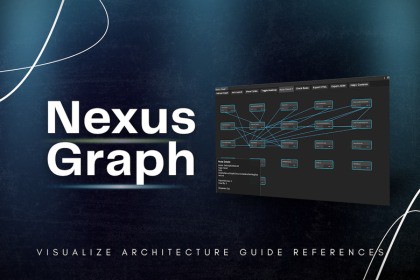
Nexus Graph is a professional architecture and dependency analysis tool for Unity developers who want clean, modular, and scalable codebases and enforce clean architecture in real production projects.As Unity projects scale, code structure slowly degrades. Scripts start referencing each other without clear boundaries, dependencies grow uncontrollably, and circular references creep in. Over time, refactoring becomes risky, builds become fragile, and small changes start breaking unrelated systems.Nexus Graph is a professional Unity Editor tool built to visualize, analyze, and enforce clean architecture in real production projects. It gives you full visibility into how your C# scripts depend on each other and actively prevents dangerous architectural issues from reaching builds.🕸️ Complete Dependency VisualizationNexus Graph generates a live, interactive dependency graph of your entire C# codebase.Each node represents a script and each connection represents a real reference. The graph supports zooming, panning, auto-layout, and smart filtering, allowing you to understand complex systems at a glance. Unity internal assemblies can be hidden automatically so you focus only on your own code, not engine noise.The system is optimized to handle large projects with hundreds or thousands of scripts smoothly.## 🔥 v1.1 MAJOR UPDATE (NEW)* **AI Architecture Assistant**: Get refactoring advice powered by the latest AI tech (Requires Brody AI).* ** Premium UI Overhaul**: Experience a gorgeous, modernized node graph designed for high-end professional workflows.* ** Code Smell Detection**: Instantly spot "God Classes" and performance-killing empty Unity methods before they hit production.* ** Publisher Dashboard**: One-click access to our entire suite of productivity tools directly from your toolbar.🔄 Advanced Circular Dependency DetectionCircular dependencies are one of the biggest causes of tightly coupled and unmaintainable code.Nexus Graph automatically detects:Direct cycles (A → B → A)Deep dependency loops (A → B → C → D → A)Hidden coupling chains across multiple systemsProblematic cycles are highlighted clearly, making it easy to identify the exact reference that closes the loop and refactor safely.🛡️ Build Guard — Architecture FirewallThe Build Guard integrates directly into Unity’s build pipeline and acts as a safety gate for your architecture.Before every build:The project is scanned for circular dependencies and rule violationsCritical issues can automatically block the buildSeverity levels can be configured as warnings or hard stopsBatch mode support makes it suitable for CI/CD pipelines, ensuring broken architecture never reaches production or shared branches.🧠 Architecture Rule EngineDefine and enforce architectural boundaries across your project.You can:Restrict which layers or folders are allowed to reference othersEnforce clean and modular architecture patternsCreate custom rules using flexible pattern matchingWhen a rule is violated, Nexus Graph reports the exact dependency responsible, making enforcement clear and actionable.📊 Project Health & Codebase InsightsNexus Graph provides high-level insights into your project’s structure:Identify highly referenced “god classes”Detect orphan scripts that are never usedAnalyze dependency density and coupling hotspotsUnderstand which files are risky to modifyThese insights help teams plan refactors, reduce technical debt, and maintain long-term stability.🧩 Advanced Analysis & Reporting ToolsInteractive node-based graph with auto-layoutDependency Path Finder to trace reference chains between any two scriptsSmart filtering to isolate specific systems or layersAsset size and duplication analysisExport architecture reports as JSON or HTML for team reviews, documentation, and auditsHTML export allows teams to share clear, readable architecture reports without requiring Unity access.⚙️ Built for Professional WorkflowsEditor-only tool with zero runtime overheadNon-destructive analysis (never modifies code logic)Optimized for large, long-term projectsFully compatible with Assembly Definition (.asmdef) workflowsFull C# source code included (no DLL lock-in)Nexus Graph helps you see your architecture clearly, stop bad dependencies early, and keep your Unity projects modular and scalable as they grow.JOIN DISCORD | DOCUMENTATION | OTHER ASSETS## Features* **Visual Graph*** **Cycle Detection*** **Build Guard*** **Architecture Rules*** **Headless Mode*** **Dependency Tracing*** **Duplicate Finder*** **Size Treemap*** **Heatmap Analysis*** **Reference Counting*** **Smart Filtering*** **Assembly Support*** **Batch Processing*** **CI/CD Ready*** **One-Click Fixes*** **Project Health*** **Orphan Detection*** **God-Class Finder*** **Editor Integrated*** **Zero Runtime*** **Custom Presets*** **HTML Export*** **JSON Reports*** **Auto Layout*** **Performance Optimized*** **Offline Docs**## Supported Unity Versions* Unity 2020.3 LTS* Unity 2021.3 LTS* Unity 2022.3 LTS* Unity 2023+ (All cycles)* Unity 6 (Above)## Technical details* **Editor-Only Tool**: Zero runtime overhead.* **Source Code**: Full C# included.* **Dependencies**: None (Stand-alone).## Supported OS* Windows 10 / 11* macOS* Linux## Link to documentationOnline Documents This asset was developed with the assistance of AI tools during parts of the workflow.AI was used to help with code suggestions, UI text drafting, and initial design ideation. All outputs were reviewed, modified, and integrated manually to ensure correctness, performance, and usability within Unity.No AI-generated content is included as a standalone or primary component of the package. All functionality has been tested and refined by the publisher.

