






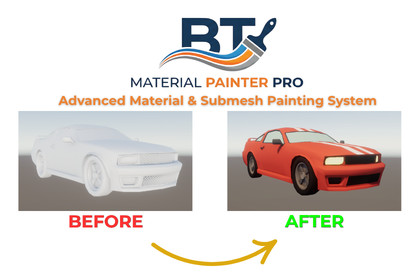
BT-Material/Submesh Painter Pro: Advanced Material & Submesh Painting System
Barkin Tufan
$29.90
(no ratings)
Jump AssetStore
Paint materials directly in Unity! Advanced in-editor material painter. Splits geometry into optimized submeshes, supports SkinnedMeshRenderer, and includes smart topology selection tools.Streamline Your Editor Workflow with Direct Material & Submesh AssignmentSkip the tedious back-and-forth between Unity and external 3D software (like Blender or Maya) just to assign a new material to a specific part of your model. BT-Material Painter Pro is a practical, performance-friendly editor tool that lets you paint selections on your meshes and automatically split them into proper submeshes right inside Unity.Perfect for prototyping, hyper-casual development, or making quick material adjustments to existing props and characters without leaving the editor.🎨 Core Painting & Mesh SystemsSpatial Hash Brush - Smooth Editor PerformanceResponsive Interaction: Uses a custom spatial grid (MeshSpatialHash) to ensure smooth triangle selection without lagging the Editor, even on higher-poly meshes.Dynamic Brush Control: Quickly resize your brush radius in the Scene View using Shift+Scroll.Precision Mode: Drop the radius to zero for pixel-perfect, single-triangle selections.Paint & Erase: Fluidly toggle between adding and removing triangles with the Shift key.Smart Topology Selection - Quick Geometry HandlingSelect Linked [L]: Isolate floating geometry islands (like glasses on a character or leaves on a tree) with a single keystroke.Grow [G] & Shrink [H]: Expand or contract your active selection by edge rings.Invert [I] & Clear [C]: Flip or clear your selections instantly for fast masking.Submesh Isolation: Automatically extract and select triangles from a model's existing material groups.Dynamic Submesh Builder - Real Geometry SeparationPhysical Submeshes: This tool doesn't just paint vertex colors; it physically rebuilds your mesh into new submesh groups for true Material assignment.Skinned Mesh Support: Safely processes animated characters (SkinnedMeshRenderer). It separates materials while keeping your bone weights and rigging data completely intact.Draw Call Optimizer: The "Merge Same Materials" option automatically combines identical material slots into single submeshes, keeping your draw calls to a minimum.Material Slot Manager - Rapid PrototypingPipeline Auto-Detection: Automatically creates materials perfectly configured for your active pipeline (Standard, URP, or HDRP).40 Quick Color Presets: Block out levels instantly with a built-in palette of ready-to-use color materials.Slot Management: Lock specific slots to protect complex borders while painting, or hide them to see underneath.Custom Materials: Easily drag and drop any of your existing Unity materials into the slots.🚀 Editor Features & WorkflowClean & Efficient UIModern, scalable UI Toolkit interface with real-time triangle count monitoring.Scene view debugging with visual selection overlays (batches drawing to maintain Editor FPS).Built-in 30-step Undo/Redo stack specifically for the painter to protect your workflow without breaking Unity's main history.Quick Reassign button (↺) to instantly recall your last complex selection.Safe Asset ManagementNon-Destructive: Generates completely new .asset files. Your original imported models are never overwritten.Automatic Saving: Routes and saves new materials and generated meshes directly to your designated project folders.OBJ Exporter: Includes a built-in .obj and .mtl exporter if you need to take your newly separated meshes back to Blender/Maya.📊 Practical BenefitsSaves Iteration Time: Fix missing material zones or colorize props in seconds.Optimized Results: Built by developers who care about performance. Unused triangles can be pruned, and identical materials are merged automatically.Scalable: Works reliably on everything from simple mobile props to complex desktop characters.🛡️ Developer-Friendly & Transparent Built on the robust BT-MeshForge architecture:Clean, non-intrusive namespaces (BT.MaterialPainter & BT.MeshExtractor) to prevent conflicts with your project.Full C# source code included.Detailed, straightforward documentation.What You GetComplete, well-commented C# source code.PDF/Markdown Documentation.Dedicated UI Toolkit Editor window & Scene View handler.Built-in preset palette & exporter tools.Core Architecture & AlgorithmsMesh Spatial Hashing: Custom MeshSpatialHash implementation for localized grid-based raycasting. Guarantees lag-free brush performance on high-poly meshes by strictly limiting triangle distance calculations.Geometry Processor: Physically separates selected triangles and rebuilds subMesh arrays. Not a vertex painter; generates true multi-material meshes.Editor Performance Guard: Scene View Handle drawing is strictly batched and hard-capped at 12,000 triangles per frame (MAX_DRAW_TRIS_PER_FRAME) to prevent Editor FPS drops during massive selections.RAM-Safe Undo System: Dedicated custom Undo Stack (PainterUndoState) isolated from Unity's main history, capped at 30 consecutive steps to prevent memory bloat.Compatibility & SupportRender Pipelines: Fully supports Standard (Built-in), URP, and HDRP. Includes automatic pipeline detection to generate compatible materials instantly.Supported Mesh Types: * Static Meshes (MeshFilter)Animated/Rigged Characters (SkinnedMeshRenderer - safely preserves bone weights, root bones, and skinning data).UI Framework: Built entirely with Unity's modern, scalable UI Toolkit (UnityEngine.UIElements).Supported OS: Windows & macOS (Editor Extension).Input / OutputGenerated Assets: Saves non-destructive .asset (Mesh) and .mat (Materials) directly to the project folder.Exporters: Built-in legacy exporter for .obj (Geometry) and .mtl (Material Library) files.Dependencies & CleanlinessNo External Plugins: 100% native Unity C# code. No hidden DLLs or third-party dependencies required.Namespace Isolation: All code is safely encapsulated within BT.MaterialPainter and BT.MeshExtractor namespaces to prevent any project script conflicts.Temporary Components: Automatically adds and cleans up non-convex MeshColliders strictly during active painting sessions.LimitationsThis is an Editor-Only tool designed to speed up development workflows. It is not intended to be used at runtime in compiled builds.

