





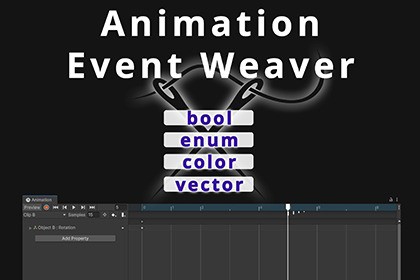
Animation Event Weaver is the 1st powerful upgrade to Unity’s Animation Events. Supports unlimited params, bools, enums, vectors, colors, grouping, drag reorder, copy/paste & more.🚀 Why Animation Event Weaver?Unity’s native Animation Events only support:One floatOne intOne stringOne object referenceThat’s it.Animation Event Weaver removes these limitations and introduces a full parameter system with clean editor UI and safe runtime access.🔥 Key Features✅ Unlimited Parameters Per EventDefine as many parameters as you want inside a single animation event.Supported types:intfloatstringObject referenceboolenumColorVector2Vector3All stored cleanly and retrieved safely at runtime.🟢 Full Bool SupportNative Unity does not support bool parameters in animation events.Animation Event Weaver adds proper bool support with:Checkbox UIDefault value supportSafe runtime retrievalClean serialization🎯 Enum Support (Real Enums, Not Just Ints)Use real enum types directly inside your animation event.Example:ShakePreset(enum:EventWeaverCameraShake.ShakePreset)Features:Automatic enum detection via reflectionDropdown pop-up in the editorSafe validation at runtimeCached for performanceNo more manual int-to-enum casting guesswork.🎨 Color SupportAdd full color picker support inside animation events.Packed efficiently as intNo float serialization issuesDefault values supportedSafe decoding at runtime📐 Vector2 & Vector3 SupportAdd structured vector data directly into animation events.Axis-labeled UI (X, Y, Z)Safe parsingClean storage formatDefault values supportedPerfect for offsets, forces, spawn positions, directions, and more.🧩 Parameter Grouping & Clean LayoutOrganize your parameters using a simple grouping syntax.Create:Horizontal groupsVertical groupsNew rowsGroup headersResult:Clean layoutDesigner-friendly interfaceOrganized parameter sections🎛 Custom Event Buttons (With Color)Style your animation event buttons:[EventWeaverButtonColor(1f, 0.5f, 0.7f)]Custom tint colorDark & Light mode supportAutomatic fallback texture generationProfessional look inside editor📋 Copy & Paste EventsBoost productivity with:Copy single eventCopy all events at current framePaste at current animation timeTime tracking reference🔁 Drag Reorder (Same Frame)Reorder events that occur at the same timestamp.Drag handle supportVisual insertion indicatorUndo/Redo supportStable time sorting⏱ Event Time TrackingTrack an event and see time delta from current playhead position.Perfect for:Fine timing adjustmentsCombo systemsVFX syncingAudio timing polish🧠 Smart Method FilteringOnly methods marked with:[EventWeaver][EventWeaverExt]appear inside the tool.Prevents accidental exposure of unrelated methods.🧩 Two Usage Modes1️⃣ Simple Mode (Native Parameter Upgrade)Use Unity-style parameters, but with:Label customizationDefault valuesCleaner UI2️⃣ Extended Mode (Unlimited Power)Use a structured parameter schema with:Unlimited fields.Additional parameter type (bool, enum, vectors…)Label customizationDefault valuesCleaner UIGrouping📘 Included Example ScenesTo help you get started quickly, three fully working example scenes are included:✅ Simple Events SceneDemonstrates:Simple Mode usageDefault valuesLabeled parametersBasic audio and message triggersMultiple parameter typesBool, enum, color, vector usageGrouped UI layoutRuntime parameter retrievalIdeal for understanding advanced schema usage.✅ Gameplay Integration ScenesDemonstrates:Real gameplay example (bullet spawn, slow motion, camera shake)Combined features in a production-style setupBest practices for structuring eventsGreat reference for real-world implementation.These scenes are designed for:Quick learningReference implementationCopy-modify workflow🛡 Runtime Safety & PerformanceAttribute reflection is cachedEnum types are cachedEvent signatures are cachedErrors logged once (no console spam)Safe splitting with escape supportFallback values supported for every typeFull Undo/Redo integrationDesigned for production use.🎮 Perfect ForCombat systemsShooter gamesRPG ability systemsCombo attacksVFX timingAudio triggersCinematicsProcedural animation logicDesigner-driven animation workflows🏁 Why Choose Animation Event Weaver?Because animation events should scale with your game.Instead of:One float and a prayer.You get:A structured, typed, designer-ready animation event framework.Animation Event Weaver turns Unity’s basic event trigger into a full production tool.Upgrade your animation workflow today.🧩 CompatibilityTested and supported on:✅ Unity 2021✅ Unity 2022✅ Unity 6Works with Unity’s built-in Animation Window and standard MonoBehaviour animation workflows.🖥 Editor RequirementUnity Animation Window (built-in)🧾 Serialization SystemExtended mode stores structured data inside:AnimationEvent.stringParameterComma-separated fieldsColon-separated vectors (x:y / x:y:z)Escape-safe parsingCulture-invariant float handlingFallback-safe retrieval🎨 Color EncodingColors packed as a single int:(r << 24) | (g << 16) | (b << 8) | aCompactFast decodeNo float precision issues🧠 Performance OptimizationsAttribute caching per typeEnum type & value cachingAnimation event signature hashingOne-time error loggingLazy UI style initializationMinimal reflection callsDesigned for large projects.🔁 Editor FeaturesDrag reorder (same-frame events)Copy / Paste (single or multiple)Event time trackingCustom colored buttonsGrouped parameter layoutDark / Light theme supportUndo / Redo integration🛡 Runtime SafetyAll getters include:Label validationType validationEnum validationFallback supportGraceful failure (no crashes)Example:float duration = EventWeaverRuntime.GetFloat(this, evt, "Duration", 1f);

