






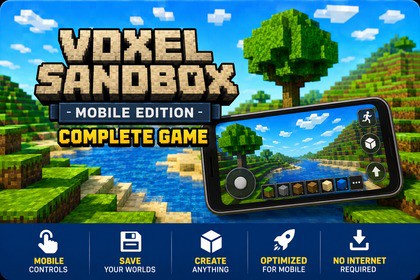
Voxel Sandbox — Mobile Edition is a complete touch-based voxel game system for AndroidVoxel Sandbox — Mobile Edition is a complete, production-ready voxel game system built exclusively for Android. Whether you are creating a survival game, a creative sandbox, or an exploration experience, this asset gives you a fully functional foundation to build upon.What's included:🌍 Procedural World GenerationInfinite chunk-based terrain with rivers, lakes, beaches, and trees — all driven by a customizable seed system.🎮 Full Mobile Touch InputVirtual joystick with 4 modes (Fixed, Float, Dynamic, FixedFloating), look-drag zone, tap to place, and hold to break — all configurable in the Settings panel.⛏️ Block Interaction SystemHold-to-break with animated crack overlay, per-block hardness values, and a step-based raycast for pixel-accurate voxel targeting.🎒 Inventory SystemHotbar and full inventory panel with stacking, tooltips, custom block support, and starting inventory generation.💾 Save & Load SystemPersistent JSON saves per world — stores player position, all block modifications, and full inventory state.💧 Water PhysicsMinecraft-style water flow, levels, falling water, and underwater visual effects.✈️ Creative Flight SystemDouble-tap the jump button to toggle flight mode. While airborne, use the jump button to ascend and the dedicated descend button — which appears automatically during flight — to move downward. Double-tap again to disable flight and return to normal gravity.⚙️ Settings PanelIn-game graphics quality, render distance, and joystick mode — saved to PlayerPrefs.Fully customizable: add new block types, adjust hardness values, extend the inventory, reskin the UI, or swap world generation parameters. All scripts are written in clean, modular C# under the VoxelGame namespace.Requirements:To use this asset, you must switch the Unity Build Platform to Android before pressing Play. Go to File → Build Settings → Switch Platform. The touch input system, joystick, and block interaction are built exclusively for mobile platforms and will not function on the default PC platform. For Editor testing, use Window → General → Device Simulator.Key Features:Procedural chunk-based world generation with customizable seedTerrain with rivers, lakes, beaches, and treesMinecraft-style water physics — flow, levels, and falling waterFull mobile touch input system — tap, hold, and look-dragVirtual joystick with 4 modes: Fixed, Float, Dynamic, FixedFloatingHold-to-break with animated crack overlayPer-block hardness system scaling break durationStep-based raycast for pixel-accurate voxel targetingBlock placement and destruction with inventory integrationHotbar and full inventory panel with item stackingCustom block support with runtime ID registrationPersistent JSON save/load — position, inventory, and all block changesMain menu with world creation (name + seed) and save browserIn-game settings: graphics quality, render distance, joystick modeUnderwater visual effect panelModular C# scripts under VoxelGame namespaceCompatible with Unity 2022.3 LTS and laterSupports Android and iOSDevice Simulator supported for Editor testingAI was used to assist with script optimization (Grok, Sonnet 4.5) and texture generation (ChatGPT). All content was reviewed, refined, and finalized by the developer.

