






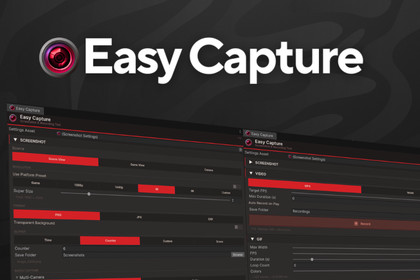
Capture screenshots, Record Videos, and create GIFs in the Unity Editor.
PNG, JPG, EXR, MP4, WebM, GIF. Pure C#, zero dependencies, no runtime code.Works on Unity 2022.x LTS and newer. Stop alt-tabbing to OBS. Stop configuring FFmpeg. Stop stitching screenshots together in Photoshop.Easy Capture is the all-in-one capture tool built directly into the Unity Editor. Screenshots, MP4/WebM video, animated GIFs, everything you need to produce store page assets, social media content, devlogs, and bug reports without ever leaving Unity.One click. One shortcut. Done.WHY EASY CAPTURE?✅ Zero dependencies — no external packages, native plugins, or DLLs✅ Editor only — nothing ships with your build, zero runtime overhead✅ Works in Edit Mode and Play Mode✅ Pure C# — fully readable source code, no black boxes✅ ScriptableObject settings — share configurations via version control✅ Scene View toolbar overlay — capture without opening any window✅ F12 quick capture shortcut — works from anywhere in the EditorSCREENSHOTSCapture from Scene View, Game View, or any camera in your scene. PNG with transparency, JPG for lightweight sharing, or full HDR in OpenEXR format. Need higher resolution? Scale up to 8x on each axis, turn a 1080p viewport into an 8K image.VIDEO RECORDINGRecord your editor viewport to H.264 (MP4) or VP8 (WebM) at 15, 24, 30, or 60 FPS. Pause and resume without splitting files. Enable Auto-Record to start capturing the moment you hit Play. Resolution capped at 4K.GIF RECORDINGCreate animated GIFs with a pure C# encoder. No FFmpeg, no ImageMagick, no command line. Configure width (128-1024px), frame rate (5-30 FPS), duration (up to 30 seconds), and color depth (64-256 colors). Real-time file size estimation keeps you in control.COMPOSITION GUIDESFrame your shots with visual overlays: Rule of Thirds, Golden Ratio, Diagonal Lines, Center Cross, and broadcast-standard Safe Zones. Customize color and opacity to match any scene.PLATFORM PRESETSOne click to set the exact resolution every platform requires. Presets included for Steam (Capsule, Header, Hero, Screenshot), App Store (iPhone, iPad), Google Play, YouTube, Twitter/X, Instagram (Square, Story, Reels), Facebook, Discord, LinkedIn, Pinterest, Twitch, and TikTok.BATCH CAPTURECapture from multiple cameras in one operation. Perfect for producing store assets from different angles simultaneously. Auto-naming by camera name or sequential index, with optional subfolder output.GETTING STARTEDImport the packageOpen via Window → Easy Capture (or press Ctrl+Shift+F12)Click "Create Default Settings"CaptureFull documentation included in the package.SUPPORTQuestions, issues, or feature requests? Contact us through the Asset Store or visit the documentation included with the package. We actively maintain and update Easy Capture.Key Features:Screenshot capture: PNG (lossless, alpha), JPG (lossy, 1-100 quality), EXR (HDR, 16/32-bit float, ZIP/RLE/PIZ compression)Video recording: H.264 (MP4), VP8 (WebM), 15-60 FPS, pause & resume, auto-record on Play ModeGIF recording: Pure C# GIF89a encoder, octree quantization, LZW compression, 5-30 FPS, 128-1024px width, 64-256 colorsSuper Resolution: Up to 8x multiplier per axisTransparent background capture (PNG and EXR)Batch multi-camera capture with per-camera naming5 composition guides: Rule of Thirds, Golden Ratio, Diagonals, Center Cross, Safe Zones13 platform presets: Steam, App Store, Google Play, YouTube, Twitter/X, Instagram, FacebookStandard resolution presets: 1080p, 1440p, 4K, 8K, CustomScene View toolbar overlay with compact/expanded modesProject Settings panel integration (Edit → Project Settings → Easy Capture)F12 quick capture, F10 video toggle, F11 GIF toggle keyboard shortcutsScriptableObject-based settings (version control friendly)Automatic file deduplication and directory creationCompatibility:Unity 2022.2 or later (tested on Unity 6)All render pipelines: Built-in, URP, HDRPEditor only no runtime components included in buildsPure C# zero external dependencies, no native plugins, no DLLs.NET Standard 2.1 / .NET Framework 4.x

