






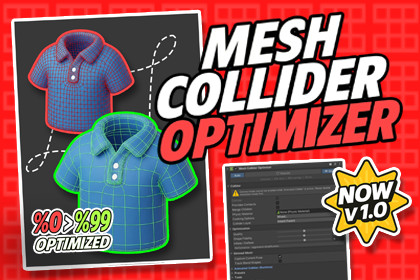
MESH COLLIDER OPTIMIZER – Advanced Animation Collider & BlendShape Colliders
Occlusionn
$10.00
$20.00
50%OFF
Jump AssetStore
A powerful Unity Editor tool that automatically analyzes, optimizes, and rebuilds Mesh Colliders in a few clicks reducing physics cost, improving performance, and streamlining your workflow.Mesh Collider Optimizer is a productivity-focused Unity Editor tool that gives you full control over Mesh Colliders, with robust support for Concave/Convex workflows, Skinned Mesh, BlendShapes, Runtime Animated Colliders, LOD, and detailed stats/analysis.As projects scale, collider cost quietly grows: high-triangle colliders, inconsistent convex setups, overlapping LOD colliders, and fragile runtime updates on animated characters. Mesh Collider Optimizer brings these into one clean workflow so you can keep physics performance under control.✨ Lower physics cost ✨ Cleaner, safer collider management ✨ Faster iteration (optimize -> test -> undo -> refine)🛠 How It WorksScans selected objects (and children) and collects source meshes (MeshFilter / SkinnedMesh)Builds optimized meshes and rebuilds colliders based on your settingsOptional Runtime Animated Collider mode bakes skinned pose and updates colliders automaticallyGenerates clear stats: before/after verts-tris, memory, bake time, savings ratio, and more🟩 Concave / Convex ControlConvex mode with decomposition grid settings and optional 256-guard safetyNon-convex concave workflow for static use cases🎞️ Animated Collider (Runtime) - Skinned Pose BakingSource mode: BakeMesh or SharedMeshUpdate mode: EveryFrame / EveryNFrames / TargetHzOnly When Visible option for better runtime performanceRoot-Only option to avoid per-update decomposition overhead🧬 BlendShape TrackingDetects BlendShape weight changes automaticallyTriggers optimization/update when enabled, no manual rebuild required📊 Stats & Savings SummaryVerts/Tris before and afterMemory before and afterBake timeSavings ratio (%)Convex generated part count🧯 Inflation (Normal-Based Offset)Inflate/deflate generated colliders to fine-tune contact and penetration behavior🧩 LOD SupportOptional active-LOD-only collider mode to prevent multiple LOD colliders from running together🧱 Merge ChildrenMerge child meshes for a cleaner and more consistent optimization pipeline🗺️ Gizmos + Heatmap / Error LinesDraw generated colliders in SceneViewHeatmap points and error lines for fast visual validationAutomatically switches to lighter drawing when collider count is high🧷 Scene Overlay FallbackAnimation-mode wire/overlay drawing can continue even when SceneView gizmos are disabled🎛️ Preset ProfilesSave and apply profiles (High Quality, Balanced, etc.) in one clickIncludes quality, fidelity, inflation, and decomposition settings🌍 Support & CommunityJoin our Discord for support, tips, and discussionsFull documentation included with quick-start guidanceIf Mesh Collider Optimizer improves your workflow, please consider leaving a review. Thank you! 🙏📦 Package ContentsMeshColliderOptimizer Runtime Component (core optimize, rebuild, runtime animation support)Inspector + Editor tooling (controls, quick actions, stats readout)OptimizationPreset system (save/apply profiles)MeshColliderOptimizerApi (public API for pipeline/automation integration)SimplificationJob (Burst + Jobs, grid-based vertex welding simplification)InflationJob (Burst + Jobs, normal-based vertex offset/inflation)LOD Module (LODGroup-aware collider behavior)Gizmos Module (wire + debug drawing)Heatmap + Error Lines (visual validation tools)Scene Overlay Module (overlay drawing when Scene gizmos are disabled)Menu Items + Toolbar/Button (fast access)Safety Helper (optional guard against unintended MeshCollider usage)Documentation (quick-start + full docs)✨ Key FeaturesOne-click Mesh Collider optimize & rebuild (single-object to batch workflows)Concave / Convex workflows with decomposition grid controls for convex modeOptional Strict 256 Guard safety to prevent invalid or over-limit convex setupsOptional Pose Snapshot capture for runtime animated collider workflowsRuntime Animated Colliders (Skinned Mesh) with source modes: BakeMesh / SharedMeshRuntime update modes: EveryFrame / EveryNFrames / TargetHzOnly When Visible option to skip unnecessary runtime updatesRoot-Only mode for faster runtime animation updatesBlendShape Tracking with automatic change detection and collider refreshStats & Savings Summary: before/after verts-tris, memory, bake time, savings ratioConvex stats: generated part countInflation / Offset controls for contact and penetration tuningLOD Support with active-LOD-only collider optionScene Debugging: gizmo wires, heatmap (stride control), error lines, max error toleranceScene Overlay fallback so wire/overlay drawing continues when gizmos are offPhysics cooking controls: mesh cleaning, welding, faster simulation optionsOptional “Provides Contacts” toggle support (Unity 2022.1+)📋 RequirementsUnity 2020.3 LTS or newer (recommended: 2022.3 LTS / Unity 6)Uses: Burst, Jobs, Mathematics, CollectionsEditor + Runtime supportOptimization/rebuild/analysis workflows run in the EditorAnimated Collider mode is designed to work in runtime builds🌐 Render PipelinesBuilt-in RPURPHDRPPipeline-independent physics/collider workflow💻 Supported PlatformsEditor: Windows / macOS / LinuxRuntime Builds: All Unity-supported platforms (PC / Mobile / Console, etc.)✅ Yes – AI AssistedDuring the creation of this package, AI tools were used for code skeleton generation, documentation drafting, and content editing stages.All code, logic, and features have been manually reviewed, tested, and optimized to comply with Unity standards.

