






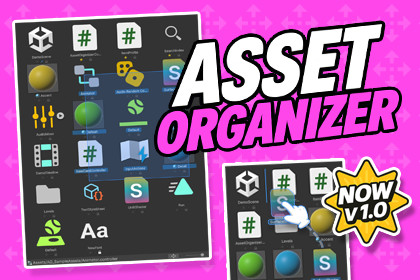
ASSET ORGANIZER – Ultimate Project Window Sorting
Occlusionn
$7.50
$15.00
50%OFF
Jump AssetStore
Asset Organizer is a powerful Unity tool that organizes, sorts, and manages your Project Window in a few clicks reducing clutter, improving speed, and streamlining your workflow.Asset Organizer is a productivity-focused Unity Editor tool that gives you full control over the Project Window with real support for Custom Sorting, Manual Reordering, Pinning, and enhanced Selection workflows.As projects scale, organizational debt grows: messy folder structures, lost assets, inconsistent sorting, and limited native selection tools. Asset Organizer brings everything into a clean workflow and helps you keep your project structure under control.✨ Lower navigation friction✨ Cleaner & safer project management✨ Faster iteration (organize → find → build → refine)🛠️ How It WorksScans open Project Browsers and injects custom interface controls for instant access.Overrides native sorting using a high-performance reflection system to apply your custom rules.Tracks manual changes in a persistent state file that remains consistent across sessions.Generates diagnostic reports to ensure your project window health and reflection bindings are optimal.🗂️ Advanced Sort ModesManual Sort: Drag and drop assets into your own curated, persistent order.Size & Type: Sort by actual file size or grouped asset categories.Modified Date: Keep recently changed files at the top of your view.🖱️ Enhanced Box SelectionPredictive Marquee: A reliable selection box that works across all zoom levels and layouts.Auto-Scroll: Viewport automatically follows your drag when selecting large groups.Additive Logic: Easily toggle or add to current selections with standard modifiers.📌 Anchor & Visibility SystemPin to Top: Keep critical assets anchored at the start of the list regardless of sort mode.Lock Position: Prevent accidental reordering of curated assets during manual edits.Favorites (Star): Lightweight visual markers for frequently accessed project items.🔄 Folder ProfilesPer-Folder Settings: Save specific sort criteria for different directories (e.g., Manual for Levels, Date for Sprites).Auto-Apply: Organizer automatically switches modes as you navigate through your project.🎞️ Smooth Visual FeedbackReorder Animations: Cubic-eased ghosting effects provide clear feedback during reordering.Insertion Rails: Precise blue-line indicators show exactly where your assets will land.🔍 Diagnostics & DebuggingReflection Health: Real-time tracking of Unity Editor internal bindings.Debug Filter: Tune log verbosity and subsystem channels to troubleshoot complex setups.Undo/Redo Support: Full integration with Unity’s Undo system for all organizational changes.🌍 Support & CommunityJoin our Discord for support, tips, and discussions.Full documentation included with a quick-start guide.If Asset Organizer improves your workflow, please consider leaving a review thank you! 🙏📦 Package ContentsAssetOrganizer Core Logic (Custom sorting, manual reordering, and state management).Enhanced Box Selection System (Marquee selection with auto-scroll and additive logic).Inspector + Editor Tooling (Bottom-right toolbar, context menus, and quick actions).Folder Profile System (Save and apply per-folder sorting configurations).Diagnostics Window (Reflection health tracking and runtime state readout).Debug Filter Module (Verbosity levels and subsystem channel filtering).Onboarding System (Quick-start guide and integrated documentation).Reorder Animation Module (Smooth cubic-eased visual feedback).Icon & UI Resources (Custom-resolved editor textures for Pin, Lock, and Favorites).Persistence Layer (JSON-based storage for all organizational changes).Undo/Redo Integration (Full state recovery for all organizer actions).✨ Key FeaturesOne-click Custom Sorting (Toggle between Name, Manual, Size, Type, and Modified Date).Manual Reordering (Drag-and-drop assets into a curated, persistent order).Predictive Box Selection (Reliable marquee selection that works across all zoom levels).Auto-Scroll Support (Viewport follows selection drag during large group operations).Lock Position: Prevent accidental movement of curated items.Anchor SystemPin to Top: Keep critical assets at the start of the list.Favorites (Star) System (Lightweight visual markers for frequently used assets).Auto-Apply: Context-aware mode switching during navigation.Smart Folder ProfilesPer-Folder Settings: Distinct sort modes for different directories.Ghost Animations: Eased visual feedback for asset movement.Visual ValidationInsertion Rails: Precise blue-line indicators for reorder drops.Subsystem Logging: Granular control over debug output via the Filter window.Diagnostics & HealthReflection Tracking: Real-time monitoring of Unity Editor internal bindings.📋 RequirementsUnity 2020.3 LTS or newer (Recommended: 2022.3 LTS / Unity 6).Editor Only (Organizational tools are designed for development and not included in player builds).No External Dependencies (Uses native Unity reflection and Editor APIs).🌐 Render PipelinesBuilt-in RP.URP.HDRP.(Pipeline-independent — purely a Project Window productivity tool).💻 Supported PlatformsEditor: Windows / macOS / Linux.Runtime Builds: N/A (The tool does not impact runtime performance or builds).✅ Yes – AI AssistedDuring the creation of this package, AI tools were used for code skeleton generation, documentation drafting, and content editing stages.All code, logic, and features have been manually reviewed, tested, and optimized to comply with Unity standards.

