






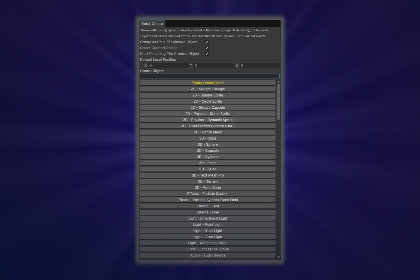
Quick Create - Context Menu For Editor
Yuki0okami_20
$0.0
$4.99
100%OFF
(no ratings)
Jump AssetStore
Quick Create is a Unity Editor tool that lets you quickly create common scene objects and assets from a searchable, pipeline-aware window.Quick Create is an Editor tool for Unity that allows you to quickly create commonly used scene objects and assets from a single searchable window.It is designed to speed up workflow and reduce context switching.- Key Features -Fast searchable window for creating GameObjects and assetsKeyboard-friendly workflow (arrow keys + Enter)Optional automatic parenting, selection, and renamingNo runtime impact (Editor-only tool)- Opening the Window -You can open the Quick Create Window in two ways:Menu: Tools → Quick CreateShortcut: F3- Search System -The search field supports multi-word partial matching.Examples:ass → matches Asset - Materialmat → matches Asset - Materialass mat → matches Asset - Materialmat ass → matches Asset - MaterialEach word is matched independently, and order does not matter.- Settings -The settings section is located at the top of the plugin window.Important:These settings only apply to objects created in the scene (except UI elements), not to assets.Available options:Create as Child of Selected ObjectIf enabled, newly created scene objects will be parented under the currently selected GameObject.Select Created ObjectAutomatically selects the created object after creation.Start Renaming the Created ObjectStarts rename mode immediately after creation.Default Local PositionLocal position applied when the object is created as a child.- Scene Objects vs Assets -Scene ObjectsCreated directly in the active scene (GameObjects, UI elements, lights, cameras, effects, etc.).AssetsCreated in the Project window (materials, sprites, scripts, animation assets, UI Toolkit assets, etc.).Settings such as parenting, selection, and renaming do not affect assets.- Keyboard Controls -Typing – filters results in real timeEnter (first time) – activates Up / Down ArrowsUp / Down Arrow – navigate the listEnter (second time) – create the selected entry- Requirements -Unity Editor (Editor-only tool)Compatible with URP, and HDRP projects (however Objects and Assets intended for the High Definition Render Pipeline (HDRP) are not avaible).No additional packages required (uses installed Unity features)- Notes -The tool does not modify project settings.No runtime code is included.Safe to use in production projects.Designed to be easily extendable with custom entries.- Errors and warnings -The console will display the message "ExecuteMenuItem failed because there is no menu named [position path in menu]"if you choose an item that is incompatible with the current pipeline (like URP while you are in HDRP), or if you are missing the appropriate packages (like UI Toolkit).• Work only in URP and HDRP pipelines• Editor-only Unity tool (no runtime code)• Searchable window with multi-word partial matching• Keyboard navigation support• Creation of scene objects and project assets• Optional automatic parenting and selection of created objects• Immediate rename option for scene objects• Compatible with different project setups without additional configuration

