






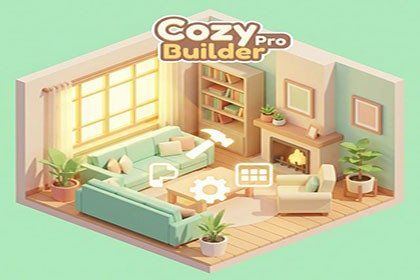
Complete isometric camera, placement, terrain, and outdoor builder framework for cozy decorators and garden-building games.Bring your cozy visions to life with Cozy Builder Pro.Whether you are crafting a serene plant-filled studio, a bustling low-poly town, a relaxing interior decorator, a cat café, or an outdoor garden diorama, Cozy Builder Pro provides the production-ready foundation you need.This modular framework handles the complex math of isometric cameras, precise grid & surface placement, runtime transform gizmos, outdoor terrain editing, path painting, fence construction, and layout persistence — so you can focus on making your game cozy, tactile, and fun.🌟 Key Highlights• 14 Ready-to-Play Demo Scenes covering interior decoration, cat cafés, greenhouses, outdoor landscaping, retro 2D top-down, and tidy-up cleaning simulation.• Complete Camera Suite: Free orbit, room orbit with zoom collision prevention, outdoor terrain fly-camera, and orthographic 2D top-down modes.• Pro Builder Tools: Runtime 3D Transform Gizmo (Translate/Rotate/Scale), full Copy/Paste (Ctrl+C/V/A), and physics-safe object flipping.• Outdoor Garden & Landscaping: Terrain splatmap painting, auto-tiling path painting, procedural fence building, and height flattening.• Photo Mode & 4K Snapshot Exporter: Built-in camera photo mode with 5 lighting mood presets and high-resolution PNG/JPG floor plan exports.• Production-Ready Persistence: Zero-allocation JSON and portable .cozy layout formats with auto-save/load and an in-game Blueprint Browser.🎥 Production-Ready Camera SystemsFour distinct camera controllers engineered for any game style:• Free Orbit (Demo 1): Panning, orbiting, and zooming with environment-aware Auto-Framing.• Room Orbit (Demo 2 & 3): Clamped angles with Zoom Collision prevention — ideal for interior decorators and compact dioramas.• Outdoor Terrain (Demo 4): WASD fly camera with orbit, pan, and terrain-following zoom — tailored for garden and landscape builders.• 2D Top-Down Mode (Demo 13): Crisp orthographic camera angle optimized for 2D tilesets, retro RPGs, and floor-plan editors.🪴 Advanced Placement & Editor Mechanics• Direct Drag & Drop: Click, drag, and drop with smooth physics-based bounce animations on release.• Inventory Workflow: Drag items directly from category-filtered UI panels with instant global search.• Surface Awareness: Intelligently place objects on floors, walls, tabletops, or sloped outdoor terrain with automatic normal alignment.• Validation & Snapping: Real-time Green/Red ghost previews, customizable grid & edge snapping, and overlap prevention.• Runtime Transform Gizmo: Toggle axis handles (G) to Translate (W), Rotate (E), or Scale (R) placed items at runtime.• Clipboard & Multi-Select: Standard editor hotkeys (Ctrl+C copy, Ctrl+V paste at cursor, Ctrl+A select all) with relative offset preservation.• Object Flipping: Quick horizontal flipping (F) with physics-safe collider handling.• Full Undo/Redo: Robust command pattern (Ctrl+Z / Ctrl+Y) across placement, movement, rotation, deletion, and batch pasting.🌿 Outdoor Garden Builder ToolsA complete outdoor construction and terrain-editing toolkit:• Terrain Painting: Brush-based splatmap texture painting with adjustable radius and opacity.• Path Painting: Grid-snapped auto-tiling paths with drag-to-paint and neighbor-aware edge detection.• Fence Building: Click-to-draw fence runs with auto-generated posts, rails, and terrain height conform.• Terrain Flattening: Height brush to level ground smoothly beneath structures.📸 Photo Mode & Map Snapshot Exporter• Photo Mode: In-game camera viewfinder with customizable aspect ratios (16:9, 1:1, 9:16), framing guides, and shutter SFX.• 5 Mood Presets: Instantly re-light your scenes with Dreamy, Moody, Golden Hour, Cozy Night, and Minimalist atmosphere presets.• Map Snapshot Exporter: Export high-resolution PNG or JPG screenshots up to 4K (including auto-framed floor plans and perspective overviews) directly from Play Mode or the Unity Editor.💾 Robust Persistence & Blueprint Sharing• Dual-Format Persistence: Save and load layouts using human-readable .json or portable .cozy layout files.• Blueprint Browser: In-game layout manager allowing players to save, load, and export modular room blueprints with auto-generated thumbnails.• GUID-based Identification: Placed objects retain their data and identity across scene reloads.• Complete State Saving: Saves placed objects, transform variations, terrain paint, height modifications, paths, and fence networks.✨ Interactive Polish & Game Feel• URP Outlines & Highlights: Smooth selection feedback and hover indicators.• Cozy Score & Objectives System: Real-time goal tracking that reacts dynamically to player decoration choices.• Floating Score Popups: Satisfying animated point popups on placement and cleaning actions.• Audio Manager: Procedurally synthesized placement thuds, clicks, and camera shutter feedback.📦 What's Included?• 14 complete demo scenes (Living Room, Botanical Greenhouse, Cat Café, Pocket Diorama, Outdoor Garden, 2D Top-Down Kit, Cozy Cleaning Simulator, and more)• Full clean, well-commented C# source code (Assembly Definition organized)• Comprehensive documentation and quick-start guides• Pre-configured URP materials and low-poly sample assets🎮 Play WebGL Demo 💬 Support & Community• Full documentation included in the package• Email: support@kinaforge.com• Website: https://kinaforge.com• Render Pipeline: Universal Render Pipeline (URP) • Unity Version: Unity 6 (6000.0+) recommended (also compatible with modern Unity 2022+ LTS)• Input: Supports both New Input System and legacy input mappings • Platform Support: PC, Mac, WebGL, and Mobile-ready architectureRender Pipeline: URP (Universal Render Pipeline) optimized; Built-in RP also supported via automatic shader fallbackScripting Backend: Mono and IL2CPP compatibleScript Count: 70+ modular C# scripts (C# 9.0)Dependencies: None — pure Unity C#, no third-party plugins requiredPlatforms: Windows, macOS, Linux, Android, iOS (mobile gestures supported)Input System: Legacy Input Manager (compatible with both old and new input backends)TextMesh Pro: Required (included with Unity by default)Demo Scenes: 4 fully auto-generated demo scenes via editor menuDocumentation: Quick Start guide, full User ManualEditor Tools: Custom menu items for one-click scene generation, object database editorSave Format: JSON via JsonUtility — human-readable, no binary dependenciesArchitecture: Event-driven, no singletons, no Find() calls at runtime, fully serialized referencesAI-assisted coding tools were used during development for code generation, refactoring, and documentation writing. No AI/ML models, runtime inference, or trained datasets are included in the package itself. The final product is 100% deterministic C# code with no AI dependencies at runtime.

