






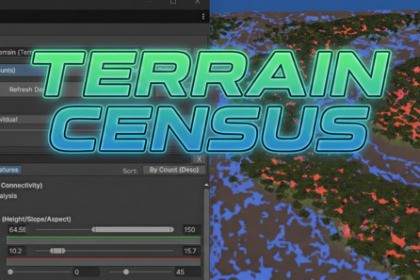
Stop guessing. Profile Unity Terrains with precise heatmaps for asset density, slope, and height. Audit instance counts, analyze curvature, and optimize performance with high-speed Burst analysis.This tool is fully compatible with Built-in, URP, and HDRP. However, the included Demo Scene uses URP materials. While the tool functions perfectly in all pipelines, the demo assets will appear pink in Built-in or HDRP unless you manually convert their materials.A professional profiling and visualization utility that gives you a "God's Eye View" of your Unity Terrain data through intuitive heatmaps, exact instance counts, and statistical analysis.The Origin StoryBuilding a large-scale environment is often an artistic process, but optimizing and debugging it is a technical one.I originally developed Terrain Census as the internal debugging layer for Biomator (my upcoming procedural generation engine) and BurstLOD (my optimization suite). I needed a way to verify that my procedural rules were working correctly—I needed to see exactly where trees were spawning, which slopes were too steep, and where texture coverage was heaviest.Unity Terrains are often treated as "Black Boxes"—you paint trees and textures, but you rarely have easy access to the quantitative data behind them. I realized that this lack of visibility is a problem for every Level Designer and Technical Artist, not just those using procedural tools.While this tool is part of a larger paid ecosystem, I am releasing the core analysis engine as a standalone free asset because I believe that being able to see your data shouldn't be a premium feature. If you are building a world, you deserve to know exactly what is in it.What is Terrain Census?Terrain Census is an Editor-Only diagnostic instrument. It bridges the gap between your artistic vision and the raw data stored in your Terrain assets.It scans your terrain to provide precise data on asset distribution, density, and topography, turning invisible numbers into clear, color-coded Heatmaps directly in the Scene View.It is designed to answer the specific questions that arise during level design and optimization:Topography: "Where exactly are my steep cliffs (unwalkable) versus my flat plateaus (buildable)?"Optimization: "Why is performance dropping in this sector? Do I have too many trees or too much grass density here?"Validation: "Did I accidentally paint snow texture below the sea level?"Instead of guessing, Terrain Census lets you see the answers.Key Features: The "God's Eye View"Terrain Census turns invisible data into actionable insights, allowing you to answer complex questions about your environment instantly.Interactive Context Tool: Click the magnifying glass icon next to any asset in the census list to instantly select the Terrain and activate the specific painting tool for that asset, speeding up your editing workflow.Comprehensive Asset Auditing:Precise Instance Counts: Get exact numbers for every Tree prefab and Detail object (grass/meshes) on your terrain. This allows you to pinpoint exactly which assets are consuming your performance budget.Texture Coverage Analysis: View accurate percentage breakdowns for every Terrain Layer (Splatmap). This helps identify textures that are barely used or unintentionally painted over, saving memory and draw calls.Aspect Direction: Visualize which compass direction slopes are facing, which is essential for placing solar arrays, vegetation biomes, or directional lighting effects.Visual Heatmaps (Density & Morphology):Asset Density Visualization: Project color-coded heatmaps onto the terrain to see clustering patterns for trees, details, or custom GameObject Groups.Height Range Masking: Isolate specific altitude bands to visualize gameplay constraints, such as snow lines, sea levels, or fog zones.Slope Angle Analysis: Identify terrain steepness with a configurable range (0° to 90°), making it easy to spot unwalkable cliffs or flat buildable zones.Topological Classification: Automatically highlight Basins (concave valleys), Plateaus (flat elevated areas), and Ridges (convex peaks) based on adjustable radius and threshold settings.Advanced Region Analysis:Curvature Detection: Going beyond simple slope checks, this feature uses neighbor-based algorithms to identify contiguous terrain shapes.Union Mode (OR): Highlight areas that meet any of the selected criteria, such as identifying all "Steep Cliffs" OR "Deep Water" to create a map of non-traversable zones.Logical Visualization Blending:Boolean Logic: Combine multiple data layers to answer complex level design questions.Intersection Mode (AND): Highlight only the specific areas where conditions overlap, such as finding terrain that is both "High Altitude" AND "Flat."Extrema Locators: Instantly find the mathematical highest peak or lowest valley in your world by clicking the "Locate" buttons, which snap the Scene View camera directly to those coordinates.Statistical Histograms:Distribution Charts: Generate 20-bin bar charts for Height and Slope to understand the overall profile of your level geometry.Performance & WorkflowAnalyzing a 4km x 4km terrain with 50,000 trees requires heavy mathematics. Terrain Census is built on a modern architecture designed to respect your time and your hardware.Burst-Powered: The core analysis engines utilize the Unity Job System and Burst Compiler to offload heavy calculations (counting, raycasting, and pixel analysis) to background worker threads.Non-Blocking UI: The Editor remains fully responsive while the Census runs. You can continue working in the scene without waiting for a progress bar to finish.Non-Destructive: Analysis creates temporary, hidden overlay meshes in the scene to render data. The tool reads your data but never modifies your Terrain, Scene, or Project files."Honesty First": What to ExpectThis asset is intentionally niche. I built it to solve specific bottlenecks in my own development process, and while it is a powerful utility, it is important to understand its scope.Analysis Only: This tool reads and visualizes data; it does not place objects or auto-generate terrain. If you need to mass-replace objects based on this data, please see the Scene Object Replacer tool.Editor-Only: This is a design-time instrument. The scripts are strictly for the Editor environment and are stripped from your game builds. There is no Runtime API in this free version.Predictive Mode: You will see a tab labeled "Predictive Mode" in the UI. This feature allows for real-time visualization of procedural generation rules, but it requires the Veridian Biomator package to function. In this free version, please focus on the Analysis Mode, which handles all existing terrain data.The Veridian EcosystemTerrain Census is part of a larger optimization and world-building pipeline. While this tool helps you understand your environment, you may need other tools to act on that data.Scene Object Replacer (Free): Terrain Census tells you where you have too many rocks or the wrong tree type; the Scene Object Replacer helps you swap, cull, or randomize them instantly.BurstLOD (Paid): Once you have analyzed your scene density, you will need to optimize those assets. BurstLOD offers automatic LOD generation, mesh fusion, and geometry optimization to keep your frame rate high.Biomator (Coming Soon): The complete rule-based procedural generation engine.Included Demo SceneThis package includes a complete demo scene featuring the natural plant and rock assets (trees, stones, terrain textures) shown in the screenshots. The sample terrain is pre-populated, allowing you to test the profiling tools and visualize heatmaps immediately upon installation.Optional: The demo content is not required for the tool to function. You can choose not to import the Demo folder, or delete it later to keep your project clean.URP Materials: The demo assets use URP Materials. If you open the demo scene in the Built-in Pipeline or HDRP, objects may appear pink unless you manually upgrade their materials. Note: The Terrain Census tool itself functions perfectly in all pipelines; this limitation applies only to the sample art assets.DocumentationThis asset includes comprehensive online documentation covering setup, feature breakdowns, and troubleshooting.https://docs.google.com/document/d/1QVa2XRYepTGmk0fyY9QO_7A5DvSQalwNINXLGaxgFc4/edit?usp=sharing1. Architecture & PerformanceTerrain Census is built on the Unity Job System and Burst Compiler to handle large datasets efficiently. It employs a "Gather-Process-Apply" architecture, offloading heavy mathematics—such as counting 50,000 trees or calculating slope angles for a 4k heightmap—to background worker threads. This ensures the Unity Editor remains responsive during analysis.Fast Operations: Asset Counting, Height, Slope, and Aspect analysis are generally near-instantaneous.Heavy Operations: Region Analysis (Curvature) uses a complex iterative algorithm (Connected-Component Labeling). On very large terrains, calculating this specific heatmap may cause a noticeable delay.Mesh Optimization: Includes adjustable Mesh Quality Settings (High/Medium/Low), allowing you to trade visual smoothness for Editor frame rate on lower-end hardware.2. Dependencies & Unity VersionTarget Version: Developed and tested exclusively for Unity 6+ (6000.0+).Required Packages: com.unity.burst and com.unity.mathematics.Built-in Pipeline: Users on the Built-in pipeline (or those who have manually stripped their package manifest) will need to install these dependencies via the Package Manager.Installation:URP / HDRP: These packages are typically included by default in modern templates; no extra installation is required.Code Safety: This asset utilizes Safe Burst Code only. No unsafe code blocks or experimental project settings are required.3. Render Pipeline CompatibilityThis tool is designed to work out-of-the-box across all standard Unity render pipelines.Intelligent Shaders: The visualization overlay uses a single, smart shader file that automatically detects the active pipeline and compiles the correct passes. The Blending shader is pipeline-agnostic.The Tool (Fully Compatible):Works natively in Built-in, URP, and HDRP.Workaround: If you are using Built-in or HDRP, the tool itself will work perfectly, but the Demo Scene objects will appear pink. To use the demo scene in other pipelines, you must manually upgrade or swap the terrain and prop materials to match your render settings.The Demo Scene (Conditional):Warning: The included Demo Scene creates its terrain and props using URP Lit materials.4. Analysis Features (Technical Breakdown)The calculation engine uses specialized algorithms to extract meaningful data from raw terrain maps.Texture Weighting: Analyzes Alpha Maps (Splatmaps) to calculate the exact surface coverage percentage of every Terrain Layer, filtering out layers with negligible impact.Asset Census Engine:Parallel Counting: Utilizes a "Map-Reduce" job structure to count thousands of Tree instances and Detail objects across multiple threads simultaneously.Detail Aggregation: Efficiently sums instance counts from multiple detail resolution layers, handling both "Instance Count" (grass) and "Vertex Lit" (mesh) prototype modes.Aspect: Determines the compass direction (0° to 360°) of slope faces using interpolated terrain normals, essential for lighting and biome logic.Morphological Analysis:Height: Generates binary or gradient masks based on altitude ranges. Supports custom Modulation Curves (AnimationCurve) to create soft-falloff visualizations rather than hard cutoffs.Slope: Calculates surface steepness (0° to 90°) using central difference sampling on the heightmap.Connected-Component Labeling (CCL): Runs an iterative algorithm to group these classified pixels into contiguous regions. This allows for filtering by Region Size (e.g., "Ignore any flat spots smaller than 100 pixels").Advanced Region Analysis (Curvature):Shape Detection: Implements a sliding-window algorithm to classify terrain pixels as Concave (basins), Convex (ridges), or Flat (plateaus) based on a configurable analysis radius and vertical threshold.Logic Modes: Supports Intersection (AND) to find overlapping valid areas and Union (OR) to aggregate multiple data layers.Boolean Logic & Blending:Hybrid Blending Architecture: The tool attempts to use a custom shader and Graphics.Blit for instant, GPU-accelerated texture blending (Intersection/Union). If the GPU path is unavailable, it automatically falls back to a robust Burst/Job-based CPU implementation.Extrema: Calculates global Min, Max, and Mean elevation statistics.Statistics:Histograms: Generates 20-bin frequency distribution charts for Height and Slope to visualize the overall profile of the terrain.5. Package Structure & LimitationsAssembly Definition: All scripts are wrapped in the Veridian.TerrainCensus.Editor assembly. This ensures the tool is strictly Editor-Only and is automatically stripped from your final game builds, ensuring zero impact (0MB) on runtime build size.Memory Usage: Generating high-resolution heatmaps (e.g., matching a 4096 heightmap pixel-for-pixel) consumes VRAM and RAM. Users working with massive terrains on lower-end hardware are advised to use the Mesh Quality settings (Medium/Low) to reduce overhead without sacrificing data accuracy.6. Roadmap: The Full VersionWhile this free version is a complete analysis suite, the upcoming Full Version transforms Terrain Census from a diagnostic tool into a runtime engine.Runtime API: The full version exposes the core calculation engine to your game scripts, allowing you to generate height, slope, and density heatmaps dynamically during gameplay. Includes examples for Utility AI (finding cover) and minimap generation.Scene Object Replacer Integration: Directly link your census data to the Scene Object Replacer Use heatmap data to drive probabilistic replacement of Terrain Trees, Detail patches, or GameObjects (e.g., "Replace all rocks in this High-Slope zone with Mossy variants").Biomator Integration: Seamlessly connect with the Biomator procedural engine to visualize spawn rules in real-time or drive object placement based on complex terrain morphology.

