






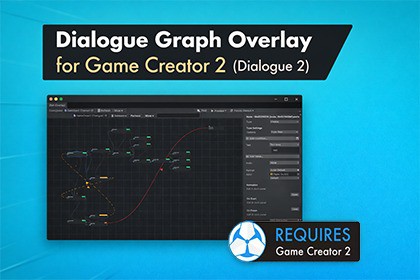
Dialogue Graph Overlay for Game Creator 2 - Dialogue 2
Indie blankz
$34.99
$49.99
30%OFF
(no ratings)
Jump AssetStore
Dialogue Graph Overlay adds a Unity 6+ visual node editor for Game Creator 2 Dialogue 2, with Play Mode Live Preview, dock panels, localization CSV tools, and graph CSV roundtrip.Dialogue Graph Overlay is an editor extension that brings a clean, productive node-based workflow to Game Creator 2 – Dialogue 2, letting you build and maintain conversations visually without changing how Dialogue 2 works internally.Create and connect nodes using smart context menus (Create Node/Child/Sibling, Jump/Continue/Exit helpers), multi-select tools (box select, delete selected), and layout utilities (align, order, stack/arrange). A toggleable Dialogue Settings panel inside the graph mirrors key Dialogue 2 inspector settings—Dialogue Skin, Time, Actors, and editor display toggles—so you can adjust roles and targets while designing.For debugging, Live Preview follows runtime dialogue progression in Play Mode, with a Sync button to instantly re-latch the overlay if needed. For performance and comfort, heavier editors are organized into a dock panel (including animation/instruction sections), and the animation UI automatically hides sequence controls when no clip is assigned.For pipelines and collaboration, Graph CSV import/export supports stable roundtrips and safer workflows: it exports authored node text correctly, warns before overwriting existing nodes, auto-aligns after import, and restores Actor + Expression data (avatars) using more reliable identifiers. Localization workflows are included via Locale CSV export/apply tools for bulk text updates. Built with Unity 6+ editor compatibility in mind, Dialogue Graph Overlay is made for teams who want faster iteration and cleaner dialogue maintenance.-----------FAQDoes this replace Dialogue 2? No. It is an editor overlay that edits the same Dialogue Content you already use in Dialogue 2.Where are node positions saved? On the Dialogue GameObject via a DialogueGraphMeta component.Can I keep using the default Inspector list? Yes. The overlay is optional and complements the Dialogue component Inspector.Will this affect my build size? Editor windows are excluded from builds. The runtime component only stores layout metadata.Is Unity 6.3 supported? Yes. This build avoids UI Toolkit APIs that differ across Unity 6.x and is compatible with Unity 6.0+.-----------Note: What CSV Import/Export Includes (and Doesn’t)Graph CSV (Import/Export)Included (roundtrips):Graph structure: parent/child relationships + sibling orderNode identifiers: Tag (auto-filled if empty for stable roundtrips)Node type: Text / Choice / RandomActor: via Actor GUID (fallback: Actor name)Expression: via ExpressionId (fallback: ExpressionIndex) → restores node avatarNode text: authored inspector text (exports correctly)Basic flow control: JumpTag / Continue / Exit flags (depending on your columns)Not included (resets to defaults on import):ConditionsOn Start / On Finish instructionsAudio settingsAnimation clip + sequence/timeline tracksDuration settings and other advanced node propertiesAny custom/extended per-node data not represented in the CSV columnsGraph CSV is meant for structure + core dialogue content, not full fidelity serialization of every node feature.Localization CSV (Locale Export / Apply)Included (used to replace text):Node Tag/ID reference to locate the correct nodeLocalized text entries (the main thing you translate/edit)Helpful context columns (for safe translation workflows)Not included / not changed:Node structure (parents/children/order)Actor / Expression / avatarsConditions, instructions, audio, animation, durationAny non-text node settingsLocalization CSV is meant only for bulk text translation/updates, not editing the graph or node configuration.Visual node graph for Dialogue 2: Edit Game Creator 2 conversations as a clean node graph overlay while keeping the standard Dialogue 2 workflow intact.Fast graph controls: Pan / zoom / drag nodes, click-to-inspect, and wire-based editing for quick iteration on large dialogue trees.Smart context menus (empty + node)Create Node / Create Child / Create Sibling (includes zero-node “Create Node” support)Frame Node for instant navigationSelection-aware tools: Delete Selected, Align Selection, Order Selection, plus selection safety (disables ambiguous actions when multi-selecting)Multi-select + box-select productivity: Work on groups of nodes easily (delete, align, order) with consistent menu parity across graph actions.Search & jump: Built-in Find to search nodes by tag / actor / text and jump through matches.Play Mode Live Preview: Debug conversations while running:Follow the currently playing dialogueAuto-frame the running node (configurable focus behavior)Sync button to force re-linking if the graph doesn’t latch onto runtime immediatelyPerformance-friendly Dock Panel: Heavy editors open in a dedicated dock (keeps the main inspector responsive):Animation tabOn Start / On Finish instruction editorsHides the Sequence block automatically when the animation clip is emptyDialogue Settings panel inside the graph (toggleable): Mirrors Dialogue 2 inspector sections:Configuration: Dialogue Skin, TimeActors: per-actor target fields with proper labels (auto re-validates when the main Dialogue component’s actors list changes)Editor toggles: Height, Display Actors, Display Jumps, Display TagsCleaner node readability options:Display Tags inside node body (near preview text)Optional display toggles to reduce visual noiseNode portraits / expressions: Each node can show a top-left avatar pulled from the selected Actor Expression sprite (auto-hides when missing).Graph CSV import/export (roundtrip-ready):Export/import the graph structure and core node dataAuthored text export (correct inspector text)Import safety warning when replacing existing nodesAuto-align after import for a clean layoutStable matching via Actor GUID + ExpressionId/ExpressionIndex (with safe fallbacks)Auto-assigns missing tags to keep CSV roundtrips reliableLocalization workflow tools:Export Locale CSV with helpful context metadataApply Locale CSV to replace node text in bulkUnity 6+ ready: Built and tested around Unity 6.0+ / 6.3+ editor API constraints (UI Toolkit-safe implementation).Includes example scene to quickly see the overlay in action.

