






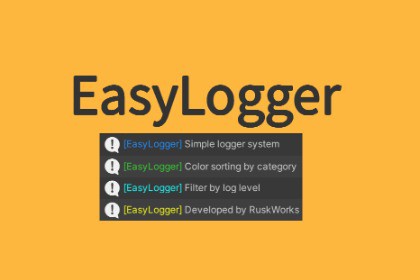
A simple logging system that organizes Unity logs by category with color-coding. Filter by level, enable/disable categories, and keep your console clean and readable.Keep your Unity console organized and readable with EasyLogger!EasyLogger is a lightweight logging system that helps you manage your debug output through color-coded categories and flexible filtering. Whether you're working on a small prototype or a large production game, EasyLogger makes it easy to find the information you need when you need it.Key FeaturesCategory-Based OrganizationOrganize logs by category (System, Game, Network, UI, etc.)Each category displays in its own color for instant recognitionAdd custom categories with custom colors for your project needsFlexible FilteringFilter by log level (Info, Warning, Error)Enable or disable specific categories during runtimePerfect for focusing on specific systems during debuggingSimple APIOne-line logging with categories: Log.Info("Game", "Player spawned")Extension methods for Unity ObjectsOptional header parameter for additional contextDebug category convenience methodsZero Setup RequiredWorks out of the box with sensible defaultsNo configuration files neededJust import and start loggingDefault CategoriesThe package includes 6 pre-configured categories:System (DodgerBlue) - Core systemsGame (LimeGreen) - Game logicUI (Cyan) - User interfaceNetwork (Yellow) - Network communicationSave (Orchid) - Save/load operationsDebug (Gray) - Debug informationUse CasesDuring DevelopmentTrack system initialization sequencesMonitor network communicationDebug UI state changesSeparate gameplay logs from system logsTeam CollaborationDifferent team members can focus on their categoriesClear visual separation reduces log confusionEasy to add project-specific categoriesPerformance DebuggingDisable verbose categories to reduce log overheadFocus on specific systems without noiseQuick enable/disable for production buildsWhat's IncludedComplete source code15 comprehensive samples demonstrating all featuresFull documentation (PDF + online)Extension methods for cleaner codeSupport for both header and headerless loggingPerfect ForDevelopers who want organized debug outputTeams working on complex projectsAnyone tired of cluttered console logsProjects that need category-based log filteringRequirementsUnity 2021.3 or laterNo external dependenciesDocumentationComplete documentation is included with:Quick start guideFull API referenceBest practices15 working examplesTroubleshooting guide━━━━━━━━━━━━━━━━━━━━━━━━━━━━SUPPORTEmail: ruskworks@gmail.comDiscord: https://discord.com/invite/3SkazkZT5uWe're here to help! Questions, feature requests, and feedback are always welcome.CompatibilityUnity Version: 2021.3 or laterPlatforms: All platforms supported by UnityEasyLogger is built as a static utility class with no MonoBehaviour dependencies, ensuring:Zero runtime overhead when categories are disabledNo scene setup requiredImmediate availability after importThread-safe logging operationsAPI OverviewCore Methodscsharp// With headerLog.Info(string category, string header, string message)Log.Warning(string category, string header, string message)Log.Error(string category, string header, string message)// Without headerLog.Info(string category, string message)Log.Warning(string category, string message)Log.Error(string category, string message)// Debug category shortcutsLog.DebugInfo(string message)Log.DebugWarning(string message)Log.DebugError(string message)Extension Methodscsharp// Use on any UnityEngine.Objectthis.LogInfo(string category, string message)this.LogWarning(string category, string message)this.LogError(string category, string message)this.LogDebugInfo(string message)Category ManagementcsharpLog.AddDisabledCategory(string category)Log.RemoveDisabledCategory(string category)Log.ClearDisabledCategories()Log.SetCategoryColor(string category, Color color)Log Level ControlcsharpLog.SetLogLevel(LogLevel levels)Log.AddLogLevel(LogLevel level)Log.RemoveLogLevel(LogLevel level)PerformanceMinimal memory allocationColor formatting only applied when logging is activeDisabled categories skip all processingNo reflection or dynamic code generationOptimized string formattingPackage ContentsRuskWorks/└── EasyLogger/├── Scripts/│ ├── Log.cs // Main logging class│ ├── LogEx.cs // Extension methods│ └── LogLevel.cs // Log level enum├── Sample/│ └── Scripts/│ └── EasyLoggerSamples.cs // 15 working examples└── Documentation/└── EasyLogger.pdf // Complete documentationIntegration NotesWorks seamlessly with Unity's built-in logging systemCompatible with all Unity Editor versions 2021.3+No conflicts with other logging solutionsCan be used alongside Unity's Debug.LogSupports rich text formatting in log messagesBest PracticesDevelopment Buildscsharp#if DEBUGLog.SetLogLevel(LogLevel.All);#elseLog.SetLogLevel(LogLevel.Warning | LogLevel.Error);#endifCategory NamingUse broad categories (System, Game, Network)Use headers for specific classes or featuresKeep category names short and memorablePerformance OptimizationDisable verbose categories in productionUse headerless logging for simple messagesLeverage log level filtering for releasesLicenseDistributed under Unity Asset Store EULA. Free for personal and commercial use. No redistribution permitted.

