






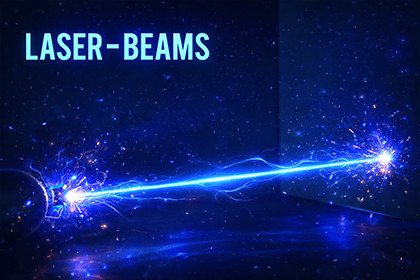
The Laser Beam VFX Pack includes a collection of high-quality stylized laser beam effects, and their corresponding hit effects designed for fantasy, sci-fi, action, and magic-based games.Unique laser beam effects with 5 hit effects, each provided with 2 visual variants, resulting in a total of 15 laser effects and 15 hit effects prefabs ready to use.The laser beams and hit effects are created using a combination of Shader Graph materials, Particle Systems, and Post Processing to achieve visually rich and immersive effects. Post Processing is applied globally through the camera in the demo scene to enhance the overall look and presentation.· 5 unique laser effects· 5 unique hit effects· 2 variants per laser and hit effectFolder Structure1. Prefabs: All laser and hit Effects Prefabs each with 2 variants.2. Textures: All textures3. Materials: All materials4. Scripts: Scripts used for laser beams and for demo scene5. Shaders: Shader that is used for the effects.1. Import the package in your unity project.2. Open the Demo Scene to preview the effects.3. Use the Left Mouse Button in the demo scene to shoot the lasers and Right Mouse Button to switch between the laser effects.4. Drag and Drop: Drag any laser beam effect prefab from the Prefabs folder into your scene.5. Positioning: Position the effect into your scene according to your desired location and orientation.6. Triggering: Activate the effect on your game logic or animation events to bring them to life at the right moment.All laser and hit effects are fully customizable via the Inspector:· Particle System PropertiesUsers can customize particle system properties like start lifetime, rotation, color over lifetime, emission, size over lifetime, etc.· Shader & Material PropertiesUsers can customize properties like Color, Strength, Density, Noise, Speed, Brightness, etc. These exposed properties will allow users to easily create new visual styles without editing the shader itself.Right click to changed the effect.Left click to shoot laser. Press Esc button to exit the play screen. Texture size: 2048x2048Texture shape: 2DTexture type: Default Alpha Source: Input Texture alpha

